M5Burner on Apple M2 Ventura 13.6 Is Unstable
-
Hi,
I hope you can help me with the following issue:
Controller tested: ATOMS3 and ESP32-S3-BOX-3
Mac OS: Ventura 13.6
Host computer: MacBook Air, M2 silicon (two computers tested)After the controller is connected, M5Burner repeatedly shows the message: "Found New Device"
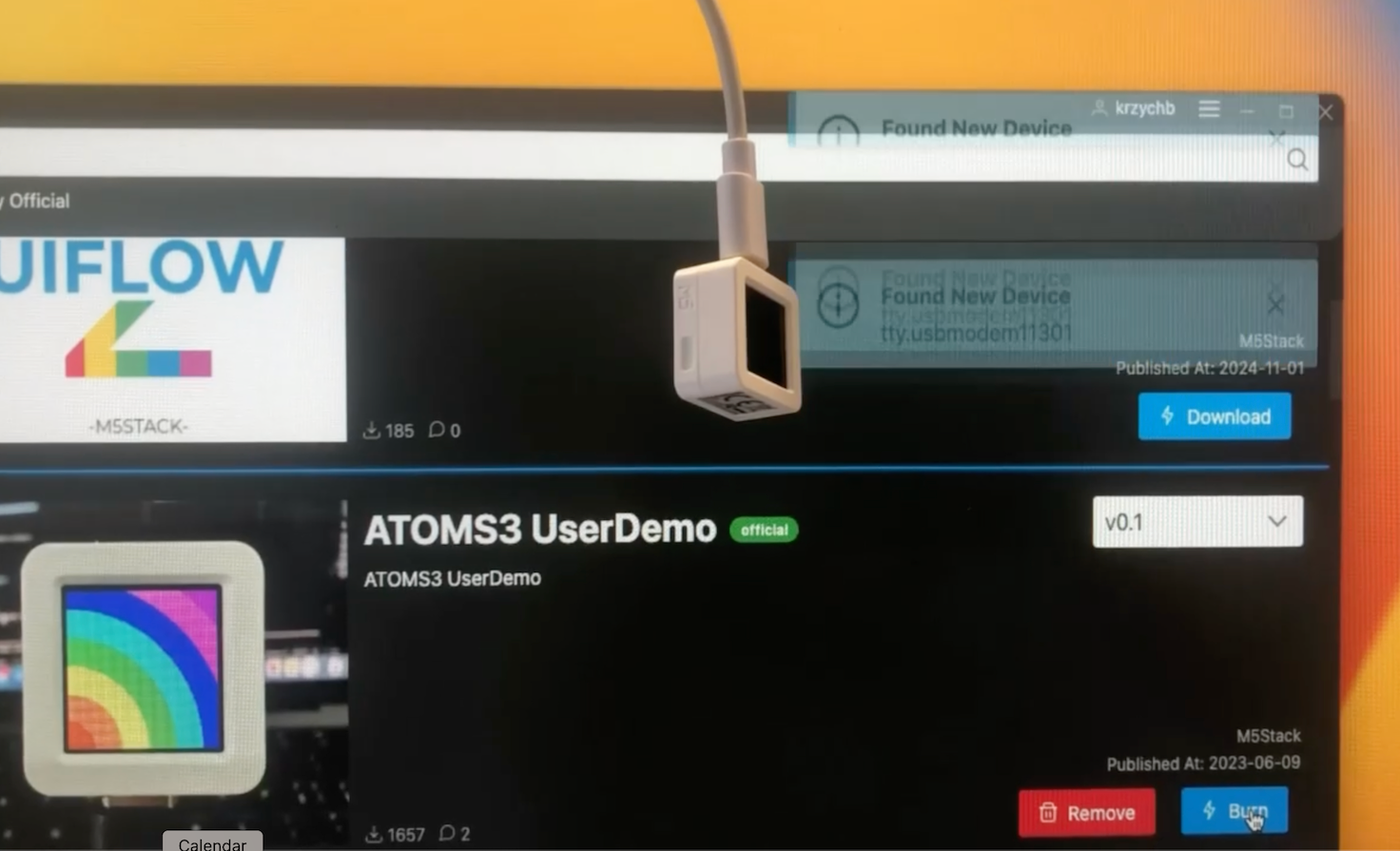
It is impossible to flash the controller with a demo program. The following message is shown after the flashing failed:
--chip auto --port /dev/tty.usbmodem11412101 --baud 1500000 --before default_reset write_flash -z --flash_mode dio --flash_freq 80m --flash_size detect 0x000 /Applications/M5Burner.app/Contents/Resources/packages/firmware/ffd26b8ba73aefa2a964e2f56d39f1e6.bin
esptool.py v4.7-dev
Serial port /dev/tty.usbmodem11412101
Connecting...
.
.
.
.
.
.
.
.
.
.
.

Traceback (most recent call last):
  File "/Applications/M5Burner.app/Contents/Resources/packages/tool/esptool.py", line 20, in <module>
    esptool._main()
  File "/Applications/M5Burner.app/Contents/Resources/packages/tool/esptool/__init__.py", line 1073, in _main
    main()
  File "/Applications/M5Burner.app/Contents/Resources/packages/tool/esptool/__init__.py", line 678, in main
    esp = esp or get_default_connected_device(
  File "/Applications/M5Burner.app/Contents/Resources/packages/tool/esptool/__init__.py", line 956, in get_default_connected_device
    _esp = detect_chip(
  File "/Applications/M5Burner.app/Contents/Resources/packages/tool/esptool/cmds.py", line 94, in detect_chip
    detect_port.connect(connect_mode, connect_attempts, detecting=True)
  File "/Applications/M5Burner.app/Contents/Resources/packages/tool/esptool/loader.py", line 647, in connect
    last_error = self._connect_attempt(reset_strategy, mode)
  File "/Applications/M5Burner.app/Contents/Resources/packages/tool/esptool/loader.py", line 548, in _connect_attempt
    self._port.flushOutput()
  File "/Applications/M5Burner.app/Contents/Resources/packages/tool/serial/serialutil.py", line 587, in flushOutput
    self.reset_output_buffer()
  File "/Applications/M5Burner.app/Contents/Resources/packages/tool/serial/serialposix.py", line 604, in reset_output_buffer
    termios.tcflush(self.fd, termios.TCOFLUSH)
termios.error: (6, 'Device not configured')
Flashing the same controllers from a Windows PC works without any issues.
Flashing the same controllers using ESP-IDF and MackBook works without any issues. -
@krzychb
M5Burner is not very stable on macOS at the moment, but this problem does not occur on my 2021 MacBook Pro with macOS Sequoia 15.1 -
@krzychb S3 based devices are different to previous gen devices.
You have to hold the boot button down to put them into boot loader mode like Raspberry pi's -
I resolved the issue with flashing by manually putting the devices into bootloader mode.
In particular, for ATOMS3 the trick was to "press and hold the reset button (about 2 seconds) until the internal green LED lights up" as written in the manual :)
Thank you for your replies and kind help!


Hello! It looks like you're interested in this conversation, but you don't have an account yet.
Getting fed up of having to scroll through the same posts each visit? When you register for an account, you'll always come back to exactly where you were before, and choose to be notified of new replies (either via email, or push notification). You'll also be able to save bookmarks and upvote posts to show your appreciation to other community members.
With your input, this post could be even better 💗
Register Login