Need help with Activating looping functions in UiFLow
-
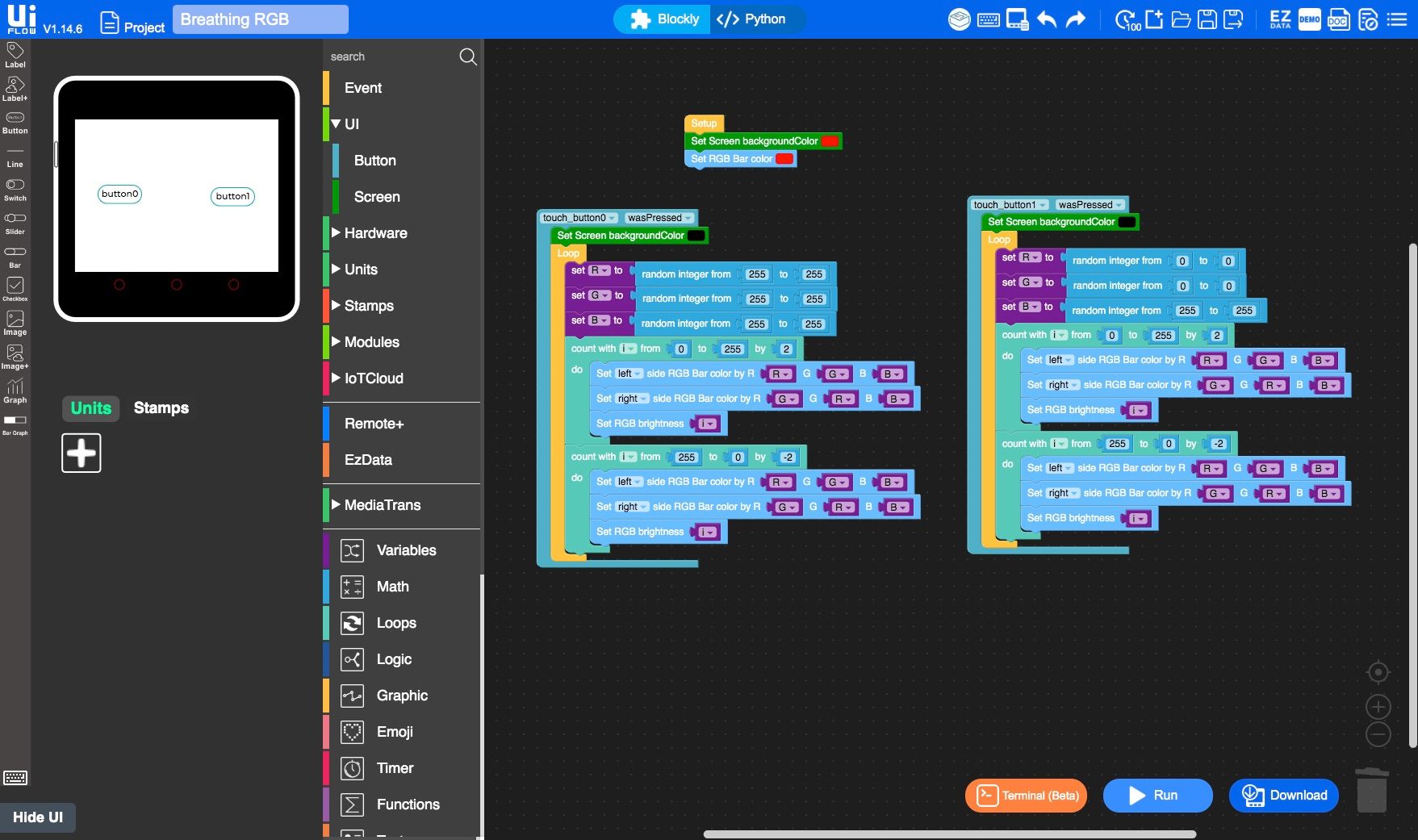
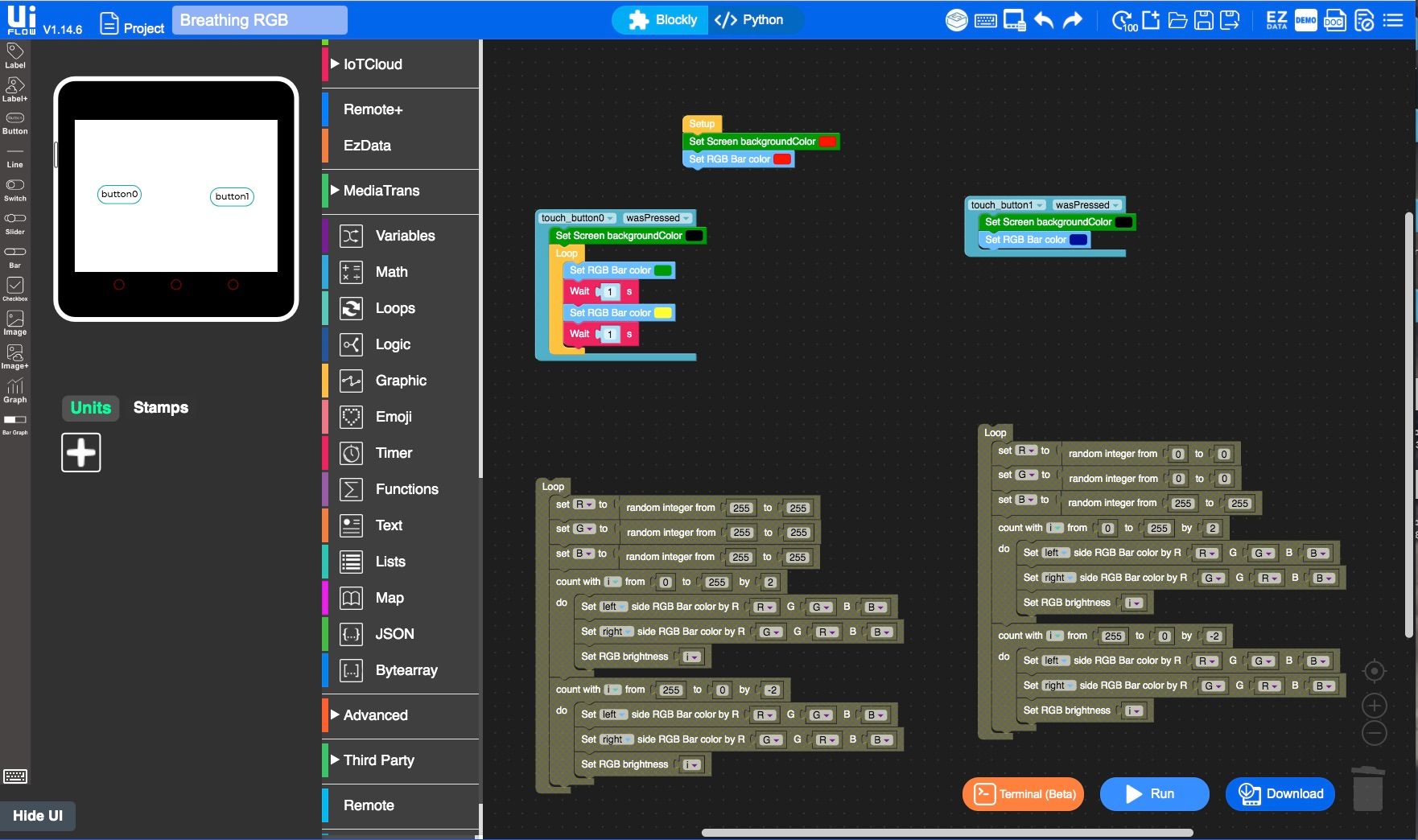
Hello everyone, I'm very new to programing and this is my first venture into M5Stack Core2 and UiFlow. I'm in need of some help with some looping light functions. I was playing around with the Breathing RGB Demo and was trying to alternate between to sets of looped lighting setting which I could activate with buttons. I can get one of the looped flashing lighting effects, but when I press the second button the light doesn't change to the next effect. I can not seem to break or exit out of the current loop to switch to the next effects loop. I'm sure I'm missing something dumb and simple, but I'm not sure what I'm doing wrong. Please help a beginner, learn the ways of UiFlow. Thank you.

-
@icarus121
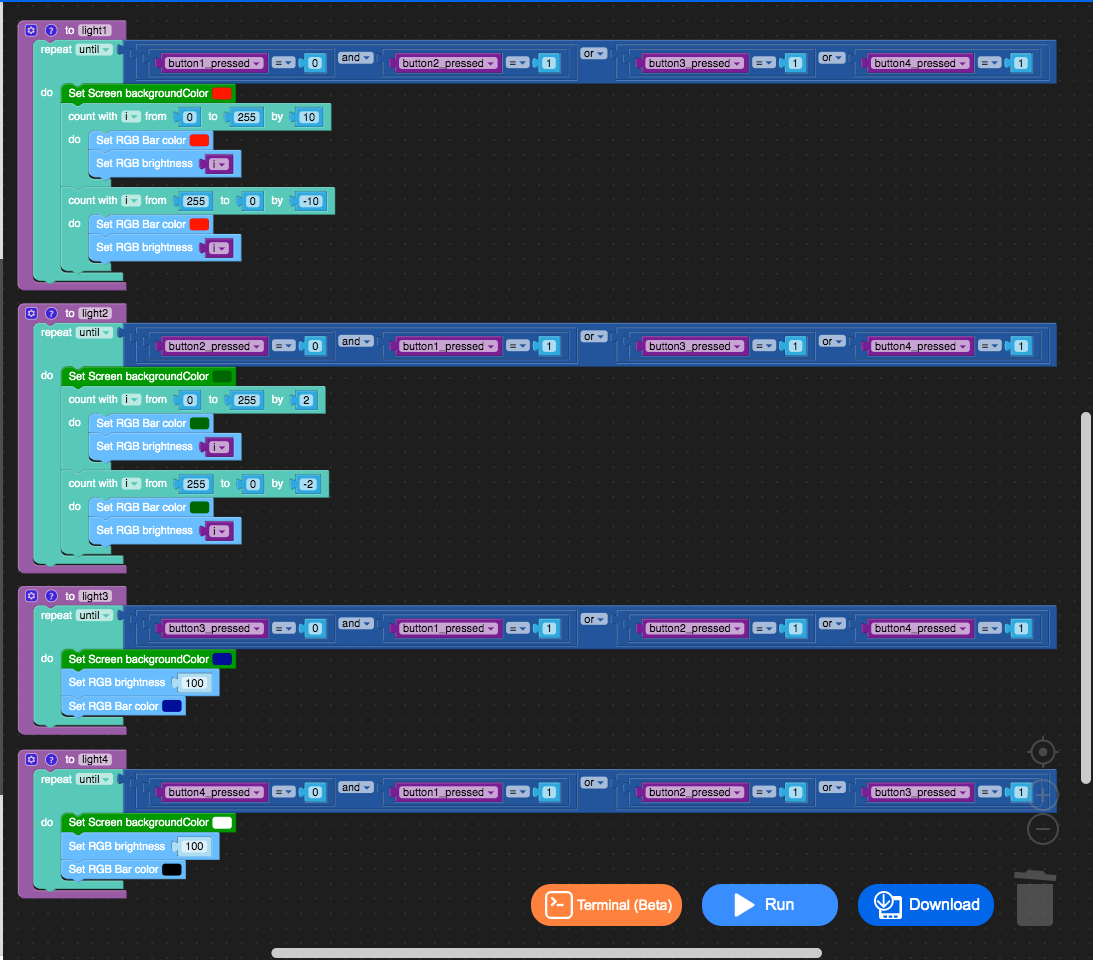
Your problem is that you use "loop" in the callback function of "touchbutton0_was_pressed". This will cause your program to loop forever.
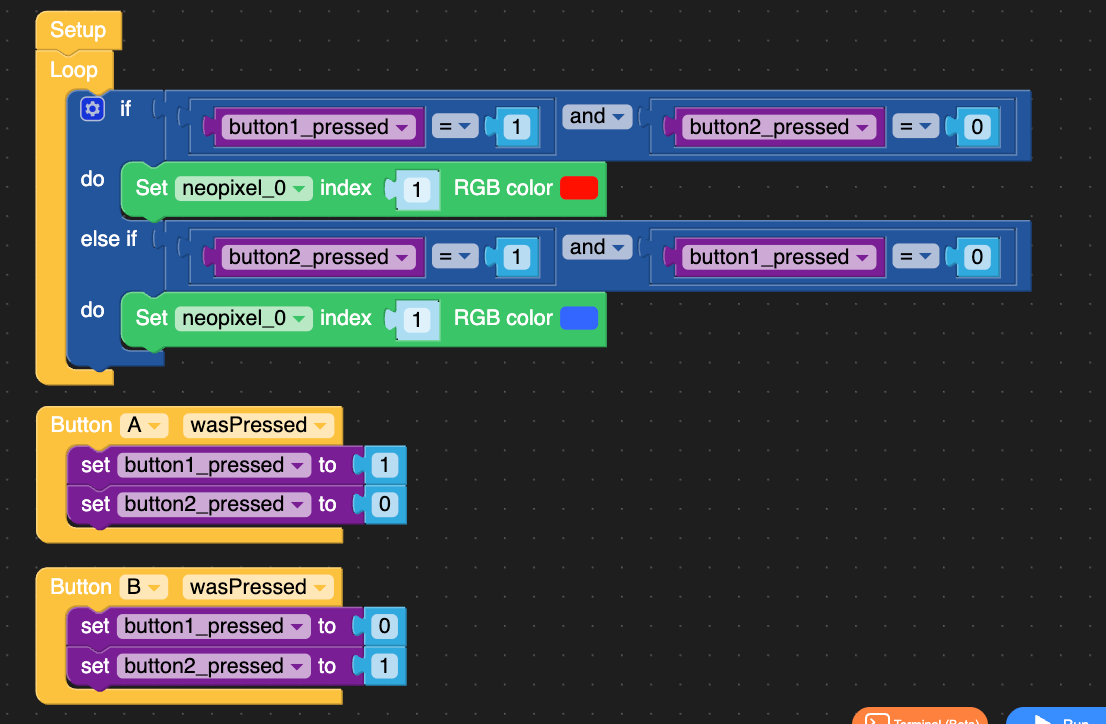
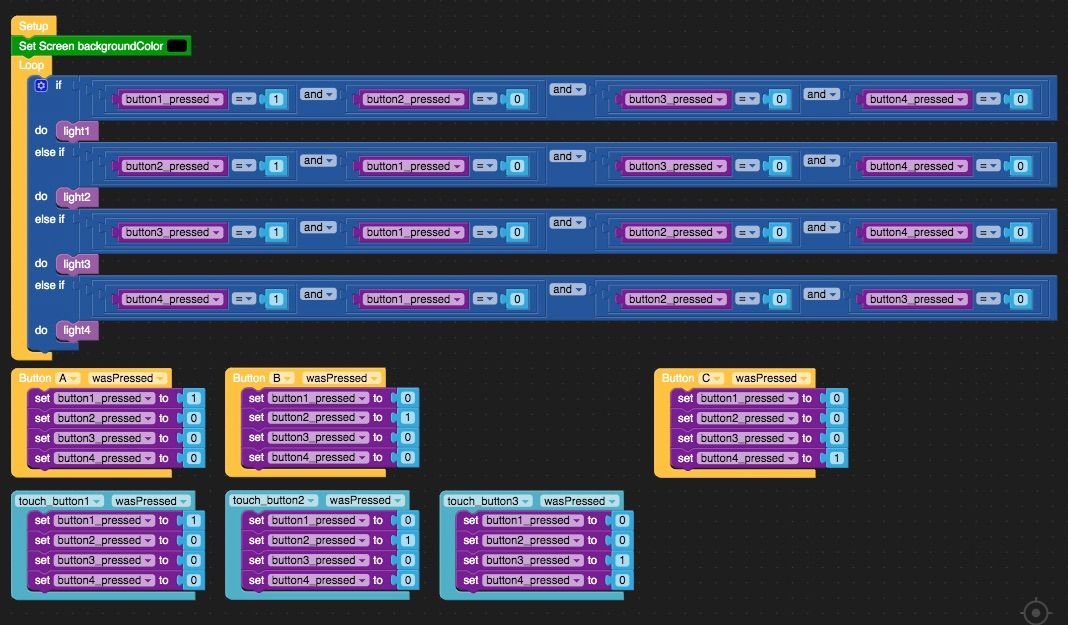
I recommend you add a flag to indicate whether button1 or button2 is pressed: in the loop, if button1 is pressed, execute program 1; the same applies to button2.
-
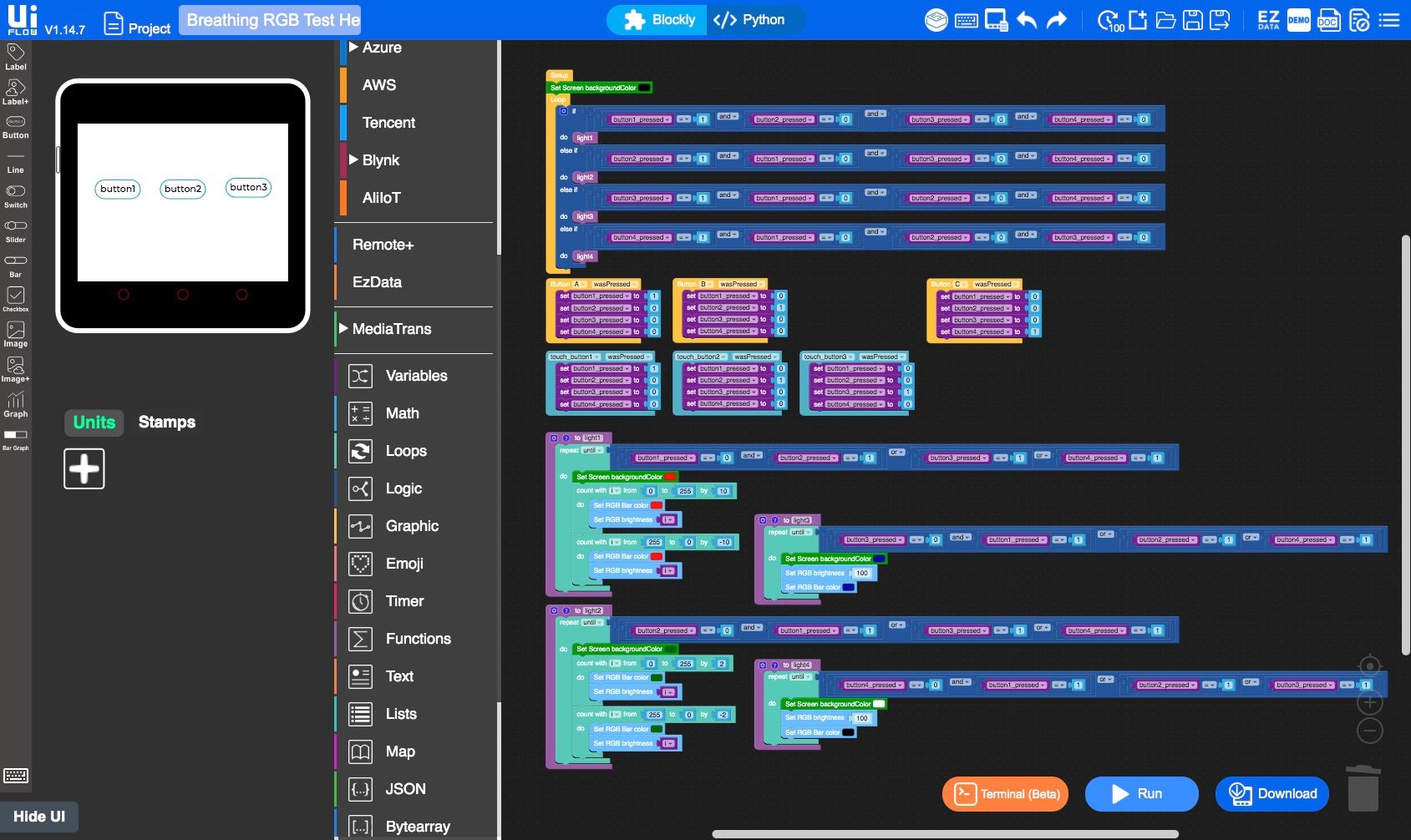
Thank you so much for your help Kurikio. And for your crazy fast response. This is exactly what I needed to get myself back on the right path. I through together a quick test this morning and everything is now running smoothly and I'm able to change between different lighting setting with out the program crashing or getting stuck in a endless loop.
Here's what I ended up putting together. Three buttons on the display that could change between three preset colors and a effect pattern, the A and B buttons mirrored the first 2 button and the C button turned off the lights.
Thank again so much for your help. Here are some photo of my end result:
-
@icarus121
great job!

Hello! It looks like you're interested in this conversation, but you don't have an account yet.
Getting fed up of having to scroll through the same posts each visit? When you register for an account, you'll always come back to exactly where you were before, and choose to be notified of new replies (either via email, or push notification). You'll also be able to save bookmarks and upvote posts to show your appreciation to other community members.
With your input, this post could be even better 💗
Register Login