M5Stack CoreS3 SE + COMMU display problem when replugging USB
-
hi
i have a weird problem with the CoreS3 SE + COMMU. i have some RS485 device and data coming on a UART configured to the CoreS3 port (next to the USB-C connector). data is displayed/updated on the screen. during (arduino) development all worked fine. flashing code over USB automatically restarts the code and i have a nice display updating every second.
but i found out that not flashing the CoreS3 and just connecting USB-C for power (and logging) i get a somewhat scrambled display.
i have chatted quite a bit with the M5Stack AI chat but it is still not fixed. everytime i just connect USB-C it is a bit scrambled. re-flashing the same code give a nice and clean display. what is going on??
my initialization code is (most of it suggested by M5Stack AI):
    auto cfg = M5.config();
    cfg.internal_imu = false;
    cfg.internal_mic = false;
    cfg.clear_display = true; // Ensure display is cleared during init

    // Initialize M5 with proper power sequencing
    M5.begin(cfg);

    // Explicitly reset the AW9523 IO expander that controls display power
    Wire.begin(11, 12); // CoreS3 internal I2C bus pins
    Wire.beginTransmission(0x58); // AW9523 address
    Wire.write(0x00); // Reset register
    Wire.write(0x00); // Perform hardware reset
    Wire.endTransmission();
    delay(100);

    // Re-initialize display with full reset
    M5.Display.init();
    M5.Display.setBrightness(128);
    M5.Display.fillScreen(TFT_BLACK);
    M5.Display.display();
the wire command actually give errors so i do not think it is doing anything:
E (3570) i2c.master: I2C transaction unexpected nack detected
E (3571) i2c.master: s_i2c_synchronous_transaction(945): I2C transaction failed
E (3572) i2c.master: i2c_master_multi_buffer_transmit(1207): I2C transaction failed
here is a "scrambled" picture:
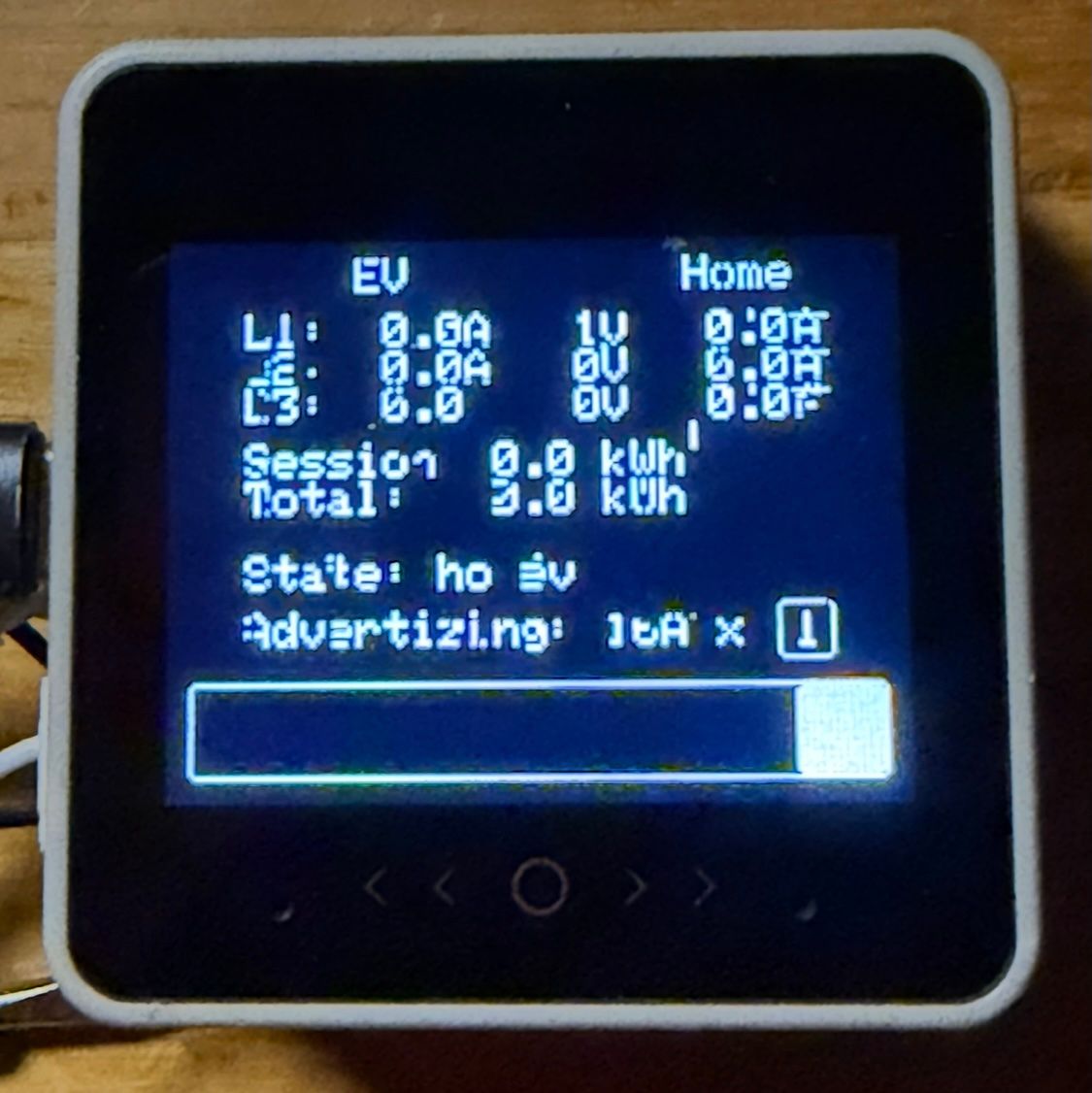
and this after reflash:
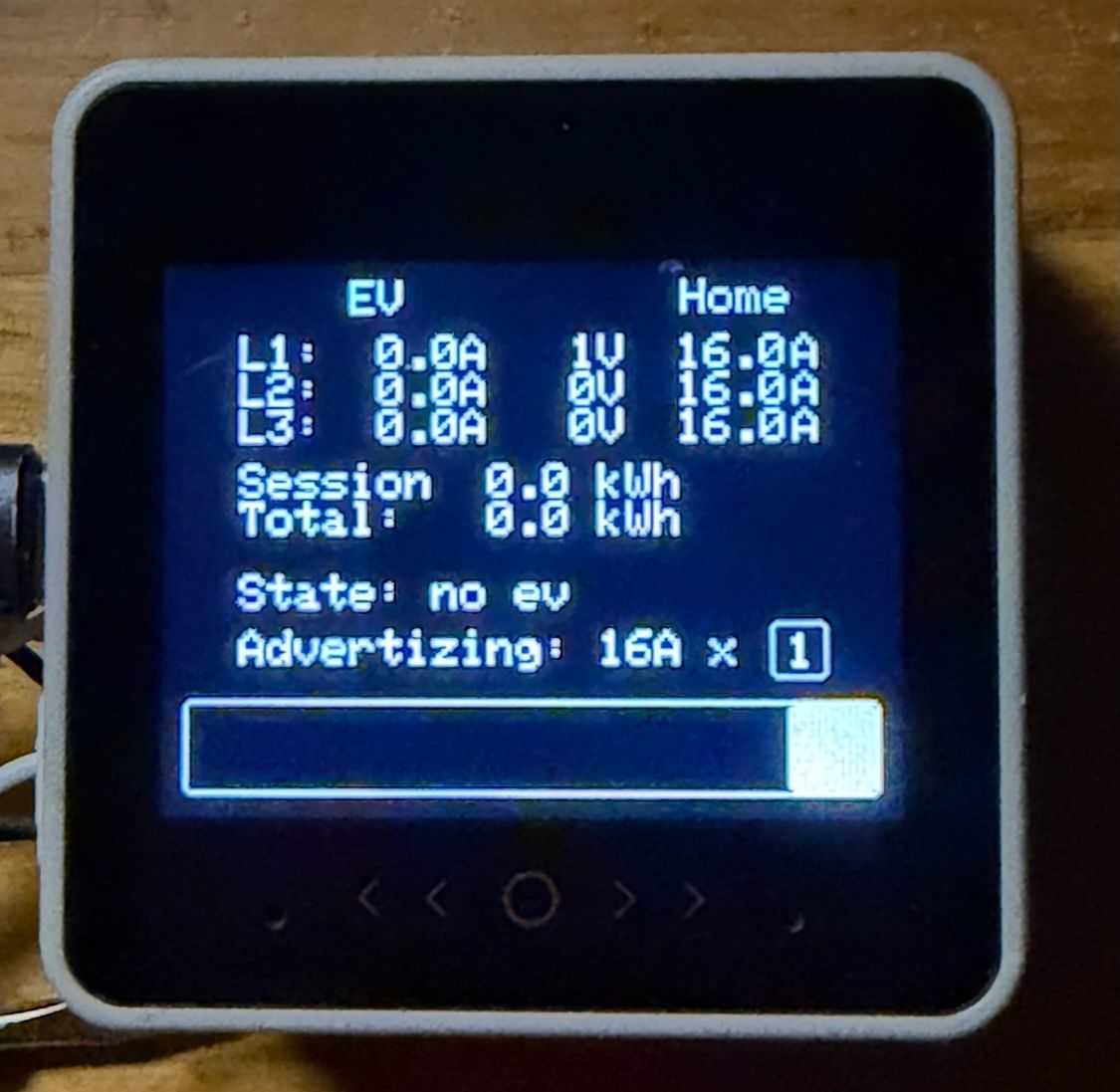
help?!
-
-
@felmue thanks for your message: i also had the "din base" and the "lan module" connected (but not used). disconnecting the lan module fixes the problem!!
-
it was caused by the CS of the LAN Module13.2. switching the jumper to the alternate position fixed the problem...
so far these seem to work (CoreS3 SE+COMMU+Lan Module13.2+DIN Base):
int  cs_pin  = 13; // jumper right
int rst_pin = 0; // jumper left
int  int_pin = 10;// jumper left

Hello! It looks like you're interested in this conversation, but you don't have an account yet.
Getting fed up of having to scroll through the same posts each visit? When you register for an account, you'll always come back to exactly where you were before, and choose to be notified of new replies (either via email, or push notification). You'll also be able to save bookmarks and upvote posts to show your appreciation to other community members.
With your input, this post could be even better 💗
Register Login