M5Stick IMU Yaw Readings Off
-
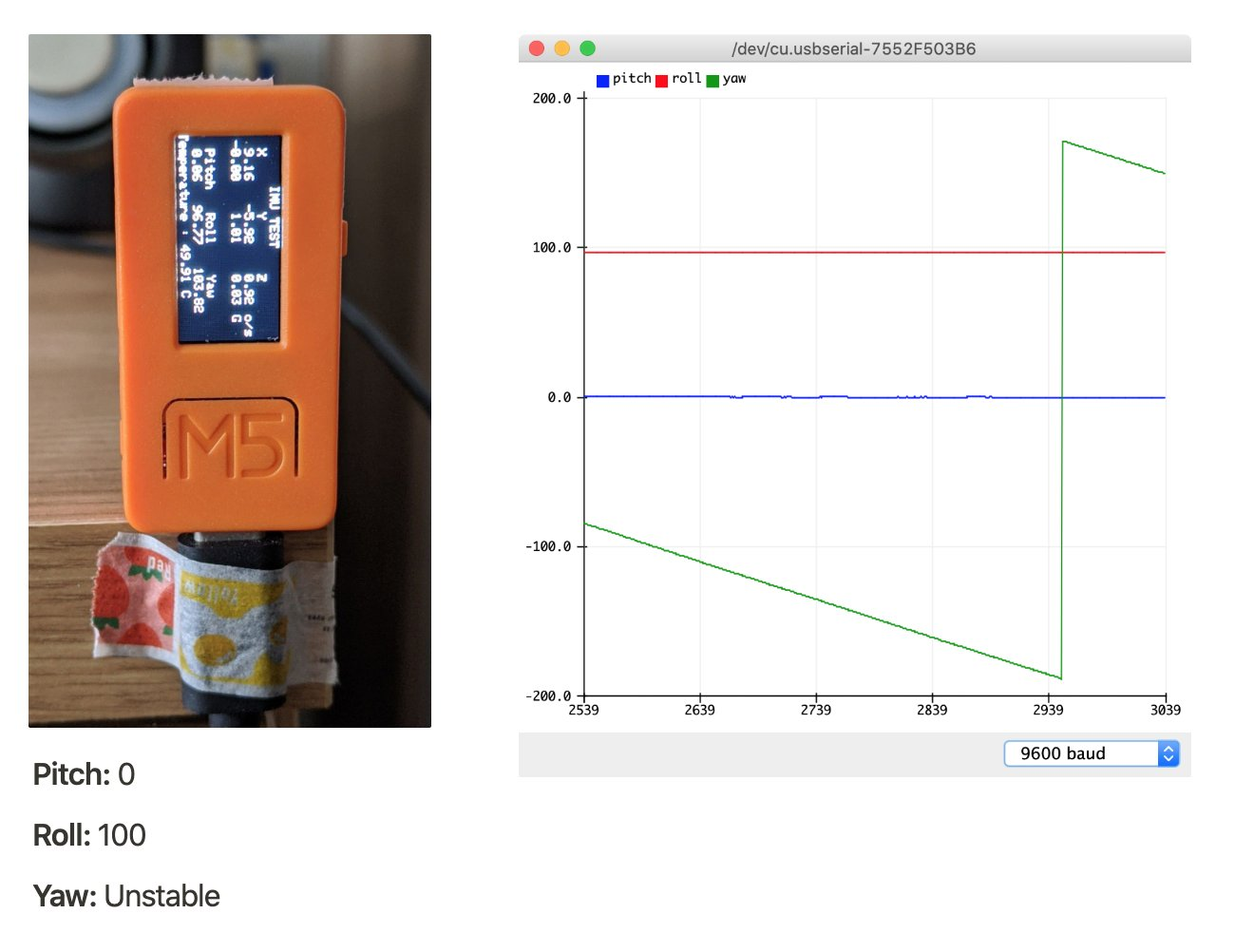
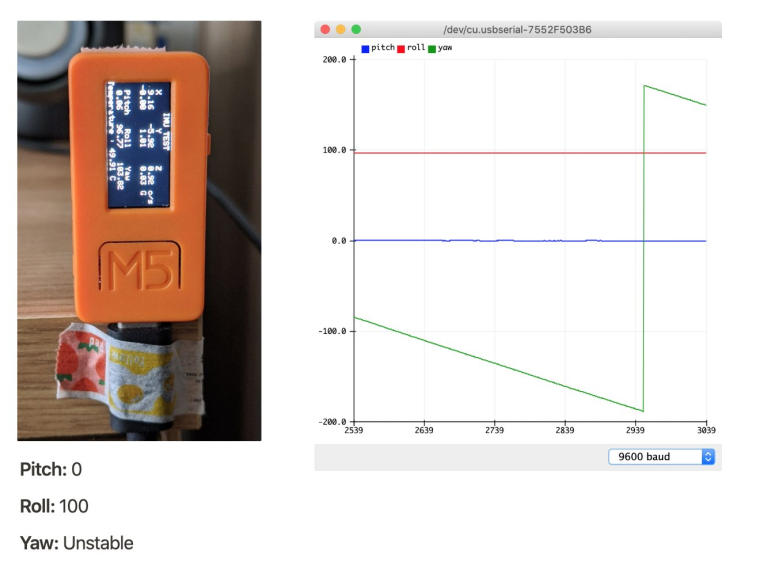
I did some calibration with my M5stick to see what the IMU pitch, yaw, and roll readings would be based on the example IMU Arduino app included with the M5stick library.
It seems like the Yaw values seem to always be drifting – is this a known issue, or is there a way to account for it?
My code:
#include <M5StickC.h>

float accX = 0.0F;
float accY = 0.0F;
float accZ = 0.0F;

float gyroX = 0.0F;
float gyroY = 0.0F;
float gyroZ = 0.0F;

float pitch = 0.0F;
float roll  = 0.0F;
float yaw   = 0.0F;

void setup() {
  // put your setup code here, to run once:
  M5.begin();
  M5.IMU.Init();
  M5.Lcd.setRotation(1);
  M5.Lcd.fillScreen(BLACK);
  M5.Lcd.setTextSize(1);
  M5.Lcd.setCursor(40, 0);
  M5.Lcd.println("IMU TEST");
  M5.Lcd.setCursor(0, 10);
  M5.Lcd.println("  X       Y       Z");
  M5.Lcd.setCursor(0, 50);
  M5.Lcd.println("  Pitch   Roll    Yaw");

  Serial.begin(9600);
}

float temp = 0;
/*****************************************
M5.IMU.getGyroData(&gyroX,&gyroY,&gyroZ);
M5.IMU.getAccelData(&accX,&accY,&accZ);
M5.IMU.getAhrsData(&pitch,&roll,&yaw);
M5.IMU.getTempData(&temp);
*****************************************/
void loop() {
  // put your main code here, to run repeatedly:
  M5.IMU.getGyroData(&gyroX,&gyroY,&gyroZ);
  M5.IMU.getAccelData(&accX,&accY,&accZ);
  M5.IMU.getAhrsData(&pitch,&roll,&yaw);
  M5.IMU.getTempData(&temp);

  M5.Lcd.setCursor(0, 20);
  M5.Lcd.printf("%6.2f  %6.2f  %6.2f      ", gyroX, gyroY, gyroZ);
  M5.Lcd.setCursor(140, 20);
  M5.Lcd.print("o/s");
  M5.Lcd.setCursor(0, 30);
  M5.Lcd.printf(" %5.2f   %5.2f   %5.2f   ", accX, accY, accZ);
  M5.Lcd.setCursor(140, 30);
  M5.Lcd.print("G");
  M5.Lcd.setCursor(0, 60);
  M5.Lcd.printf(" %5.2f   %5.2f   %5.2f   ", pitch, roll, yaw);

  M5.Lcd.setCursor(0, 70);
  M5.Lcd.printf("Temperature : %.2f C", temp);

  // Plotting
  Serial.print("pitch:");
  Serial.print(pitch);
  Serial.print(",");
  Serial.print("roll:");
  Serial.print(roll);
  Serial.print(",");
  Serial.print("yaw:");
  Serial.println(yaw);

  delay(100);
}
Full documentation on the various IMU readings when the device is in different orientations here: https://www.notion.so/scientiffic/M5Stick-IMU-Calibration-dbb5e3fa4d35444da7ca7decb418ed20
-
@scientiffic Without magnetometer yaw value will always drift.
Yaw value cannot be determined from accelerometer readings. Yaw value is integrated gyroscope readings which are rate of change. Integration is never perfect and this will cause yaw to slowly drift.
-
@tuupola thanks for your response! is there a particular magnetometer you recommend using with the m5 platform?
-
I have achieved quite good results with the Seeed Studio Grove 3-Axis Digital Compass V2.
https://wiki.seeedstudio.com/Grove-3-Axis_Digitial_Compass_v2.0/

Hello! It looks like you're interested in this conversation, but you don't have an account yet.
Getting fed up of having to scroll through the same posts each visit? When you register for an account, you'll always come back to exactly where you were before, and choose to be notified of new replies (either via email, or push notification). You'll also be able to save bookmarks and upvote posts to show your appreciation to other community members.
With your input, this post could be even better 💗
Register Login