M5 Stick C - receiving data over WIFI
-
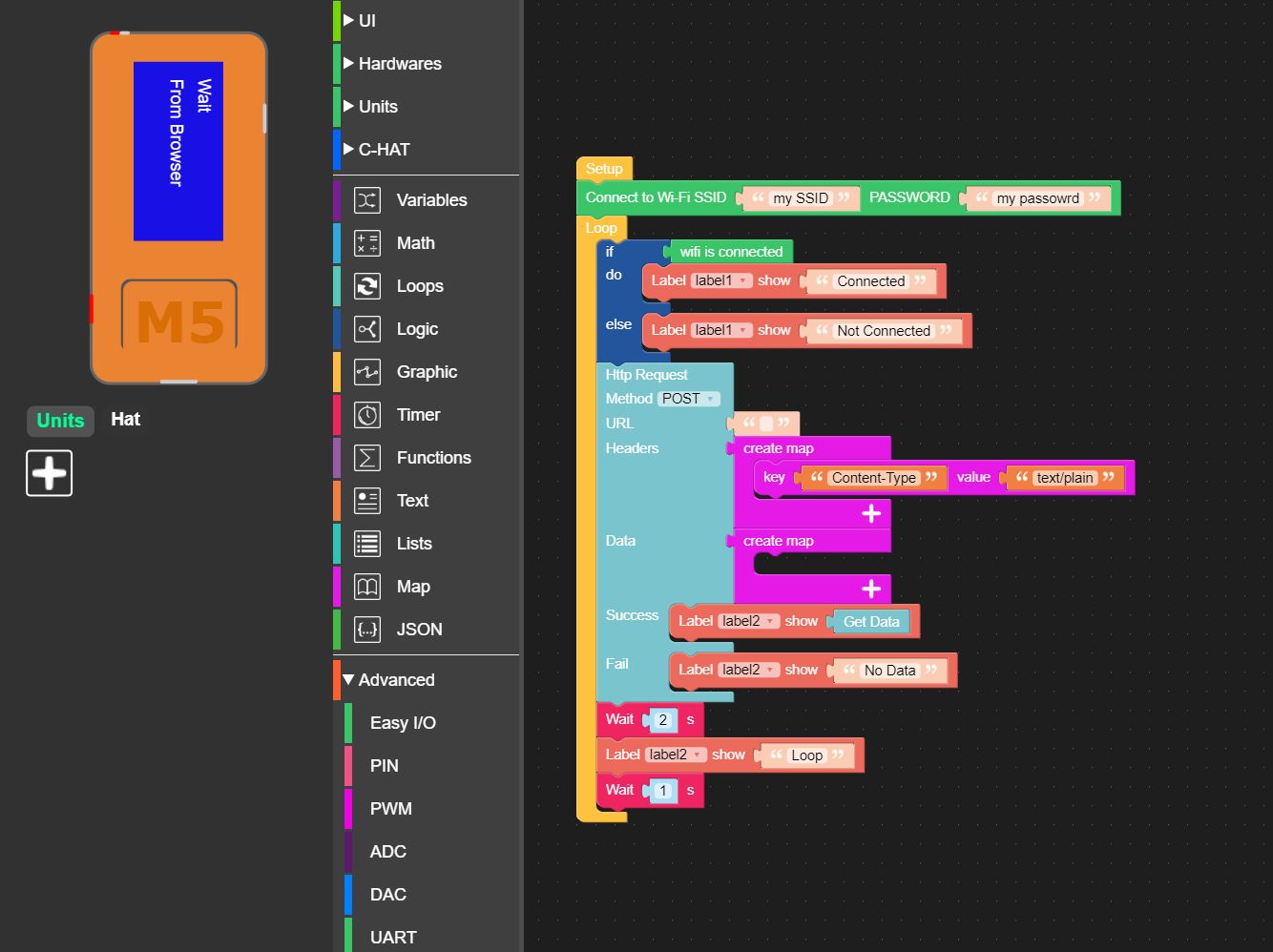
I am trying to send simple data from my Laptop to display on my Stick C Screen.
I am pretty sure the WIFI is connected but can find very little in the way of examples or tutorials.
I can ping my Stick C, but it refuses a connection when I send data to it using Restman POST utility
I am not sure if I should be using the HTTP block or something else.
I want to use blockly rather than Python so I can teach my Kids once I have figured it out.
Please can someone look at this and tell me what I am doing wrong.Thanks
 image url)
 -
The http block you are using is for talking to a web site, not for being a web site. Or in more technical terms, it is a client, not a server. If you had a web server on your laptop, it could talk to that.
Looking at the other options, it looks like EspNow can listen for data, but I don't know if there's a laptop client.
mqtt is a client that needs a cloud-based server.
There's a p2p option under network, but that seems to be for talking between 2 devices.
Finally, there's remote, which it says "Remote control M5Stack via devices such as mobile phone or computer." I think that's your best bet.
-
Thanks for the swift answer dclaar.
I completely ignored the Remote section as it had blocks referring to sliders and buttons. I should have realized!
I have gotten that working without any problem. However from what I can see it uses the M5Stack WEB site to create a small WEB server or at least redirect traffic which would be fine for most applications.
However, what I need is to be able to send something using POST from my PC on my local network. (It could be JSON or plain text). My M5StickC already has a fixed IP.
I don't think any of the options you suggest will do what I need in Blockly, so am I stuck with moving to python, or do you have any more suggestions!
Thanks
Hello! It looks like you're interested in this conversation, but you don't have an account yet.
Getting fed up of having to scroll through the same posts each visit? When you register for an account, you'll always come back to exactly where you were before, and choose to be notified of new replies (either via email, or push notification). You'll also be able to save bookmarks and upvote posts to show your appreciation to other community members.
With your input, this post could be even better 💗
Register Login