šŸ¤–Have you ever tried Chat.M5Stack.com before asking??šŸ˜Ž
  • Space Program in a Box

    Moved
    3
    0 Votes
    3 Posts
    6k Views
    ajb2k3A
    @devilstower said in Space Program in a Box: And sorry. I meant to put this topic in ā€œprojectsā€ but somehow hit the wrong spot. That’s what happens when me and my giant fingers try to do something on a phone. There you go, all moved. if you look at the grove connector you will notice that they are colour coded. The GPS unit has a Blue connector which makes it a Port C device, the ENVIII has a red connector which makes it a Port A device. Port C devices don't have hubs as need to be connected directly to port C where as ENVIII can be connected via a HubA. I see you are using a StickC, You will need to try connecting it to the connector on the top (HAT connector)
  • touching M5Stack M5Stamp Pico

    1
    0 Votes
    1 Posts
    4k Views
    No one has replied
  • M5Stack Gauges for Boats

    3
    1
    0 Votes
    3 Posts
    7k Views
    M
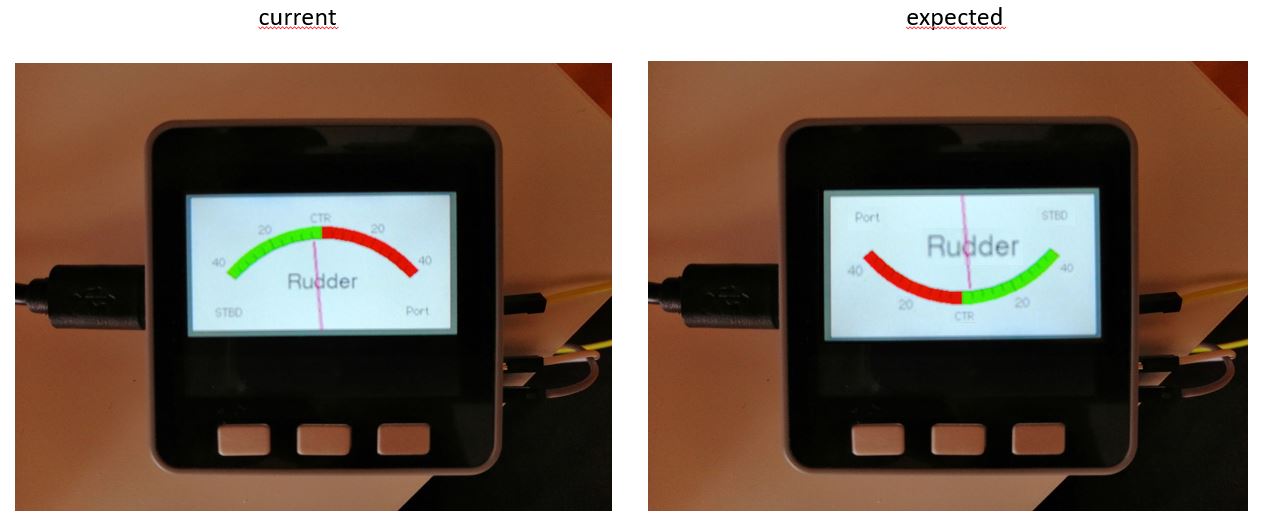
    Add the following to void loop (). void loop() { M5.update(); if(M5.BtnA.wasPressed()){M5.Lcd.setRotation(3);M5.Lcd.fillScreen(TFT_BLACK);analogMeter();} if(M5.BtnC.wasPressed()){M5.Lcd.setRotation(1);M5.Lcd.fillScreen(TFT_BLACK);analogMeter();}
  • Problem when connecting more than 3 DS18B20 temperature sensors! - solved!

    Moved
    10
    0 Votes
    10 Posts
    22k Views
    grelmG
    @saiaman01 What exactly do you want to know or see? May be the two pictures are of help to you. Or do you need a schematic or any explanation? Picture 1 [image: 1634028169530-m5stack-fire-ds18b20-connection-grove-s-1-resized.jpg] Picture 2 [image: 1634028182974-m5stack-fire-ds18b20-connection-grove-s-2-resized.jpg]
  • Custom Prototype Board

    16
    3
    4 Votes
    16 Posts
    58k Views
    felmueF
    Hello @saiaman01 don't know about the PCB, but the 3D case is here. Thanks Felix
  • M5StickC running i2s microphone with i2c ToF Hat with Arduino code

    1
    0 Votes
    1 Posts
    3k Views
    No one has replied
  • Typ B (black connection) Units,not working with core2

    units core2
    2
    0 Votes
    2 Posts
    4k Views
    ajb2k3A
    Port A units are digital/i2c and so will work as you have noticed. PortB units are analogue devices. You can try a PortBHub which will convert analogue to digital or you can try the GoPlus2 module which has analogue pins. Alternatively, on the base plate of the Core2 remove the expansion module and you will have access to the MBus connectors with analogue pins.
  • m5paper mini things

    1
    0 Votes
    1 Posts
    2k Views
    No one has replied
  • M5 Calculator Project

    4
    1 Votes
    4 Posts
    9k Views
    O
    Wow! I was looking for a pocket calculator for my twelve year old. I had an m5stack faces laying around, flashed with RunCPM, but unusable for me because of the tiny font it uses. So, thank you for making this available.
  • Sourcing grove connectors

    2
    0 Votes
    2 Posts
    4k Views
    ajb2k3A
    They are available only as PH2.0 4P connectors you can order them from china or on eBay but they are white SMD mount devices as you can see in this image. [image: 1632115476186-m5stamppcb.jpg] The coloured ones I are spare from M5Stack projects and haven't been able to find a source of them yet. If you still can't find them message me I can sell white THT ones for GBP £4 for a pack of 10 but there will be P&P to be paid on top of that price.
  • M5Stack+FLIR Lepton camera

    2
    6
    0 Votes
    2 Posts
    10k Views
    S
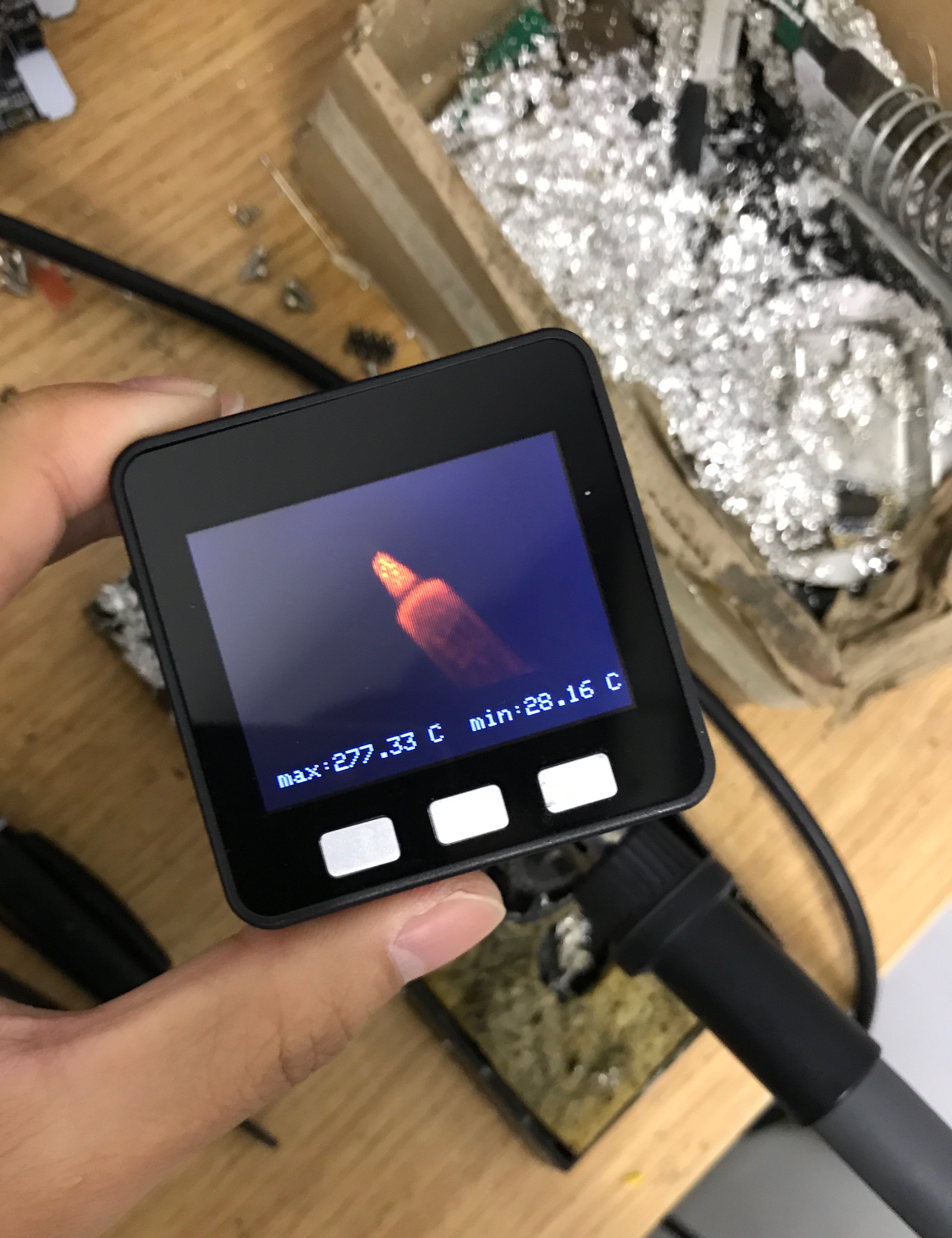
    @0x1abin said in M5Stack+FLIR Lepton camera: [image: 1505209398119-img_8418-resized.jpg] [image: 1505209388634-img_1839-resized.jpg] [image: 1505209394084-img_4557-resized.jpg] [image: 1505209395872-img_7584-resized.jpg] [image: 1505209184535-img_0933-resized.jpg] [image: 1505209389984-img_2463-resized.jpg]
  • M5Stack Core2 Factory Demo Upgrade

    4
    2 Votes
    4 Posts
    8k Views
    J
    @surixtm thank you for your feedback, on the github project I am improving versions of this project. I remind you that I am alone with a learning of C ++ permanently ! The menu icons have been changed to make it more homogeneous The project has already evolved with the addition of the visible bluetooth application, then a games page has just been created. I would add the features :D
  • [Core2] Home Assistant remote

    4
    2 Votes
    4 Posts
    13k Views
    L
    Can't wait to test it!
  • COM GPS with COM LoRaWAN module

    2
    0 Votes
    2 Posts
    5k Views
    felmueF
    Hello @arkieguy if you use an M5Stack 5 / 13 should work. However if you use an M5Core2 you'll need to change the DIP switches in the COM.GPS to 16 / 17. The reason for that is that the Arduino code for M5Core2 uses GPIO 13 / 14 which translate to 16 / 17 in the module. from Arduino example for M5Stack: Serial2.begin(9600, SERIAL_8N1, 5, 13); from Arduino example for M5Core2: Serial2.begin(9600, SERIAL_8N1, 13, 14); Please also check this GPIO comparison sheet I've put together a while ago. Thanks Felix
  • Connect DS18B20 to Grove Port A?

    5
    0 Votes
    5 Posts
    11k Views
    grelmG
    I am happy to read that the post was helpful. Which changes did you apply to make it work?
  • DJI Tello (JOYC Controller)

    2
    1
    0 Votes
    2 Posts
    5k Views
    P
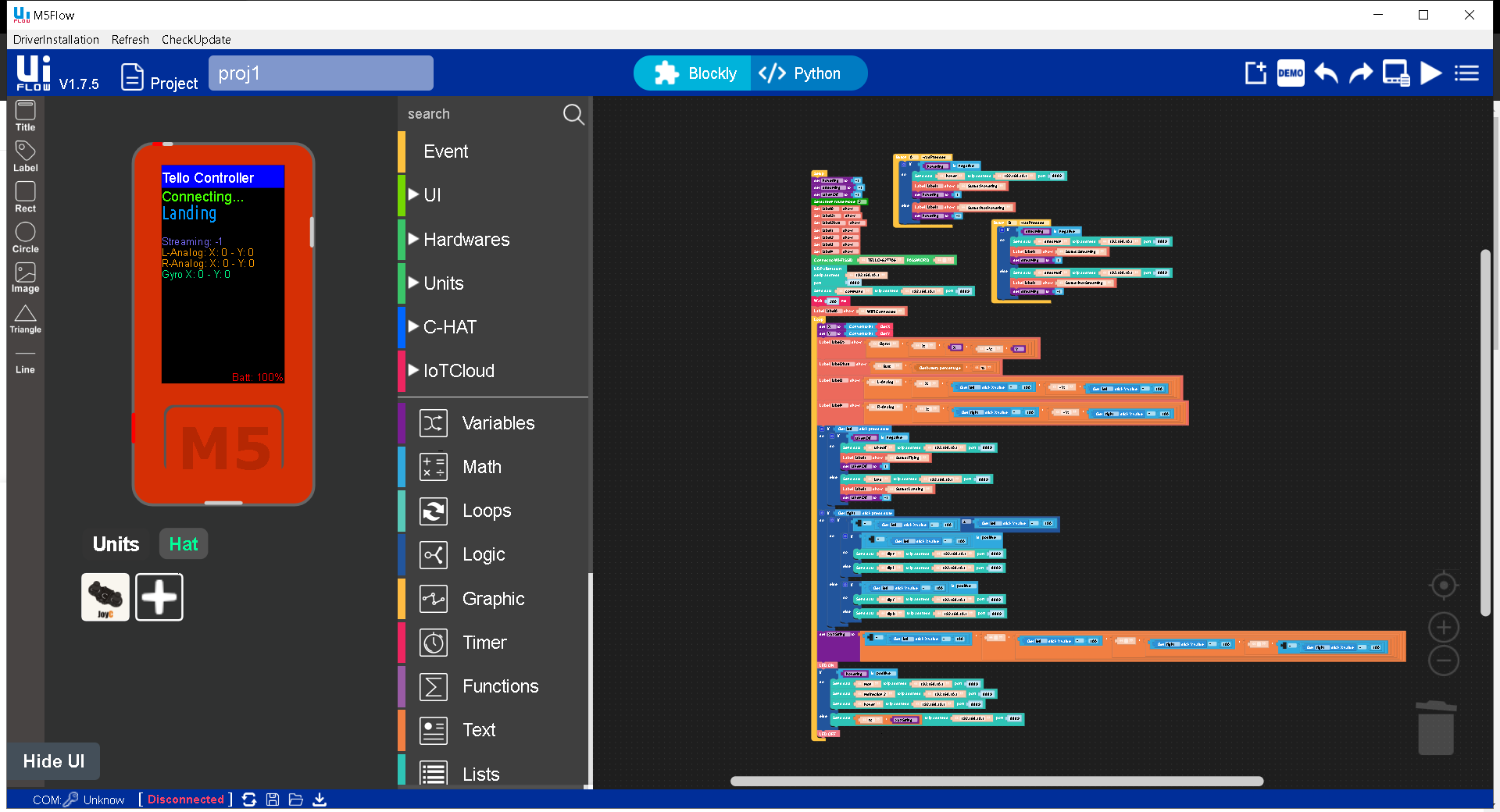
    Thank you that is great
  • ATOMFLY Community Project Collection: How to fly the ATOMFLY?

    30
    0 Votes
    30 Posts
    117k Views
    ajb2k3A
    @t66 I wan't one but now that we can control a DJI mini drone, they are so much nicer to control then the atomfly.
  • M5.BtnA.wasPressed() conflicts with WiFi

    2
    0 Votes
    2 Posts
    6k Views
    M
    Countermeasure: Turn on the ADC Power of GPIO39. #include <driver/adc.h> void setup(){ adc_power_acquire(); // ADC Power ON The countermeasures have been clarified by the investigation and analysis of Mr. nao *. https://twitter.com/mikasa231/status/1403576681701335044 We would like to thank Mr. nao * for his efforts. ded it to my blog. Postscript: 2021.06.13 ButtonA on M5Stack does not work properly https://macsbug.wordpress.com/2021/05/02/buttona-on-m5stack-does-not-work-properly/
  • This topic is deleted!

    1
    0 Votes
    1 Posts
    2 Views
    No one has replied
  • I would like to send a PPM with M5 stack Fire

    9
    0 Votes
    9 Posts
    15k Views
    ?
    @amn HI found this code: (how to adapt with potentiometre for the lenght of pulse , ?) //////////////////////CONFIGURATION/////////////////////////////// #define chanel_number 1 //set the number of chanels #define default_servo_value 1500 //set the default servo value #define PPM_FrLen 22500 //set the PPM frame length in microseconds (1ms = 1000µs) #define PPM_PulseLen 300 //set the pulse length #define onState 1 //set polarity: 1 is positive, 0 is negative #define sigPin 36 //set 10 PPM signal pin on the arduino /this array holds the servo values for the ppm signal change theese values in your code (usually servo values are between 1000 and 2000)/ int ppm[chanel_number]; void setup(){ // Initialize the M5Stack object M5.begin(); /* Power chip connected to gpio21, gpio22, I2C device Set battery charging voltage and current If used battery, please call this function in your project */ M5.Power.begin(); M5.Lcd.fillScreen(BLACK); M5.Lcd.setTextColor(GREEN , BLACK); M5.Lcd.setTextSize(2); //initiallize default ppm values for(int i=0; i<chanel_number; i++){ ppm[i]= default_servo_value; } pinMode(sigPin, OUTPUT); digitalWrite(sigPin, !onState); //set the PPM signal pin to the default state (off) } void loop(){ //put main code here ppmWrite(); } void ppmWrite(){ //generate PPM signal static unsigned long lastFrLen; static unsigned long lastServo; static unsigned long lastPulse; static boolean PPM_run; static boolean pulse; static boolean pulseStart = true; static byte counter; static byte part = true; if(micros() - lastFrLen >= PPM_FrLen){ //start PPM signal after PPM_FrLen has passed lastFrLen = micros(); PPM_run = true; } if(counter >= chanel_number){ PPM_run = false; counter = 0; pulse = true; //put out the last pulse } if(PPM_run){ if (part){ //put out the pulse pulse = true; part = false; lastServo = micros(); } else{ //wait till servo signal time (values from the ppm array) has passed if(micros() - lastServo >= ppm[counter]){ counter++; //do the next channel part = true; } } } if(pulse){ if(pulseStart == true){ //start the pulse digitalWrite(sigPin, onState); pulseStart = false; lastPulse = micros(); } else{ //will wait till PPM_PulseLen has passed and finish the pulse if(micros() - lastPulse >= PPM_PulseLen){ digitalWrite(sigPin, !onState); pulse = false; pulseStart = true; } } } }