How to solve the UI memory leak?
-
I used UIFlow2.3.3 to develop a simple UI demo. There is only one image widget to switch 2 JPG images every second. When I monitor the memory with gc.mem_free, I found the memory reduced continiously. And finally, the image switching was stop, but the loop was running. I wonder how to solve the UI memory leak? Here is my python code:
import os, sys, io
import M5
from M5 import *
import timeimage0 = None
oldData14 = NoneImgFlag = None
def setup():
global image0, oldData14, ImgFlagM5.begin()
Widgets.fillScreen(0x000000)
image0 = Widgets.Image("/flash/res/img/default.jpg", 0, 0, scale_x=1, scale_y=1)image0.setImage("/flash/res/img/RotaryBGBacklight.jpg")
ImgFlag = 0def loop():
global image0, oldData14, ImgFlag
M5.update()
if (time.localtime())[5] != oldData14:
PrintFreeMem()
oldData14 = (time.localtime())[5]
if ImgFlag == 0:
image0.setImage("/flash/res/img/RotaryBGBT.jpg")
ImgFlag = 1
elif ImgFlag == 1:
image0.setImage("/flash/res/img/RotaryBGBacklight.jpg")
ImgFlag = 0
else:
passdef PrintFreeMem():
print("Free mem:", gc.mem_free())if name == 'main':
try:
setup()
while True:
loop()
except (Exception, KeyboardInterrupt) as e:
try:
from utility import print_error_msg
print_error_msg(e)
except ImportError:
print("please update to latest firmware")And my UIFlow2 design:
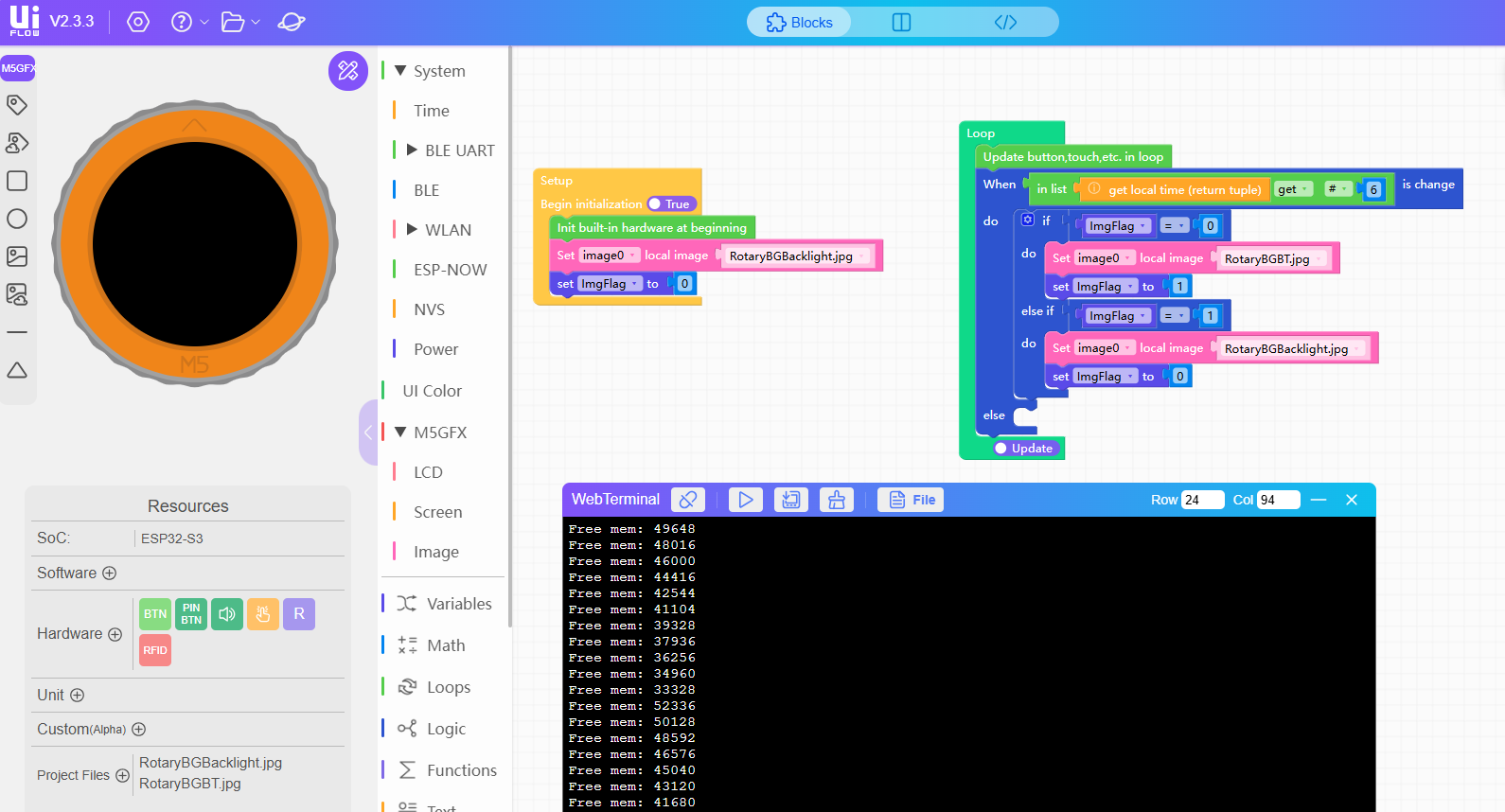
-
I tested more UI design. And I found that the memory leak only happens when I use image component and switch images frequently. Is that a UIFlow2.3.3 bug or my design is incorrect?
Hello! It looks like you're interested in this conversation, but you don't have an account yet.
Getting fed up of having to scroll through the same posts each visit? When you register for an account, you'll always come back to exactly where you were before, and choose to be notified of new replies (either via email, or push notification). You'll also be able to save bookmarks and upvote posts to show your appreciation to other community members.
With your input, this post could be even better 💗
Register Login