🤖Have you ever tried Chat.M5Stack.com before asking??😎
    M5Stack Community
    • Categories
    • Recent
    • Tags
    • Popular
    • Users
    • Groups
    • Search
    • Register
    • Login

    AtomS3R - Black screen with UIFlow2 firmware (Backlight works, no image)

    Atom
    atoms3r uiflow2 lcd firmware black screen
    5
    13
    854
    Loading More Posts
    • Oldest to Newest
    • Newest to Oldest
    • Most Votes
    Reply
    • Reply as topic
    Log in to reply
    This topic has been deleted. Only users with topic management privileges can see it.
    • robskiR
      robski @bschwahn
      last edited by

      @10sor have you tried any of the old uiflow2 firmwares from m5Burner list - I mean very old like 2.2 or 2.1 will this give you operational display?

      M5StickC, M5StickCPlus, M5StickCplus2,M5GO, M5Core, M5Tough, M5Core2, M5 Demo Board, M5Dial, M5Paper, M5Atom, M5Cardputer, M5StampS3, CoreMP135, StamPLC, AirQ, M5Tab, M5CardputerAdv

      1 1 Reply Last reply Reply Quote 0
      • 1
        10sor @bschwahn
        last edited by

        @bschwahn The format that I used when posting was created using Chat.M5Stack.com

        1. I have StickC-Plus2 and it works as expected in UIFlow2.0 with the same cable and the same port.
        2. The official M5Burner list only has UIFlow2.0 for AtomS3R.
        3. I have tried WebBurner (without USB connection) for flashing firmware and had the same result: no errors or warnings, but the screen is still black.
        4. I have tried v2.4.1, v2.4.0, v2.3.1, v2.2.1, and v2.1.4.

        I don't want to spend a lot of time looking for a solution anymore, but if I find one, I'll let you know here.

        1 Reply Last reply Reply Quote 0
        • 1
          10sor @robski
          last edited by

          @robski Yes. I have tried v2.4.1, v2.4.0, v2.3.1, v2.2.1, and v2.1.4. The result remained the same.

          robskiR 1 Reply Last reply Reply Quote 0
          • robskiR
            robski @10sor
            last edited by

            @10sor any arduino projects (if tried) with same result - no functional display?

            M5StickC, M5StickCPlus, M5StickCplus2,M5GO, M5Core, M5Tough, M5Core2, M5 Demo Board, M5Dial, M5Paper, M5Atom, M5Cardputer, M5StampS3, CoreMP135, StamPLC, AirQ, M5Tab, M5CardputerAdv

            1 1 Reply Last reply Reply Quote 0
            • 1
              10sor @robski
              last edited by

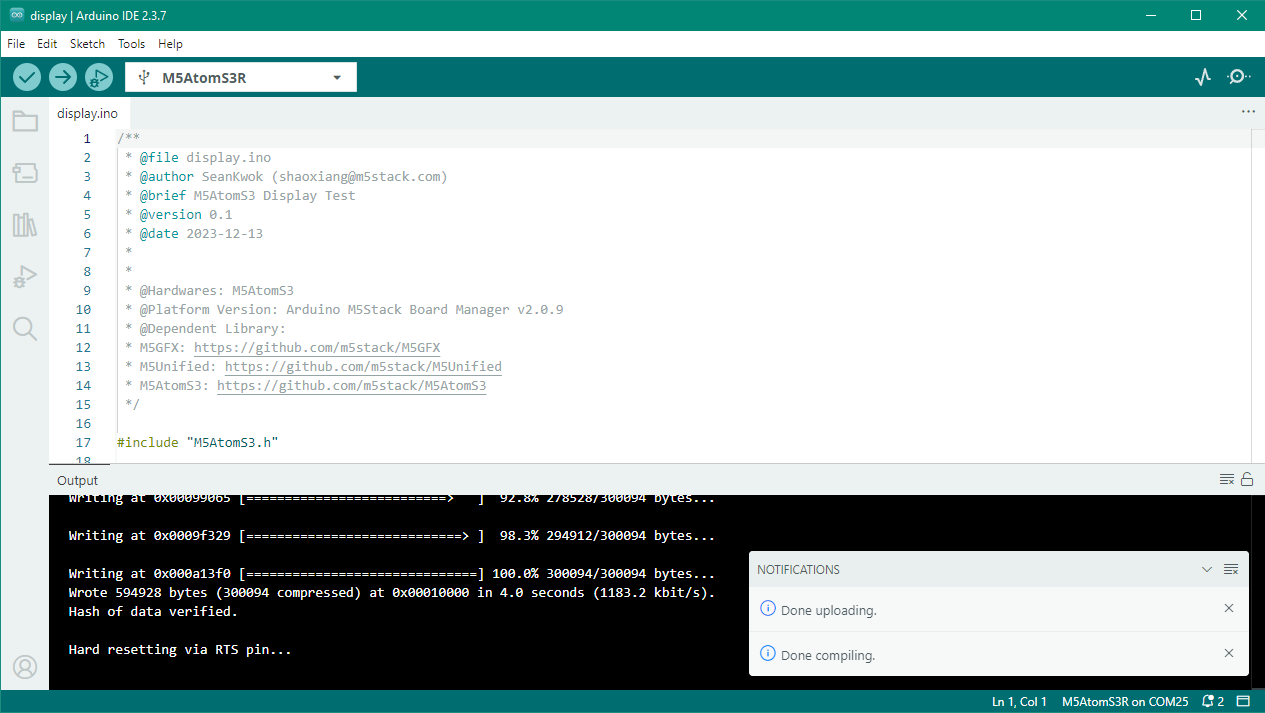
              @robski I have tried display example. The result still the same: black screen (backlight works, no image).
              257d12b1-a21d-471b-b4b6-eb114e0541a8-image.png

              robskiR 1 Reply Last reply Reply Quote 0
              • robskiR
                robski @10sor
                last edited by

                @10sor wow, and factory demo works fine...
                i2c address issue?
                library issue?

                M5StickC, M5StickCPlus, M5StickCplus2,M5GO, M5Core, M5Tough, M5Core2, M5 Demo Board, M5Dial, M5Paper, M5Atom, M5Cardputer, M5StampS3, CoreMP135, StamPLC, AirQ, M5Tab, M5CardputerAdv

                1 Reply Last reply Reply Quote 0
                • 1
                  10sor
                  last edited by 10sor

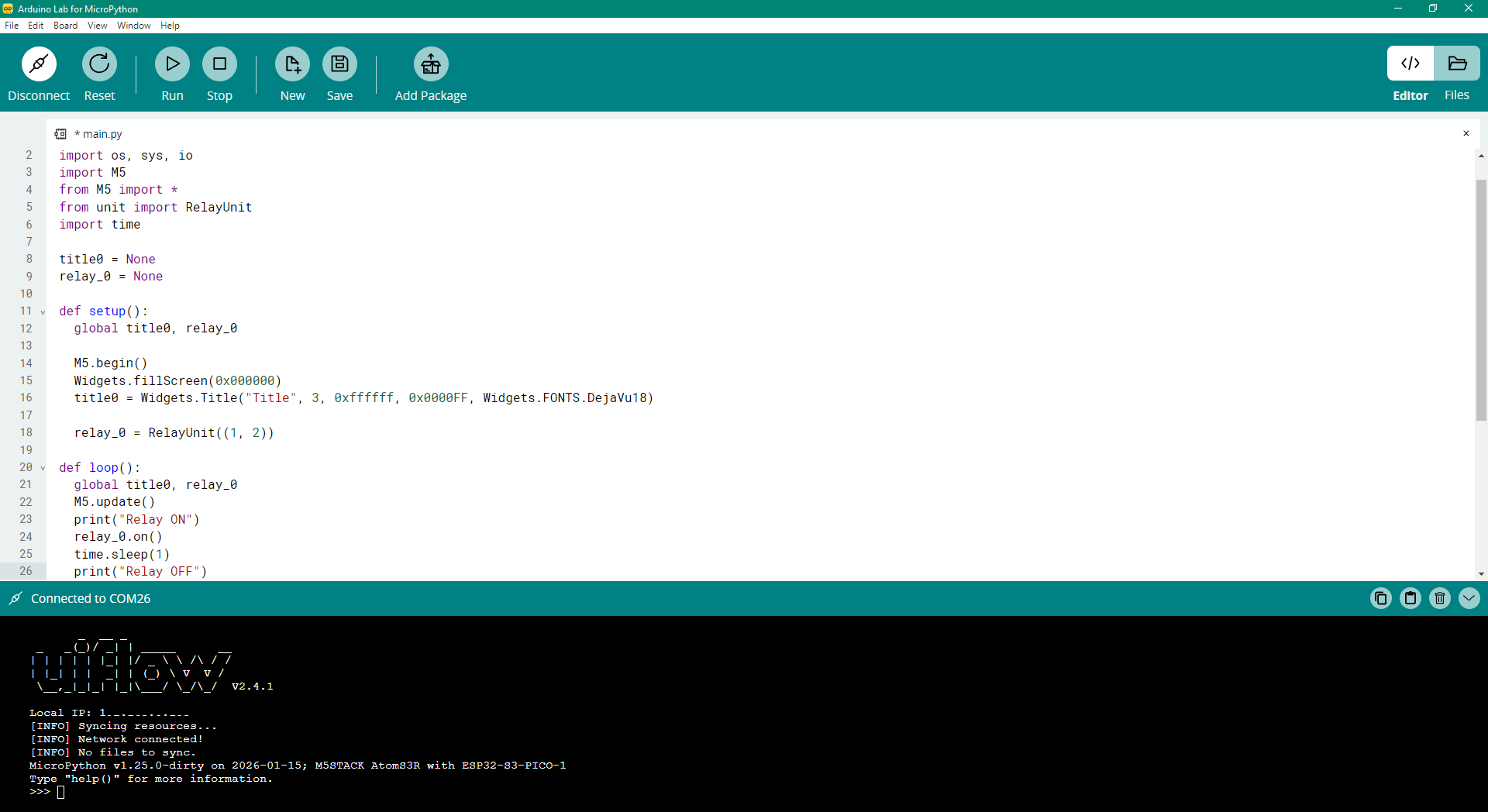
                  To test other functionality, I connected Unit Relay and ran a test program. It works as expected in UIFlow2.0

                  BTW I found that Arduino Lab for MicroPython can be used as a simple IDE for programming a device with UIFlow2 firmware.
                  f8f8b798-1ace-4b8e-8ee0-a11290bca197-image.png

                  robskiR 1 Reply Last reply Reply Quote 0
                  • robskiR
                    robski @10sor
                    last edited by

                    @10sor I do have one of Core Basic controllers which one day after loading project decided to not display a thing, all other bits are ok just nothing on the display since.

                    M5StickC, M5StickCPlus, M5StickCplus2,M5GO, M5Core, M5Tough, M5Core2, M5 Demo Board, M5Dial, M5Paper, M5Atom, M5Cardputer, M5StampS3, CoreMP135, StamPLC, AirQ, M5Tab, M5CardputerAdv

                    1 Reply Last reply Reply Quote 0
                    • gkaramanisG
                      gkaramanis
                      last edited by

                      Found this post when I googled, I got an AtomS3R yesterday and I have the exact same issue with the display.

                      Pretty much what @10sor said. Backlight is on but nothing else shows on the display. Tried with UIFlow2 and the examples in Arduino IDE. I've reflashed and reset multiple times, always the same result.

                      Factory demo works without any issues. The Env III sensor also works, I got output from it in UIFlow2 but the screens is black at all times.

                      1 Reply Last reply Reply Quote 0
                      • kurikoK
                        kuriko
                        last edited by

                        @10sor
                        Thanks for the feedback, this is indeed a very strange situation.
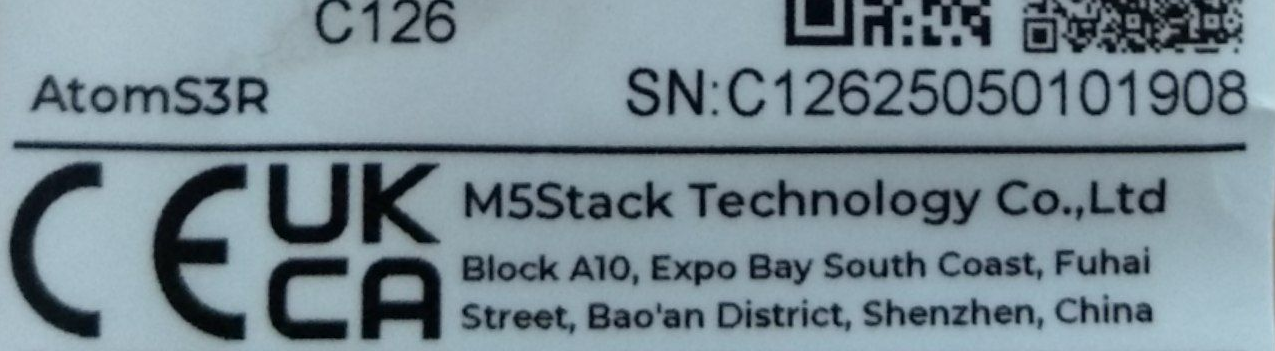
                        Could you please provide us the SN number on the package? So that we can check if this is a problem related to specific batch.

                        Good morning, and welcome to the Black Mesa Transit System.

                        1 1 Reply Last reply Reply Quote 0
                        • 1
                          10sor @kuriko
                          last edited by

                          @kuriko SN: C12625050101908

                          4e9f2ec2-abb0-4f9a-897c-0ecec8711f33-image.png

                          1 Reply Last reply Reply Quote 0
                          • First post
                            Last post