M5-bit (Micro-Bit) part 2
-
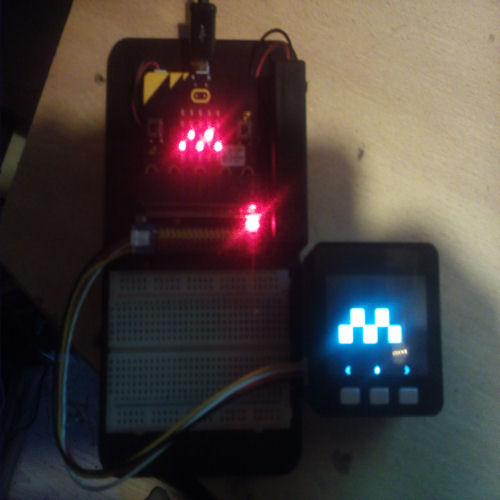
Turn your Micro-Bit leds on/off with the M5, create your own smilies on the M5.. ect..
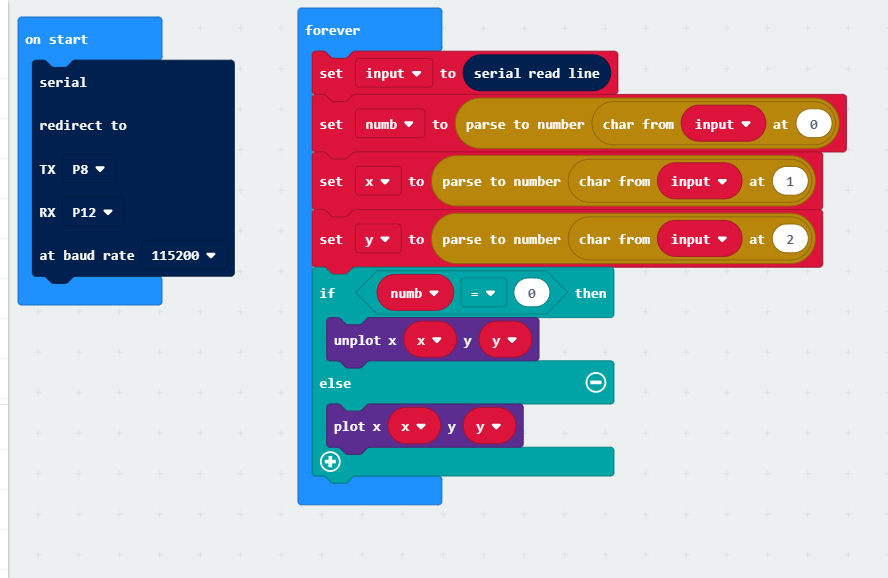
Here is the Micro-Bit code ;

And te M5Stack code ;
#include <M5Stack.h>
#include <M5StackUpdater.h>

#define WIDTH 320
#define HEIGHT 240
#define BLOCK_SIZE  40
#define UNIT_WIDTH  5
#define UNIT_HEIGHT 5
#define UNIT_SIZE 25
#define GETX(i) ((i) % (5))
#define GETY(i) ((i) / (5))
int world[UNIT_SIZE];
int i;

void setup() {
  M5.begin();
  Wire.begin();
  if(digitalRead(BUTTON_A_PIN) == 0){
    Serial.println("Will load menu binary");
    updateFromFS(SD);
    ESP.restart();
  }
  Serial2.begin(115200, SERIAL_8N1, 16, 17);
  M5.Lcd.fillScreen(BLACK);
  M5.Lcd.setTextSize(2);
  M5.Lcd.setCursor(35, 220);
  M5.Lcd.println("  <       *       >");
    for (i = 0; i < UNIT_SIZE; i++) {
    world[i] = 0;
  }
  i = UNIT_SIZE / 2;
}

void loop() {
      M5.update();
      int x = GETX(i) + 1;
      int y = GETY(i);
      if (world[i] > 0) M5.Lcd.fillRect(x * BLOCK_SIZE + 1, y * BLOCK_SIZE + 1, BLOCK_SIZE - 2, BLOCK_SIZE - 2, LIGHTGREY);
      else M5.Lcd.fillRect(x * BLOCK_SIZE + 1, y * BLOCK_SIZE + 1, BLOCK_SIZE - 2, BLOCK_SIZE - 2, BLUE);
      if (M5.BtnC.wasPressed()) {
         if (world[i] > 0) M5.Lcd.fillRect(x * BLOCK_SIZE + 1, y * BLOCK_SIZE + 1, BLOCK_SIZE - 2, BLOCK_SIZE - 2, WHITE);
         else M5.Lcd.fillRect(x * BLOCK_SIZE, y * BLOCK_SIZE, BLOCK_SIZE, BLOCK_SIZE, BLACK);
         ++i;
         if (i >= UNIT_SIZE) i=0;
      }
      if (M5.BtnA.wasPressed()) {
         if (world[i] > 0) M5.Lcd.fillRect(x * BLOCK_SIZE + 1, y * BLOCK_SIZE + 1, BLOCK_SIZE - 2, BLOCK_SIZE - 2, WHITE);
         else M5.Lcd.fillRect(x * BLOCK_SIZE, y * BLOCK_SIZE, BLOCK_SIZE, BLOCK_SIZE, BLACK);
         --i;
         if (i < 0 ) i=UNIT_SIZE -1;
      }
      if (M5.BtnB.wasPressed()) {
        if (world[i] > 0) world[i]=0;
        else world[i]=1;
        Serial2.print(world[i]);
        Serial2.print(GETX(i));
        Serial2.println(GETY(i));
      }
}
On the M5; button A moves left, button C moves right and button B toggles the led, this shows on Micro-Bit and M5
-
This is great, but could you please format your code correctly when posting so we can read it? You do that by pasting your code enclosed within three back ticks (```) on the same line or separate lines.
like thisorlike this -
@world101 ok, thx
-
@chriswr said in M5-bit (Micro-Bit) part 2:
@world101 ok, thx
Much better.
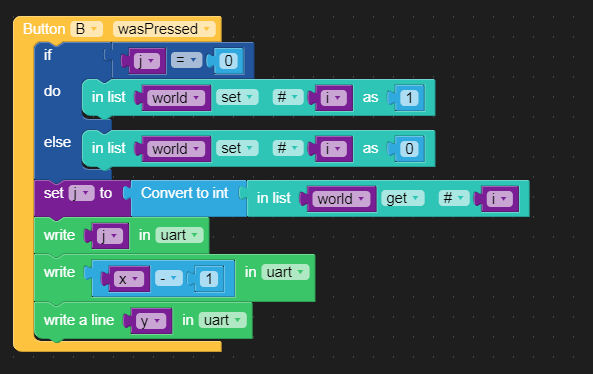
Is the a uiflow blocky version of you latest code? -
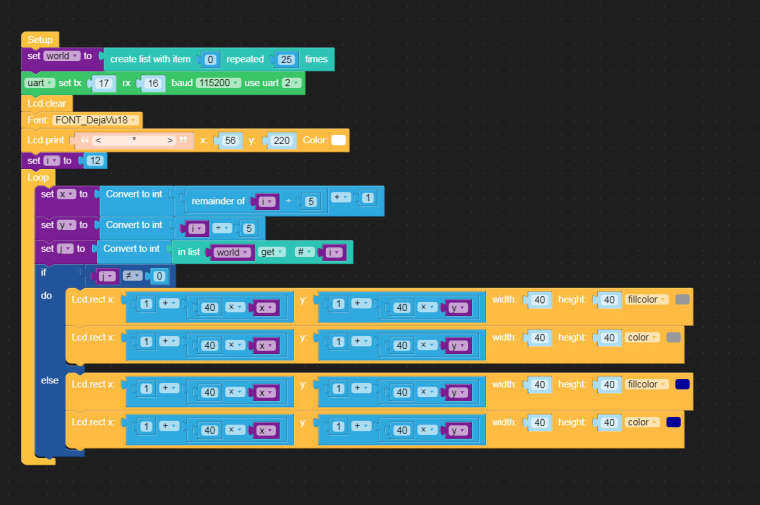
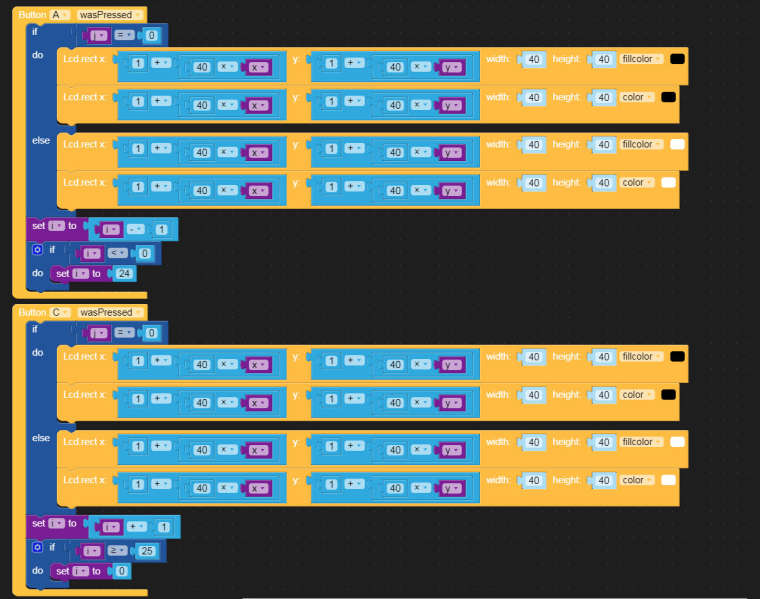
@ajb2k3 Its not uiflow, its makecode (for micro-bit) and arduino for m5
-
@chriswr I understand that it make code for the microbit but i was hoping you would consider using m5stacks uiflow for the m5stack products just to be consistant.
Apart from this, nice work and please keep sharing!
UIFlow, so easy an adult can learn it!
If I don't know it, be patient!
I've ether not learned it or am too drunk to remember it!
Author of the WIP UIFlow Handbook!
M5Black, Go, Stick, Core2, and so much more it cant be fit in here! -
This post is deleted! -



Hello! It looks like you're interested in this conversation, but you don't have an account yet.
Getting fed up of having to scroll through the same posts each visit? When you register for an account, you'll always come back to exactly where you were before, and choose to be notified of new replies (either via email, or push notification). You'll also be able to save bookmarks and upvote posts to show your appreciation to other community members.
With your input, this post could be even better 💗
Register Login