recover m5 file from m5stack
-
Last year I made an m5 project, put it on my m5stack, and saved the file on my pc.
2 months ago, my hard drive from my pc crashed, so I lost the m5 file I saved on it.
Now I wanted to make some adjustments to my file, but I don't have the source file anymore.
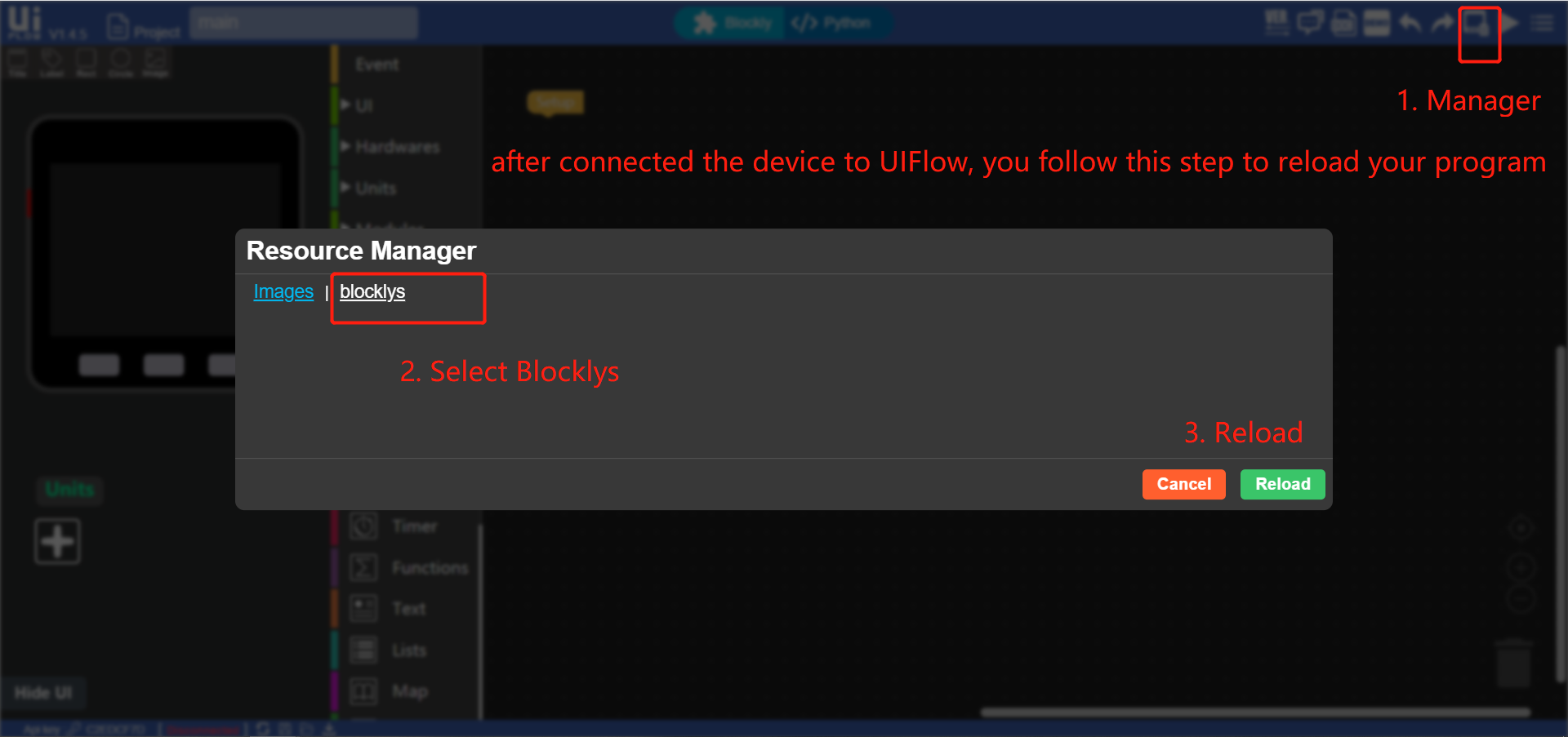
Is there any way to get the file from my m5stack to open in UIFlow, so I can make the changes and redownload it to my m5stack? -
You can try to connect to m5 with vs code, browse filesytem, find and copy your code file to hard drive
-
Assuming you were running a recent version of uiFlow firmware on your device, another way is with ampy.
ampy --port=/dev/tty.SLAB_USBtoUART --baud=115200 ls /flash/blocks

ampy --port=/dev/tty.SLAB_USBtoUART --baud=115200 get /flash/blocks/{file}.m5f ~/Downloads/{file}.m5f
Open the .m5f file into uiFlow. Or you could also check the /flash/apps directory and obtain the .py files, but you will not be able to load that directly into uiFlow and edit the blocks.
-
-
@m5stack That worked! Thank you!


Hello! It looks like you're interested in this conversation, but you don't have an account yet.
Getting fed up of having to scroll through the same posts each visit? When you register for an account, you'll always come back to exactly where you were before, and choose to be notified of new replies (either via email, or push notification). You'll also be able to save bookmarks and upvote posts to show your appreciation to other community members.
With your input, this post could be even better 💗
Register Login