🤖Have you ever tried Chat.M5Stack.com before asking??😎
    M5Stack Community
    • Categories
    • Recent
    • Tags
    • Popular
    • Users
    • Groups
    • Search
    • Register
    • Login

    M5Stack Basic Core Kit v2.7 charging

    Scheduled Pinned Locked Moved General
    8 Posts 3 Posters 4.1k Views
    Loading More Posts
    • Oldest to Newest
    • Newest to Oldest
    • Most Votes
    Reply
    • Reply as topic
    Log in to reply
    This topic has been deleted. Only users with topic management privileges can see it.
    • C Offline
      ChuckInDallas
      last edited by

      Greetings from Dallas.

      New guy here, not understanding how to charge internal battery. I do not have battery base because the use case is for just a small handheld device w/ 1 button active in a physically demanding activity.

      But I am unable to make it do anything if not connected to power source by USB-C.

      1. Does it have internal battery? I think "yes", but how to use it.
      2. If I use one of the "BAT" pins, what volts allowed?
      3. Happy with an answer or specifics of where to find such info in the documentation.

      Thanks,
      Chuck

      felmueF 1 Reply Last reply Reply Quote 0
      • felmueF Offline
        felmue @ChuckInDallas
        last edited by

        Hello @ChuckInDallas

        there is a POWER SWITCH at the bottom. See here. Make sure it is in the on position to charge and/or power M5Core.

        Thanks
        Felix

        GPIO translation table M5Stack / M5Core2
        Information about various M5Stack products.
        Code examples

        1 Reply Last reply Reply Quote 0
        • C Offline
          ChuckInDallas
          last edited by

          It is in the "On" position. Any other info?
          C.

          teastainT 1 Reply Last reply Reply Quote 0
          • teastainT Offline
            teastain @ChuckInDallas
            last edited by

            @ChuckInDallas Hi!
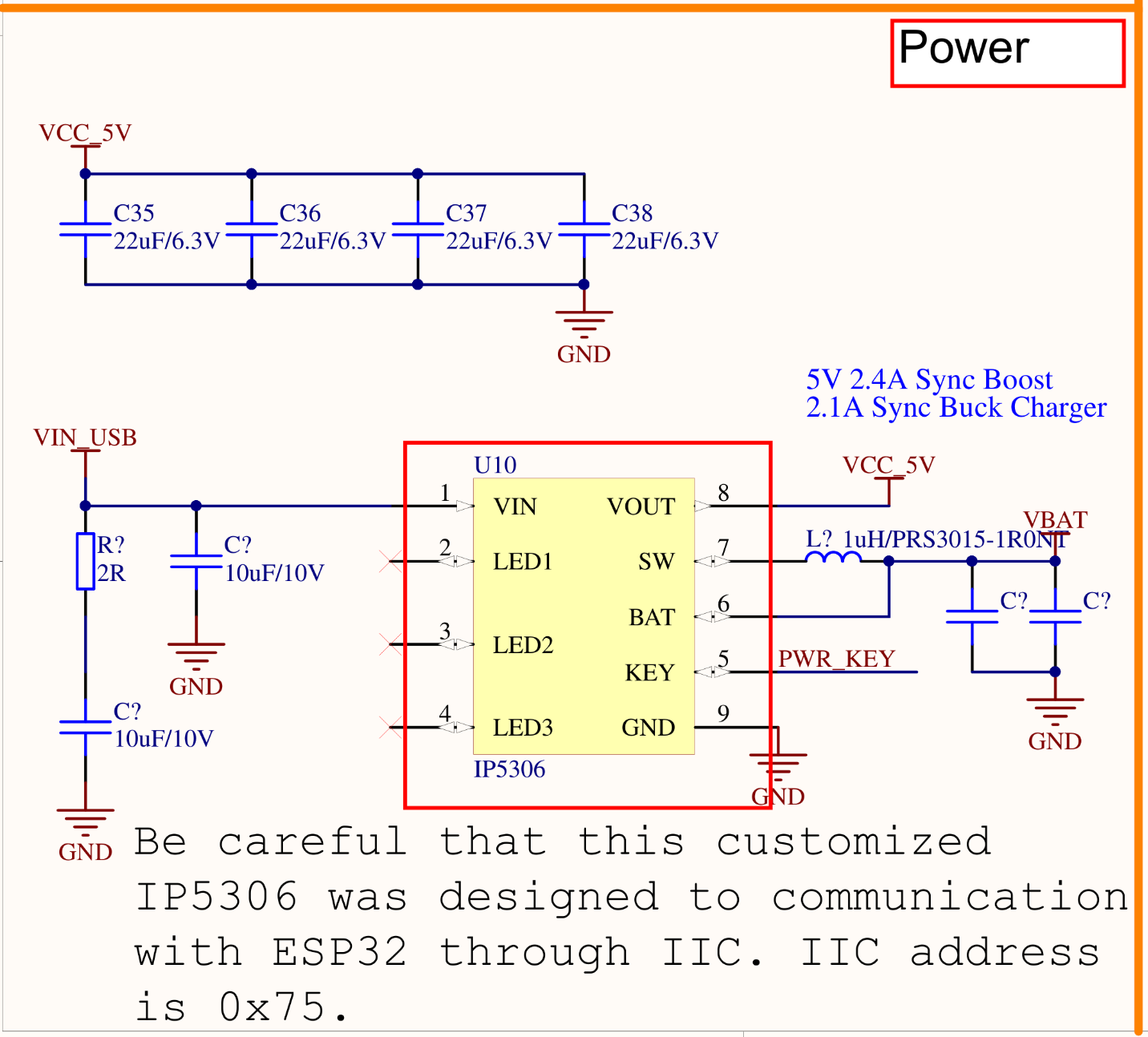
            The bottom plate (with all the GPIO pins) contains the battery.
            The back should have a switch marked 1/0.
            The switch must be set to 1 and the device powered on by USB.
            The device must be ON during this time, I think, for the battery to charge.
            Until you feel it is charged, then unplug the USB and see if the charge is maintained.
            It only charges this way.
            Screenshot 2025-03-09 at 6.58.33 PM.png

            Cheers, Terry!

            100% M5Stack addict with several drawers full of product!

            C 1 Reply Last reply Reply Quote 0
            • C Offline
              ChuckInDallas @teastain
              last edited by

              @teastain Thanks. It now does seem to have a battery charge. A little confusing...what is the difference between the "1/0" slide on the bottom and the Red Push Button on the side?

              teastainT 1 Reply Last reply Reply Quote 0
              • teastainT Offline
                teastain @ChuckInDallas
                last edited by

                @ChuckInDallas The Original Core was found to be wearing out it's battery by applications that were powered by USB 24/7.
                So the new version Core has a switch on the back to isolate the battery from excessive charging by switching it 'out' of the circuit when not needed.
                The red button is the On-Off and reset switch.

                Cheers, Terry!

                100% M5Stack addict with several drawers full of product!

                1 Reply Last reply Reply Quote 1
                • C Offline
                  ChuckInDallas
                  last edited by

                  OK. So when on a USB that bottom switch is off unless the user decides to charge the battery?

                  teastainT 1 Reply Last reply Reply Quote 0
                  • teastainT Offline
                    teastain @ChuckInDallas
                    last edited by

                    @ChuckInDallas Yes.

                    Cheers, Terry!

                    100% M5Stack addict with several drawers full of product!

                    1 Reply Last reply Reply Quote 0

                    Hello! It looks like you're interested in this conversation, but you don't have an account yet.

                    Getting fed up of having to scroll through the same posts each visit? When you register for an account, you'll always come back to exactly where you were before, and choose to be notified of new replies (either via email, or push notification). You'll also be able to save bookmarks and upvote posts to show your appreciation to other community members.

                    With your input, this post could be even better 💗

                    Register Login
                    • First post
                      Last post

