🤖Have you ever tried Chat.M5Stack.com before asking??😎
  • Unable to download UIflow 1.4.5.1 for Atom Lite

    1
    1
    0 Votes
    1 Posts
    4k Views
    No one has replied
  • OSError: -202

    3
    1 Votes
    3 Posts
    7k Views
    W
    Hi there, Can you give me a link to this tutorial? Or maybe a snippet of the code so that I can see the steps to take? I have been searching for a way to do an NTP time synch on an M5StickC for a while now, preferably using Blockly and UIFlow, but yet to find a reliable answer. Thanks. Wayne.
  • Atom Lite ENV II with 3A mini Relay

    4
    0 Votes
    4 Posts
    10k Views
    D
    Yes, it will work with the PbHUB. This is an example on UI Flow. The relay is connected to PbHUB port 0 [image: 1609104144840-77cd9ae0-5c1a-42a3-974b-1037206c1a7c-image-resized.png]
  • ATOM can't connect to wifi anymore

    5
    0 Votes
    5 Posts
    9k Views
    M
    Very weird... After some other tests, I did not find why it's working, but it is ! It was not working until I added WiFi.setHostname() before begin(), but it is still working after commenting it... WiFi.mode(WIFI_STA); //WiFi.setHostname("Atom-1"); WiFi.begin(ssid,password);
  • Atom Lite as a Modbus Slave Device

    1
    0 Votes
    1 Posts
    3k Views
    No one has replied
  • Atom Echo - Not accessible after firmware update

    1
    0 Votes
    1 Posts
    3k Views
    No one has replied
  • Format the ATOM?

    3
    0 Votes
    3 Posts
    5k Views
    D
    Thanks, that worked. Now, I need to find the MAC address of the ATOM. Is there an easy way to do that?
  • Set brightness on one pixel

    5
    0 Votes
    5 Posts
    11k Views
    ZontexZ
    @vrtisworks said in Set brightness on one pixel: @zontex I have an Atom Matrix. And I am using MicroPython . [image: 1605489750121-screen-shot-2020-11-16-at-9.21.51-am-resized.png] In the UIFlow you can set the brightness of specific LEDs by using the "set the x RGB color by RGB ..." you need to mention what LED you want to use and in RGB you can set the intensity by the value where 255 is the highest value and 0 is the lowest value and so control the intensity of the LEDs by that. And here is example of fading up and down a single LED light: [image: 1605490025284-screen-shot-2020-11-16-at-9.26.31-am-resized.png]
  • Using G33 analogRead while connected to Wi-Fi

    5
    0 Votes
    5 Posts
    8k Views
    D
    @felmue said in Using G33 analogRead while connected to Wi-Fi: Have you confirmed that reading GPIO33 works again if you comment out the WiFi code? Maybe adding that isn't the cause that made reading GPIO33 stop working? Yes. I have confirmed that it works when I remove the Wifi code... I will try this with another atom...
  • Recovering an M5 Atom Lite

    3
    0 Votes
    3 Posts
    8k Views
    ajb2k3A
    @derek-0 this is normally the drivers fault. Did you try powering off the computer first?
  • analogRead on M5Atom

    3
    0 Votes
    3 Posts
    13k Views
    felmueF
    Hello @sbollaerts there is only one analog input available on the M5Atom Matrix: GPIO34 which is shared with GPIO23. Please check out M5AtomMatrix Schematic In order to use the analog input you'll need to set GPIO34 as input and disable pullup/pulldown resistors of GPIO23. Below code works for me: #include <M5Atom.h> void setup() { M5.begin(true, false, true); pinMode(GPIO_NUM_34, INPUT); gpio_pulldown_dis(GPIO_NUM_23); gpio_pullup_dis(GPIO_NUM_23); } void loop() { Serial.printf("GPIO34: %d\n", analogRead(GPIO_NUM_34)); delay(1000); } Update: I just realised that GPIO33 can also be used as analog input. pinMode(GPIO_NUM_33, INPUT); Serial.printf("GPIO33: %d\n", analogRead(GPIO_NUM_33)); Cheers Felix
  • Using G19, G21, G22, G23, G25 or G33 as I2C pin on Atom Lite

    7
    0 Votes
    7 Posts
    19k Views
    B
    Thanks for all the great responses. I actually figure it out. I knew that my sensors were working because I could get the same code to work when using a ESP8266. I'm currently using GPIO25 for my 5 DS18B20 temperature sensors and I'm also using a 4.7 Ohm resistor as suggested by Dallas. At first, I could not see any sensor. After some thinkering, I was able to get the mac addresses of all 5 sensors with the Atom Lite but the temperature was ALWAYS 85. Googling for 85, someone said that we have to wait 750 ms after calling sensors.requestTemperatures(); sensors.requestTemperatures(); delay(750); // This seems critical to get the sensors to work with AtomLite Then I can proceed to get the temperatures like so. Note that this only illustrates the spirit of what needs to be done and I haven't tested the exact code that follows. #include <M5Atom.h> #include <OneWire.h> #include <DallasTemperature.h> // GPIO where the DS18B20 is connected to const uint8_t oneWireBus = GPIO_NUM_25; // Setup a oneWire instance to communicate with any OneWire devices OneWire oneWire(oneWireBus); // Pass our oneWire reference to Dallas Temperature sensor DallasTemperature sensors(&oneWire); void setup() { M5.begin(true, false, true); // But I need to test without this line. sensors.begin(); } void loop() { sensors.requestTemperatures(); delay(750); // This seems critical to get the sensors to work with AtomLite const unsigned int num_DS18B20 = sensors.getDeviceCount(); for (unsigned int i=0; i<num_DS18B20; ++i) { DeviceAddress mac; sensors.getAddress(mac, i); delay(10); const float temperature = sensors.getTempCByIndex(i); send_MQTT(mac, temperature); } } delay(10000); } I hope that this information will be useful for someone else trying to hookup some DS18B20 to an Atom Lite.
  • Unable to burn to Atom

    2
    0 Votes
    2 Posts
    6k Views
    V
    I figured it out. There are two sets of instructions on flashing. One says to set the baud to 921600 and hold down the center button while powering on. The other says to set the baud to 750000 and Erase before you Burn. I followed those instructions, and it worked fine.
  • Can the Atom accept external regulated 5V power?

    2
    0 Votes
    2 Posts
    7k Views
    felmueF
    Hello @koreanEggCoffee yes, that is possible - I am powering my M5Atom this way. However please note: There is no protection against wrong polarity so please be careful not to accidentally swapping 5 volts and GND. I also suggest you disconnect the external 5 volts before connecting USB-C. Or in other words only connect one power source at the same time. Please also refer to the M5Atom schematics which outlines the 5 volts connections between USB, 5v pin, Groove, LEDs and 3.3 volts regulator. https://docs.m5stack.com/#/en/core/atom_matrix Cheers Felix
  • ATOM LITE + TAILBAT + RGB UNIT is not working

    2
    0 Votes
    2 Posts
    5k Views
    ajb2k3A
    @mauricio check the connection on the batts black connector that plugs into the Atom, I had mine brake.
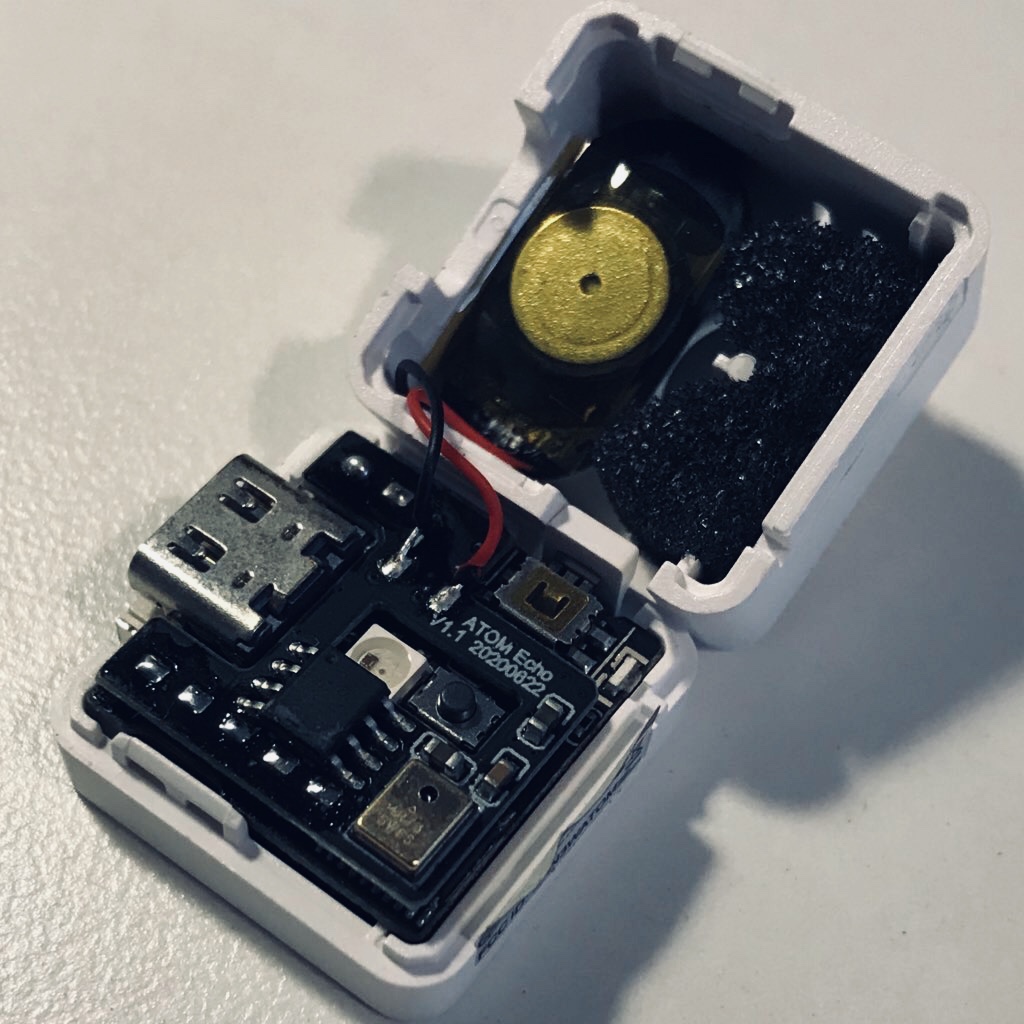
  • Is the Echo revision identifiable?

    5
    2
    0 Votes
    5 Posts
    11k Views
    T
    We may be able to identify this revision by the serial number specified on the package. Mine seems to be a lot manufactured in June 2020. [image: 1601357662297-fullsizeoutput_7cc-resized.jpeg]
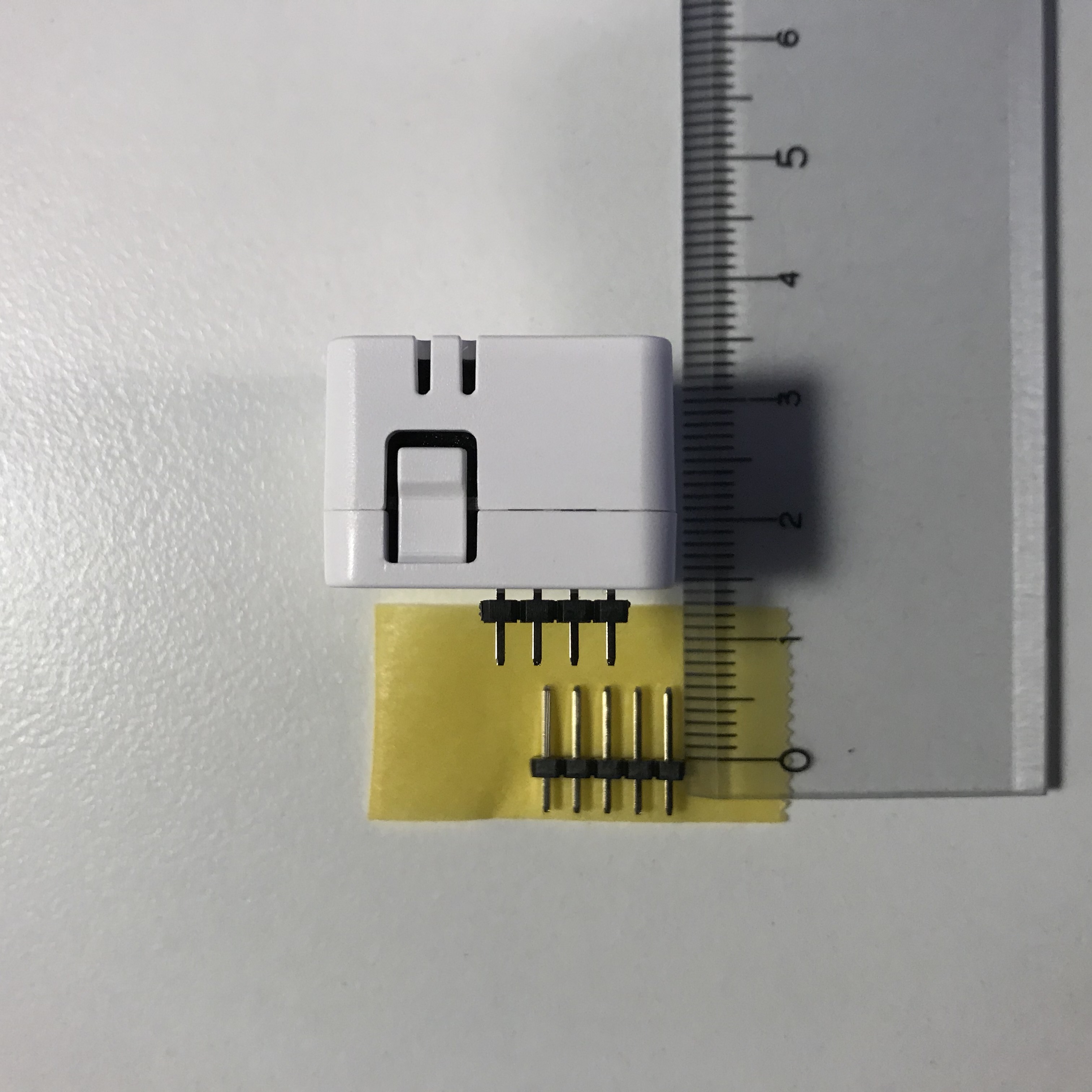
  • Please let us know the recommended contact length for the pin header!

    1
    1
    0 Votes
    1 Posts
    5k Views
    No one has replied