🤖Have you ever tried Chat.M5Stack.com before asking??😎

Subcategories

  • 550 Topics
    2k Posts
    G
    I am using C++. I don't see any examples of how to calibrate the unit. From the library, there is not function like set_calibrate(....). What is the proper code to do this? Of course, when the unit is started again, how does the calibration factor reused?
  • When you meet problems using M5Stack, we help you solve it.

    200 Topics
    989 Posts
    robskiR
    @johnericsutton hard to believe that unit is designed in such way to report value only when measured source is above 0...
  • 505 Topics
    2k Posts
    H
    H-Bridge Unit v1.1 + M5Dial: possible library bug, HPWR issues & safety note — test report (please correct me if I'm wrong) Hardware: M5Stack Dial v1 (ESP32-S3) + M5Stack H-Bridge Unit v1.1 (STM32F030 + RZ7899, FW v2) Arduino Core: ESP32 3.3.7 | M5Unified: 0.2.15 | M5GFX: 0.2.21 | M5UnitHbridge: 1.0.0 Overview We spent several sessions trying to get the H-Bridge Unit v1.1 working reliably with the M5Stack Dial v1. What started as a simple "connect and drive a motor" task turned into a systematic investigation of all possible port, voltage, and I2C combinations. This post documents the full test matrix with serial output and current measurements. We observed three things that surprised us — please read carefully and let us know if we misunderstood something or if there is a known solution we missed: The official M5UnitHbridge library does not seem to work with this hardware — we believe it is due to a missing Repeated Start condition in its I2C read implementation, but we may be wrong. Wire.begin() must be called after M5Dial.begin() — contrary to what you might expect, this re-configures the hardware I2C peripheral to Port A and works correctly. Is this intended behavior? HPWR mode does not behave as expected — forward direction produces no output, backward direction appears limited to ~9% effective duty cycle regardless of speed value. We tried PWM frequency changes, common GND, different ports and I2C methods — all without improvement. Could this be a firmware issue, or are we missing a required initialization step? We hope this is useful to others, and we very much welcome corrections or explanations from M5Stack or the community. TL;DR Getting the H-Bridge Unit v1.1 working with M5Dial is not straightforward. This post documents a complete test matrix covering all port/voltage/I2C combinations. The short version: 5V mode + Hardware I2C (Wire) + correct registers = works, but USB power limits motor load to ~500mA M5UnitHbridge library = broken for this hardware (wrong I2C read protocol, motor does not respond) HPWR mode appears non-functional in FW v2: forward channel dead, backward works at fixed ~9% duty cycle regardless of speed value — firmware bug suspected Hardware Setup Item Detail Controller M5Stack Dial v1 (ESP32-S3) Driver M5Stack H-Bridge Unit v1.1 (STM32F030 + RZ7899, FW v2) Grove Port A SDA=G13, SCL=G15 Grove Port B SDA=G2, SCL=G1 HPWR supply 13.5V @ external terminals, 470µF cap across VIN+/GND Key Discovery 1: Wire.begin() After M5Dial.begin() M5Dial.begin() initializes the internal I2C bus (touch controller) on G11/G12. Wire after M5Dial.begin() → internal bus, not Port A Wire1.begin(13, 15) → G15 held LOW by touch controller → SCL blocked ✅ Solution: Call Wire.begin(13, 15) after M5Dial.begin() — this re-configures the hardware I2C peripheral to Port A pins and works correctly auto cfg = M5.config(); M5Dial.begin(cfg, false, false); // ... Wire.begin(13, 15); Wire.setClock(100000); Key Discovery 2: Correct Register Map The H-Bridge register layout differs from various online sources. Verified by M5UnitHbridge library source: Register Address Description REG_DIR 0x00 Direction: 0=STOP, 1=FORWARD, 2=BACKWARD REG_SPEED8 0x01 Speed 8-bit (0–255) REG_SPEED16 0x02 Speed 16-bit little-endian REG_PWM_FREQ 0x04 PWM frequency little-endian REG_CURRENT 0x30 Motor current IEEE-754 float, 4 bytes (v1.1 only) REG_FW 0xFE Firmware version (uint8) Key Discovery 3: M5UnitHbridge Library Broken for This Hardware The official M5UnitHbridge library uses endTransmission() (with STOP condition) before requestFrom(): // Library readBytes() — BROKEN for H-Bridge v1.1 _wire->beginTransmission(addr); _wire->write(reg); _wire->endTransmission(); // ← sends STOP _wire->requestFrom(addr, length); // ← new START (not Repeated Start) The STM32F030 in the H-Bridge requires Repeated Start between write and read. Without it: getFirmwareVersion() returns 255 instead of 2 Write operations appear to succeed but the motor does not respond ✅ Solution: Use Wire directly with endTransmission(false) for reads: Wire.beginTransmission(HBRIDGE_ADDR); Wire.write(reg); Wire.endTransmission(false); // Repeated Start — NO stop condition Wire.requestFrom(HBRIDGE_ADDR, len); Complete Test Matrix # Port Pins Power I2C Result Notes 1a COM A G13/G15 5V Hardware Wire ✅ Motor runs Brownout at ~78% load — USB 5V insufficient for full load 1b COM A G13/G15 5V M5UnitHbridge lib ❌ No movement FW=255, writes silent. Library incompatible. 2a COM A G13/G15 5V Bit-Banging ✅ Motor runs Brownout at ~24% — GPIO switching adds extra current spikes 2b COM B G2/G1 5V Bit-Banging ✅ Motor twitches Brownout at ~25%, same as 2a. Port makes no difference. 3a COM A G13/G15 HPWR Hardware Wire ❌ Forward only ~4mV FW=2 ✓, writes accepted (readback confirmed), forward channel inactive 3b COM A G13/G15 HPWR Bit-Banging ⚡ Asymmetric Forward ❌ (4mV, inactive). Backward ✅ (-1.2V, 128mA, clean ramp to 255 and back) 4 COM B G2/G1 HPWR Bit-Banging ❌ No movement Same HPWR issue, FW=2 ✓, readback correct, 79mA draw, 4mV output Serial Console Excerpts Test 1a — 5V, Hardware Wire, correct registers (motor runs, brownout at ~78%) FW-Version: 2 [1] Vorwaerts: Rampe 0->255 (100ms/Schritt) write reg=0x00 val=1 ... err=0 write reg=0x01 val=0 ... err=0 spd= 0 ... write reg=0x01 val=198 ... err=0 spd=198 E BOD: Brownout detector was triggered Test 1b — 5V, M5UnitHbridge library (motor does not respond) begin: OK FW-Version: 255 ← should be 2 — Repeated Start missing in library [1] Vorwaerts: Rampe 0->255 (100ms/Schritt) spd= 0 ... spd=255 [2] Vorwaerts: halte 100% fuer 3s ... === Fertig === ← no brownout, no motor current, motor never moved Test 4 — HPWR, Bit-Banging, with register readback (motor does not respond) FW-Version: 2 (read OK) [1] Readback-Test: dir=1 spd=128 Readback: dir=1 (soll=1) spd=128 (soll=128) ← registers confirmed correct [2] Vorwaerts: Rampe 0->255 (100ms/Schritt) spd=0 ... spd=255 [3] Vorwaerts: halte 100% fuer 3s Motor dreht nicht Messungen: 13.5V confirmed, 79mA from supply, 4mV at motor terminals Test 3b — HPWR, Bit-Banging, COM A (asymmetric: forward dead, backward works) FW-Version: 2 [1] Vorwaerts: Rampe 0->255 → Motor does NOT turn, ~4mV at terminals [5] Rueckwaerts: Rampe 0->255 → Motor RUNS, -1.2V at terminals, 128mA from supply (~9% duty cycle at 13.5V, regardless of speed value) [7] Rueckwaerts: Rampe 255->0 → Motor slows cleanly and stops at spd=0 Test 5 — HPWR, register snapshot (default PWM frequency) [R] Register-Snapshot (Firmware-Defaults): 0x00 DIR = 0 (0=STOP,1=FWD,2=BWD) 0x01 SPD8 = 0 0x02 SPD16 = 0 0x04 FREQ = 1000 Hz ← default is audible range — explains motor beeping HPWR Mode — Appears Non-Functional in Firmware v2 After extensive testing across all port/I2C combinations, our conclusion is that HPWR mode is functionally broken in firmware v2. Additional tests (Tests 5 & 6) Default PWM frequency: 1000 Hz (register 0x04) — audible range, explains the motor "beeping" Setting frequency to 10000 Hz: no improvement, forward direction still inactive Connecting external supply GND to Grove GND: no improvement HPWR test results across all combinations Test Port I2C Forward Backward Notes 3a COM A Hardware Wire ✗ 4mV n/a Writes confirmed OK via err=0 3b COM A Bit-Banging ✗ 4mV ✓ -1.2V / 128mA Asymmetric — only backward works 4 COM B Bit-Banging ✗ 4mV n/a Readback confirmed dir/spd correct Asymmetric behavior detail (Test 3b) Forward (dir=1): ~4mV at motor terminals regardless of speed value Brief 120mA spike from supply at spd=0–10, drops to 80µA by spd=40 Motor does not turn Backward (dir=2): -1.2V at motor terminals — only ≈9% effective duty cycle at 13.5V supply, regardless of speed value (0–255) 128mA from external supply Motor runs through full ramp 0→255→0 and stops correctly Requires a manual push past static friction at low speeds Evidence pointing to firmware bug I2C communication confirmed working (FW=2 readable, register readback correct) Speed value has no effect on output voltage in HPWR mode (9% fixed regardless of spd=1 or spd=255) PWM frequency change has no effect GND connection has no effect Issue present on both COM A and COM B Issue present with both Hardware I2C and Bit-Banging 5V mode works correctly on the same hardware Our interpretation: The STM32F030 firmware v2 may not properly implement HPWR mode — the DIP switch position appears to be detected but the RZ7899 drive logic may not be correctly configured for external supply operation. However, we acknowledge we could be missing a required initialization step or configuration. We would greatly appreciate clarification from M5Stack or anyone who has successfully used HPWR mode. Working Configuration (Minimal Code) #include <M5Dial.h> #define HBRIDGE_ADDR 0x20 #define REG_DIR 0x00 #define REG_SPEED8 0x01 bool hb_write(uint8_t reg, uint8_t val) { Wire.beginTransmission(HBRIDGE_ADDR); Wire.write(reg); Wire.write(val); return Wire.endTransmission() == 0; } bool hb_read(uint8_t reg, uint8_t* out) { Wire.beginTransmission(HBRIDGE_ADDR); Wire.write(reg); Wire.endTransmission(false); // Repeated Start return Wire.requestFrom((uint8_t)HBRIDGE_ADDR, (uint8_t)1) == 1 && (*out = Wire.read(), true); } void setup() { auto cfg = M5.config(); M5Dial.begin(cfg, false, false); Wire.begin(13, 15); // COM A, after M5Dial.begin() Wire.setClock(100000); // DIP switch: 5V mode — HPWR forward channel does not work hb_write(REG_DIR, 1); // FORWARD hb_write(REG_SPEED8, 128); // 50% } ⚠️ Safety Note: H-Bridge Runs Independently After ESP32 Reset The STM32F030 inside the H-Bridge has a lower minimum operating voltage than the ESP32-S3. This means: Scenario 1 — Brownout: The ESP32-S3 crashes (brownout at ~700mA from Grove 5V). The STM32F030 keeps running and holds the last direction + speed. The motor continues turning until power is physically removed. Scenario 2 — Reset button: Pressing the M5Dial reset button resets the ESP32-S3, but the STM32F030 is unaffected. Motor keeps running. Scenario 3 — Software crash: Any ESP32-S3 crash leaves the H-Bridge in its last state. Safe practice — always send STOP as the first action in setup(): Wire.begin(13, 15); Wire.setClock(100000); Wire.beginTransmission(HBRIDGE_ADDR); Wire.write(0x00); Wire.write(0); // DIR = STOP Wire.endTransmission(); Wire.beginTransmission(HBRIDGE_ADDR); Wire.write(0x01); Wire.write(0); // SPEED = 0 Wire.endTransmission(); // ... rest of setup Current Measurements (5V Mode, Grove Side) State Motor Voltage Grove 5V Current Idle (M5Dial + H-Bridge logic) — ~300mA Motor running (after manual push) 3.3V ~700mA Brownout threshold (USB) — ~500mA Note: USB 2.0 limit is 500mA — sustained motor load exceeds this. Use a powered USB hub or a 5V supply with higher current rating. Do not rely on HPWR mode — it is non-functional in FW v2. Summary Issue Root Cause Fix Wire on Port A silent M5Dial.begin() uses Wire on G11/G12 Call Wire.begin(13,15) after M5Dial.begin() Wire1 SCL blocked Touch controller holds G15 LOW Don't use Wire1 M5UnitHbridge FW=255 Library uses STOP instead of Repeated Start Use Wire directly with endTransmission(false) 5V mode brownout USB 5V insufficient for motor load >~500mA Use powered USB hub or higher-current 5V supply HPWR mode non-functional STM32F030 FW v2 bug — forward dead, backward fixed at ~9% duty cycle regardless of speed No workaround — requires firmware fix from M5Stack Tested May 2026 on M5Stack Dial v1 (ESP32-S3) + H-Bridge Unit v1.1 (STM32F030 + RZ7899, FW v2) / Arduino IDE 2.3.8 / ESP32 Core 3.3.7 / M5Unified 0.2.15 Appendix: Full Serial Output per Test Test 1a — COM A | 5V | Hardware Wire | correct registers === Test 1a: Wire direkt, korrekte Register === FW-Version: 2 [1] Vorwaerts: Rampe 0->255 (100ms/Schritt) write reg=0x00 val=1 ... err=0 write reg=0x01 val=0 ... err=0 spd= 0 write reg=0x01 val=198 ... err=0 spd=198 E BOD: Brownout detector was triggered Lauf mit Ammeter (Grove-Seite): write reg=0x01 val=52 ... err=0 spd= 52 E BOD: Brownout detector was triggered Strom: ~300mA Ruhestrom, ~700mA beim Laufen (nach Anschieben), 3.3V an Motor Test 1b — COM A | 5V | M5UnitHbridge Library === Test 1b: M5UnitHbridge Library === begin: OK FW-Version: 255 ← should be 2 [1] Vorwaerts: Rampe 0->255 (100ms/Schritt) spd= 0 ... spd=255 [2] Vorwaerts: halte 100% fuer 3s [3] Vorwaerts: Rampe 255->0 [4] STOP ... [8] STOP === Fertig === ← no brownout, no motor current, motor never moved Test 2a — COM A | 5V | Bit-Banging === Test 2a: COM A | 5V | Bit-Banging === [0] I2C Scan... Gefunden: 0x20 <- H-Bridge FW-Version: 2 [1] Vorwaerts: Rampe 0->255 (100ms/Schritt) spd= 0 ... spd= 62 E BOD: Brownout detector was triggered ← Motor dreht. Brownout bei spd=62 (~24%). GPIO-Umschalten erhoht Strombedarf. Test 2b — COM B | 5V | Bit-Banging === Test 2b: COM B | 5V | Bit-Banging === SDA=G2 (gelb), SCL=G1 (weiss) [0] I2C Scan... Gefunden: 0x20 <- H-Bridge FW-Version: 2 (read OK) [1] Vorwaerts: Rampe 0->255 (100ms/Schritt) spd= 0 ... spd= 63 E BOD: Brownout detector was triggered ← Motor hat gezuckt, Spannung messbar. Brownout bei spd=63, identisch mit 2a. Test 3a — COM A | HPWR | Hardware Wire === Test 3a: COM A | HPWR | Wire direkt === SDA=G13, SCL=G15 FW-Version: 2 [1] Vorwaerts: Rampe 0->255 (100ms/Schritt) write reg=0x00 val=1 ... err=0 write reg=0x01 val=0 ... err=0 spd= 0 ... spd=255 [2] Vorwaerts: halte 100% fuer 3s [3] Vorwaerts: Rampe 255->0 === Fertig === Messungen: 13.5V OK, 0.083mA aus Netzteil, Motor dreht nicht. Test 3b — COM A | HPWR | Bit-Banging === Test 3b: COM A | HPWR | Bit-Banging === SDA=G13, SCL=G15 [0] I2C Scan... Gefunden: 0x20 <- H-Bridge FW-Version: 2 [1] Vorwaerts: Rampe 0->255 → Motor dreht NICHT, ~4mV, 120mA-Spike bei spd=0..10 [5] Rueckwaerts: Rampe 0->255 → Motor dreht ✓, -1.2V, 128mA aus Netzteil [7] Rueckwaerts: Rampe 255->0 → Motor haelt sauber bei spd=0 === Fertig === Asymmetrie: Vorwaerts tot, Rueckwaerts ~9% eff. Duty Cycle bei 13.5V Test 4 — COM B | HPWR | Bit-Banging === Test 4: COM B | HPWR | Bit-Banging === SDA=G2 (gelb), SCL=G1 (weiss) [0] I2C Scan... Gefunden: 0x20 <- H-Bridge FW-Version: 2 (read OK) [1] Readback-Test: dir=1 spd=128 Readback: dir=1 (soll=1) spd=128 (soll=128) ← Register korrekt geschrieben [2] Vorwaerts: Rampe 0->255 ... Motor dreht nicht Messungen: 13.5V OK, 79mA aus Netzteil, 4mV an Motor. Test 5 — COM A | HPWR | Bit-Banging | PWM-Frequenz auslesen === Test 5: COM A | HPWR | Bit-Banging | FreqRead === SDA=G13, SCL=G15 [0] I2C Scan... Gefunden: 0x20 <- H-Bridge FW-Version: 2 [R] Register-Snapshot (Firmware-Defaults): 0x00 DIR = 0 (0=STOP,1=FWD,2=BWD) 0x01 SPD8 = 0 0x02 SPD16 = 0 0x04 FREQ = 1000 Hz ← default PWM frequency Motor dreht nicht. Test 6 — COM A | HPWR | Bit-Banging | PWM-Frequenz auf 10kHz gesetzt === Test 6: COM A | HPWR | Bit-Banging | FreqSet 10kHz === SDA=G13, SCL=G15 [F] Setze PWM-Frequenz auf 10000 Hz... FREQ nach Set = 10000 Hz ← write accepted [R] Register-Snapshot: 0x04 FREQ = 10000 Hz [1] Vorwaerts: Rampe 0->255 → Motor dreht nicht. Frequenz hat keinen Einfluss.
  • 1k Topics
    6k Posts
    ShawnHymelS
    @felmue That helps a lot, thank you!
  • 55 Topics
    203 Posts
    J
    I have been able to get a program to work that uses the M5EchoBase library but no luck using the unified library. For example the simple program below doesn't work. #include <M5Unified.h> void setup() { // 1. Initialize M5Unified delay(1000); // Delay for a moment to allow the system to stabilize. auto cfg = M5.config(); cfg.serial_baudrate = 115200; M5.begin(cfg); // 2. Configure the Speaker for the Atomic Audio Base (ES8311) // We access the speaker configuration directly via M5.Speaker.config() auto spk_cfg = M5.Speaker.config(); // Set pins for Atomic Audio Base (ES8311) spk_cfg.pin_bck = 8; // BCLK spk_cfg.pin_ws = 6; // LRCK (WS) spk_cfg.pin_data_out = 5; // DAC (DOUT) spk_cfg.i2s_port = I2S_NUM_0; // Configure for external codec (not internal DAC) spk_cfg.use_dac = false; spk_cfg.sample_rate = 44100; // Apply the configuration M5.Speaker.config(spk_cfg); // 3. Start the speaker M5.Speaker.begin(); // 4. Set volume (0-255) M5.Speaker.setVolume(128); } void loop() { M5.update(); // Play a 1000 Hz tone for 1000 milliseconds (1 second) M5.Speaker.tone(1000, 1000); // Wait for the tone to finish delay(1000); // Small delay before next loop delay(1000); } Is there no way to set up the ES8311 codec without using M5EchoBase? strangely if I run the program below then load the above program the tone works? But I can't stick the M5.Speaker.tone(1000, 1000); command in the program below and have it work. Does anyone know how to play a tone using only the Unified library from an AtomS3R into a Atomic Audio Base (ES8311 codec)? #include <M5Unified.h> #include <M5EchoBase.h> #if defined(CONFIG_IDF_TARGET_ESP32S3) #define RECORD_SIZE (1024 * 400) #elif defined(CONFIG_IDF_TARGET_ESP32) #define RECORD_SIZE (1024 * 400) #endif #if (ESP_IDF_VERSION >= ESP_IDF_VERSION_VAL(5, 0, 0)) M5EchoBase echobase; #else M5EchoBase echobase(I2S_NUM_0); #endif static uint8_t *buffer = nullptr; // Pointer to hold the audio buffer. void setup() { delay(1000); // Delay for a moment to allow the system to stabilize. auto cfg = M5.config(); cfg.serial_baudrate = 115200; M5.begin(cfg); // Initialize the EchoBase with ATOMS3 pinmap. #if defined(CONFIG_IDF_TARGET_ESP32S3) if (!echobase.init(44100 /*Sample Rate*/, 38 /*I2C SDA*/, 39 /*I2C SCL*/, 7 /*I2S DIN*/, 6 /*I2S WS*/, 5 /*I2S DOUT*/, 8 /*I2S BCK*/, Wire) != 0) { Serial.println("Failed to initialize EchoBase!"); while (true) { delay(1000); } } #elif defined(CONFIG_IDF_TARGET_ESP32) // Initialize the EchoBase with ATOM pinmap. if (!echobase.init(44100 /*Sample Rate*/, 25 /*I2C SDA*/, 21 /*I2C SCL*/, 23 /*I2S DIN*/, 19 /*I2S WS*/, 22 /*I2S DOUT*/, 33 /*I2S BCK*/, Wire) != 0) { Serial.println("Failed to initialize EchoBase!"); while (true) { delay(1000); } } #endif echobase.setSpeakerVolume(80); // Set speaker volume to 70%. echobase.setMicGain(ES8311_MIC_GAIN_0DB); // Set microphone gain to 0dB. buffer = (uint8_t *)malloc(RECORD_SIZE); // Allocate memory for the record buffer. // Check if memory allocation was successful. if (buffer == nullptr) { // If memory allocation fails, enter an infinite loop. while (true) { Serial.println("Failed to allocate memory :("); delay(1000); } } Serial.println("EchoBase ready, start recording and playing!"); // M5.Speaker.tone(2000, 2000); // delay(2000); } void loop() { Serial.println("Start recording..."); // Recording echobase.setMute(false); echobase.record(buffer, RECORD_SIZE); // Record audio into buffer. delay(100); Serial.println("Start playing..."); // Playing echobase.setMute(false); delay(10); echobase.play(buffer, RECORD_SIZE); // Play audio from buffer. //M5.Speaker.playRaw(buffer, RECORD_SIZE, 44100, false, 1, 0); delay(100); }

  • For topics on the M5Stack Atom.

    258 Topics
    846 Posts
    A
    How should the AtomS3R-CAM be disassembled internally? And I want to Replace with M12 same Camera! Is there an internal disassembly method? Who know?Need Help!
  • Section Rules / 版块规则

    Pinned
    1
    0 Votes
    1 Posts
    9k Views
    No one has replied
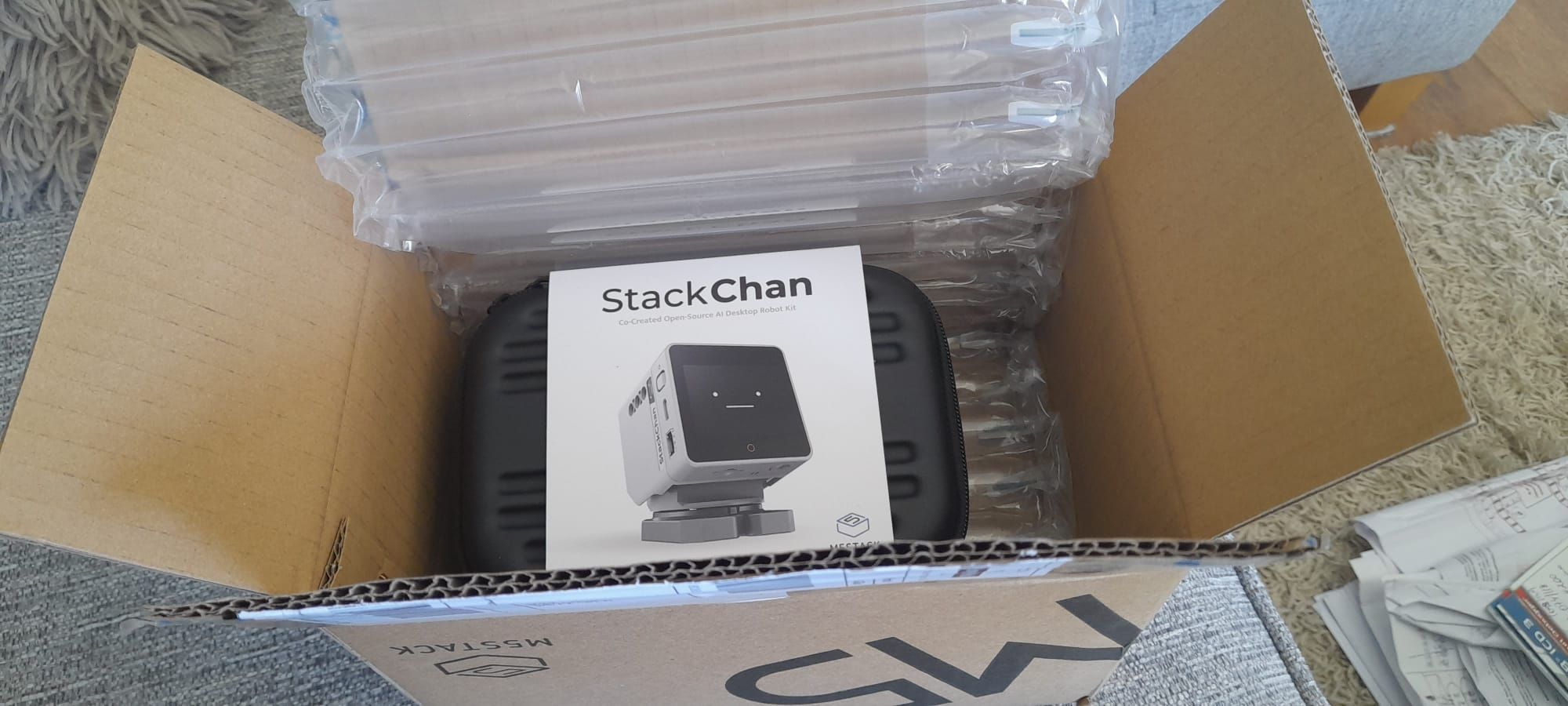
  • Stackchan unboxing and setup troubleshoot

    stackchan troubleshoot setup
    11
    0 Votes
    11 Posts
    1k Views
    robskiR
    @Aleximdh same settings on mine, have you tried it on diff wifi?
  • Stackchan topic

    1
    0 Votes
    1 Posts
    122 Views
    No one has replied
  • Stack Chan unboxing

    1
    5
    2 Votes
    1 Posts
    422 Views
    No one has replied
  • Tab5 RS485 connector

    6
    0 Votes
    6 Posts
    3k Views
    Y
    @scroggyg I had the same question, so I looked into it and found out it's a Molex PicoBlade 6-pin. It’s sometimes called "Micro JST", but it's really a 1.25mm pitch Molex connector.
  • paper s3 micropython example for Power.lightSleep()

    7
    0 Votes
    7 Posts
    952 Views
    felmueF
    Hello @jhfoo2 well, in my experience and with my M5PaperS3 it takes a couple of readouts (e.g. M5.update()) until the return value from the touch controller goes back to 0. Please let me know if you find a more elegant solution. Thanks Felix
  • Paper S3 White background is not (epaper) white with BMP

    1
    0 Votes
    1 Posts
    263 Views
    No one has replied
  • Paper S3 wake on IMU?

    7
    0 Votes
    7 Posts
    4k Views
    J
    Hi. Thanks for posting the code. Can you confirm if this is a once-and-done write to the BMI? I code in micropython and wonder if I can run your code and then flash back to micropython and it'd still work.
  • PaperS3 screen stuck

    7
    0 Votes
    7 Posts
    8k Views
    A
    @claudiu Same happen with me..I used another laptop for login and problem resolved of loginitalicised text
  • can anyone support xiaozhi in cardputer?

    2
    0 Votes
    2 Posts
    1k Views
    M
    截至2026年2月13日,M5burner中,yarnell已经上传了xiaozhi的adv版本固件V2.2.2。
  • REPL on Cardputer ADV: PikaScript v1.12.0

    2
    0 Votes
    2 Posts
    720 Views
    Z
    @10sor Hi, here is some documetation: https://pikadoc-en.readthedocs.io/en/latest/index.html and a gh-repo here: https://github.com/pikasTech/pikaPython?tab=readme-ov-file Hope, it helps. zedr0k
  • Inside M5StickS3

    3
    1 Votes
    3 Posts
    2k Views
    KabronK
    @felmue Too low resolution :(
  • сломалась кнопка

    1
    0 Votes
    1 Posts
    270 Views
    No one has replied
  • ENV Monitor ADV

    2
    0 Votes
    2 Posts
    1k Views
    N
    Hi, @aliense44. I have a Card Computer ADV, a GPS/LoRa module, and an ENV III Sensor. I was trying to test the ENV Monitor ADV app, but it didn't display any information. Could you tell me how to connect it for it to work with the app? Thank you.
  • Charging Tab 5 in sleep mode?

    3
    0 Votes
    3 Posts
    3k Views
    W
    @felmue Yeah, seems to be correct. Thanks.
  • Tab5 RTC backup battery specifications

    9
    1
    0 Votes
    9 Posts
    5k Views
    easytargetE
    Like @felmue I also did a bit more testing of the low voltage flags, then enabled the charge circuit (and setting the charge voltage via bfvsel to unlimited). The clock has held time ever since. I'm curious about how long the capacitor can run the clock when fully charged and I have disabled charging again. But my device spends most of it's time on USB power so the duration is hard to measure; so lets try to estimate it :-) If the frequency out and I2C is disabled (inien = True) the device should typically draw 0.3 µA when on backup battery (table 5 in the datasheet). The capacitor is possibly a ML414H; 0.07 F. Table 3 in the datasheet says that the clock oscillator minimum voltage is 1.1v, and the start voltage is VStandby; 3.3v. So we just need to work out the discharge time. Start with working out the equivalent resistance at 3.3v; R=Voltage/Current = 3.3/0.0000003 = 11000000 = 11 MΩ Now use an online discharge calculator to do the 'heavy lifting'... https://3roam.com/capacitor-discharge-time-calculator/ (I like that site; it shows the maths used) This gives an estimated! time of 845932 seconds; which is ~235 hours, almost ten days. Which seems reasonable for a capacitor backup.
  • Tab5 LoRa

    1
    0 Votes
    1 Posts
    617 Views
    No one has replied
  • Chain Blank Proto use cases

    1
    0 Votes
    1 Posts
    419 Views
    No one has replied
  • M5Dial V1 (not V1.1) BtnA not responding (too low of priority?)

    1
    3
    0 Votes
    1 Posts
    385 Views
    No one has replied
  • 1 Votes
    3 Posts
    1k Views
    easytargetE
    @felmue Thank you for doing the test :-) I guess this simplifies things for anybody writing a driver; but does prevent people having fun-and-games with under/over clocking the camera module. I think it also means you cannot 'stop' the camera, which may be problem for extreme power saving. But I suspect the reset pin can be used to halt the module too.