I got my Tab5 today and tried to load my own code with Uiflow2 and looks like I am getting the same issue as csjung74.
I followed this guide:
https://www.youtube.com/watch?v=mMwj6CFpoyY
Steps
- Used M5Burner to flash UIFlow2.0 v2.3.7 and configure Wifi details
- Bind device to my account
- Create a basic message like in video tutorial
- Tried clicking the running button and got a white screen on Tab5.
- Then tried the download to device button got the same white screen on Tab5.
I cannot see this screen as I take it is a boot screen, I get a white screen on boot but have got a grey/black one.
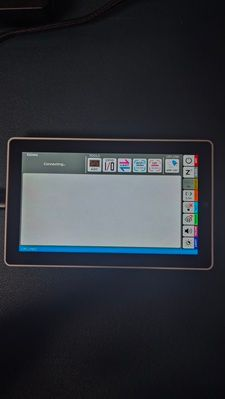
Tried
Flashing UIFlow2.0 v2.3.6-hotfix2, UIFlow2.0 v2.3.6-hotfix1 and UIFlow2.0 v2.3.5 while trying to run the Uiflow2 app after each flash and still got the same issue. White blotchy screen like display is corrupt.
Test app that came on device works ok and re-flashing it back onto the device also works ok.
Could it be that the screen hardware was changed and the UIFlow2.0 v2.3.7 app has not been updated for this new display as it seems older devices work ok but new ones have this issue.