🤖Have you ever tried Chat.M5Stack.com before asking??😎
  • modules for M5 Stick plus 2

    2
    0 Votes
    2 Posts
    1k Views
    teastainT
    @m5_pls2_2 M5Stack products contain the universal ESP32 and any module for ESP32 or Arduino will work as long as there is an Arduino IDE or esp32 library available. Brands like Sparkfun, Adafruit, SeeedStudio should work. Hope this helps!
  • 0 Votes
    3 Posts
    1k Views
    robskiR
    open M5Burner, if you see comport detected when you connect M5Stick to usb then next step would be to burn CORRECT firmware to it as there are few versions for M5Stick
  • M5StickC Plus2 Stopped Connecting

    3
    0 Votes
    3 Posts
    2k Views
    D
    @ajb2k3 how to do it?
  • 0 Votes
    2 Posts
    2k Views
    robskiR
    @GreekAlex can you see comport being detected when you connecting usb in to it?
  • Ways to add external battery

    8
    0 Votes
    8 Posts
    17k Views
    A
    Another option is to set a 3 pin switch between + in both batteries and select that you want to use.
  • noting shows on m5stick and unable to connect to pc

    4
    0 Votes
    4 Posts
    2k Views
    ajb2k3A
    @Hristak Is it charged? Have you checked that you are using a working data cable and not a charge cable? Did you erase firmware before burning new? Did you select the correct firmware version? What computer are you using? What OS are you using?
  • API KEY on M5StickC PLUS2

    4
    0 Votes
    4 Posts
    3k Views
    ajb2k3A
    @jorge5a There isn't an API key, UIFlow2 works different in that you need to register the device on your account and it will be available in UIFlow2's device selector.
  • M5Stickc plus2 Black Screen After Factory Reset

    6
    0 Votes
    6 Posts
    3k Views
    teastainT
    @kuriko @BizyBee is trying to load hacker software to interfere with RF communications, onto a Cardputer. Which is illegal and immoral. (Bruce andShark in another post on this community) https://community.m5stack.com/topic/7023/problem-with-stick-c-plus2?_=1732888453159
  • m5stickC plus2 cycle through images

    2
    0 Votes
    2 Posts
    1k Views
    ajb2k3A
    @tdvds Are the images formatted correctly?
  • M5StickCPlus2 Dev PCB

    2
    0 Votes
    2 Posts
    1k Views
    kurikoK
    Hi @chuck808, We do have an opened repository of KiCAD and PCB. Check it if it will be any help. https://github.com/m5stack/M5_Hardware/
  • Turning on StickC PLUS2

    2
    0 Votes
    2 Posts
    1k Views
    robskiR
    for start @GhostOfRain install m5burner, log in to your account, look for m5stickC Plus2 latest firmware, burn it to your device.
  • m5stickc plus 2 cannot be flashed

    5
    0 Votes
    5 Posts
    5k Views
    ajb2k3A
    @bbarker23 well, have you tried installing the driver?
  • External Antenna Questsion

    5
    0 Votes
    5 Posts
    4k Views
    D
    @teastain Thankfully only 2.4GHz is possible with the M5 Stick ! I've found it a useful tool to forewarn of the dangers posed by signing on to a cloned portal via Google. No-one on this forum would do that ; our less-aware Great Uncle Tarquin might...
  • Offline mode in UIflow (StickC Plus2)

    1
    0 Votes
    1 Posts
    1k Views
    No one has replied
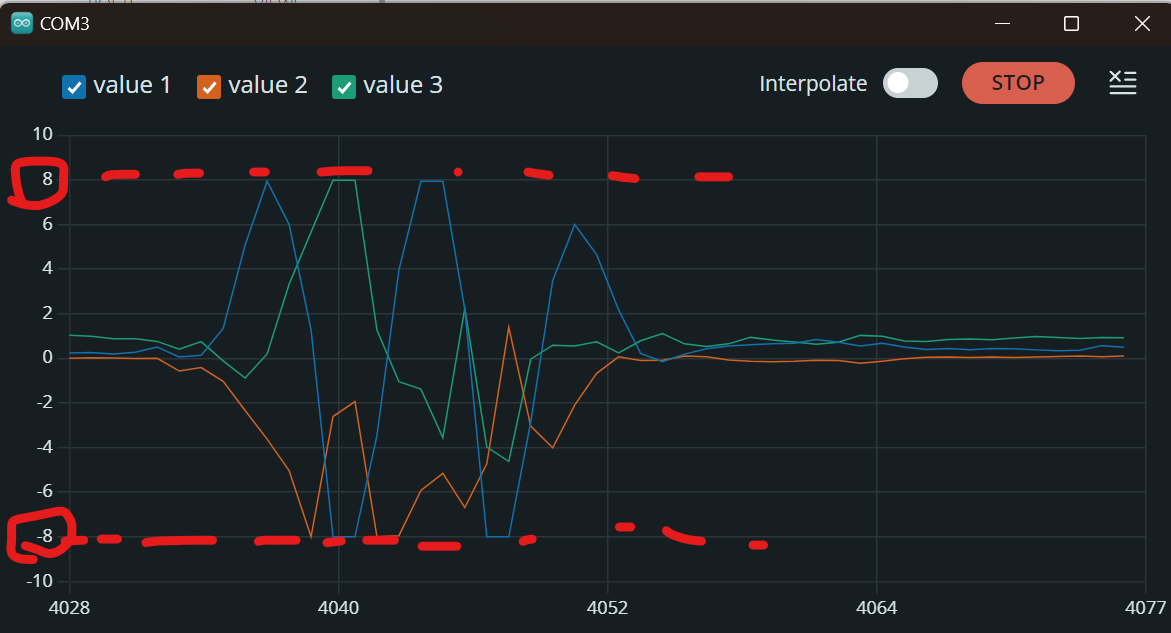
  • How to configurate MPU6886 for over 8G? (Change MAX +/-8G to +/-16G)

    3
    1
    0 Votes
    3 Posts
    1k Views
    A
    Hi, @felmue Thank you for your advice! It seems that I needed, I will try.
  • Load sketch on device from android

    2
    1 Votes
    2 Posts
    1k Views
    No one has replied
  • 0 Votes
    17 Posts
    7k Views
    ajb2k3A
    @PascalS Now I see the problem. Wire is hard defined and set to internal. You need to use Wire1 to access the external devices. I vaguely remember reading about this issue before but as I don't have arduino I had forgotten about it. Thanks for the reminder.
  • Mini GPS/BDS Unit (AT6558)

    3
    0 Votes
    3 Posts
    5k Views
    R
    Just in case the linked document disappears, here's the gist: Be sure the TinyGPS++ library is installed in Arduino\libraries TinyGPS++ here: https://github.com/mikalhart/TinyGPSPlus/releases // If your M5Stick is the original, use: #include <M5StickC.h>  // If its M5 Stick Plus 2 use: #include "M5StickCPlus2.h" //The rest should be default: #include "TinyGPS++.h" TinyGPSPlus gps; HardwareSerial GPSRaw(2); void setup() { M5.begin(); M5.Lcd.setRotation(3); M5.Lcd.fillScreen(BLACK); M5.Lcd.setTextSize(2); // Size 1 or 2 as needed M5.Lcd.setCursor(20, 15); M5.Lcd.println("GPS UNIT TEST"); GPSRaw.begin(9600, SERIAL_8N1, 33, 32); // M5StickC?GROVE??? while (!GPSRaw) { ; // ??????????????? } } void loop() { while(GPSRaw.available()) { gps.encode(GPSRaw.read()); if (gps.location.isUpdated()) { M5.Lcd.setCursor(20, 30); M5.Lcd.print("LAT="); M5.Lcd.print(gps.location.lat(),6); M5.Lcd.setCursor(20, 45); M5.Lcd.print("LNG="); M5.Lcd.print(gps.location.lng(),6); M5.Lcd.setCursor(20, 60); M5.Lcd.print("ALT="); M5.Lcd.print(gps.altitude.meters()); } } }

  • Bus already started, M5Stick vs DEVKIT 1

    2
    1
    0 Votes
    2 Posts
    1k Views
    P
    For the sake of completeness, I found my error. I assumed, due to the writing on the back, that the ports must be 21/22. However, the SDA/SCL ports for the groove port are 32/33. while (!scales.begin(&Wire, 32, 33, DEVICE_DEFAULT_ADDR)) { Serial.println("scales connect error"); M5.Lcd.print("scales connect error"); delay(1000); } Changing the ports in the scales.begin fixed the error. Greetings Pascal
  • why is my m5stickcplus2 not turning on

    3
    0 Votes
    3 Posts
    1k Views
    ajb2k3A
    @stunt_bot it’s hard to say, what have you tried?