🤖Have you ever tried Chat.M5Stack.com before asking??😎

Subcategories

  • Hear all about new products, initiatives and events here.

    14 Topics
    20 Posts
    kurikoK
    UiFlow2.0 quick start for CoreMP135 has been released. https://docs.m5stack.com/en/guide/linux/coremp135/uiflow2
  • 2 Topics
    2 Posts
    ajb2k3A
    Members will have noticed that some of us have pictures instead of letters next to our names. This isn't anything to do with status but is a function of the forum available to most (if not all) forum member. To set a picture for your avater you need to click on your letter in the top right hand side of the screen and a menu will appear. Click "Edit Profile" and you will be taken to the profile screen. At the top is a picture with your initial in it, click on it and you can upload an image to use.
  • Here is where you'll find News about promotions, M5stack related blog posts and Videos from M5stack users

    233 Topics
    308 Posts
    S
    To fix issues with M5Burner on Mac, ensure you’ve installed the correct USB-to-serial drivers (like CP210x or CH340). Run M5Burner using Rosetta if needed. Allow app permissions via System Settings > Privacy & Security. Always download the latest M5Burner version compatible with your mac.
  • puppyc servo speed

    1
    0 Votes
    1 Posts
    2k Views
    No one has replied
  • M5Paper Battery Problem

    2
    0 Votes
    2 Posts
    4k Views
    ZontexZ
    that's very very unusual, have you tried to burn the new firmware using m5stack burner to see if it solved the issue?
  • M5Stack AWS IoT Edukit - VSCode outputs Rainmaker QR Code as binary

    2
    0 Votes
    2 Posts
    3k Views
    ZontexZ
    hello, could you please attach a screenshot of your serial monitor to understand more? have you made sure that the baudrate is correct?
  • M5paper Grove NFC port C UART

    2
    0 Votes
    2 Posts
    4k Views
    ZontexZ
    Hello, as this is seeedstudio product, it doesn't natively support m5stack software, you might need to modify their software to make it work on the m5stack device.
  • This topic is deleted!

    2
    0 Votes
    2 Posts
    30 Views
  • How long should the moderation process take?

    3
    0 Votes
    3 Posts
    5k Views
    B
    Thank you! Nice community you have here!
  • "Subroutines" in UIflow?

    2
    0 Votes
    2 Posts
    4k Views
    felmueF
    Hello @braddo there are Functions in UIFlow. Thanks Felix
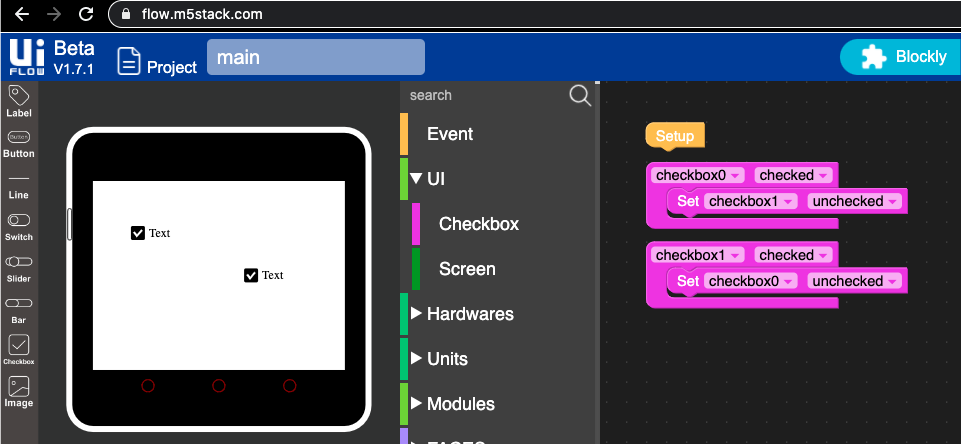
  • Core2 checkbox set_checked doesn't work

    4
    2
    0 Votes
    4 Posts
    7k Views
    felmueF
    Hello @veryalien nice work-a-round. Hopefully it will be fixed soon though. Thanks Felix
  • Multiple UNIT-ADC (ADS1100) in M5Stack Core2?

    1
    0 Votes
    1 Posts
    3k Views
    No one has replied
  • Hello had a question about making a Wi-Fi on the M5StickC

    1
    0 Votes
    1 Posts
    2k Views
    No one has replied
  • What are you using for "real" rs232?

    9
    0 Votes
    9 Posts
    18k Views
    D
    @keesjan With micropython, port 22 works fine, and as expected: CDS_PIN = 33 TX = 19 RX = 22 As an aside, the idea that the labeling of the pins is "oriental logic" shows an unawareness of the history of rs232 and is a bit insulting. The question of what to label the pins depends on whether the manufacturer thinks of the device as DTE or DCE: StackExchange has a good explanation of the history. In particular: 'some manufacturers try to "help" by effectively labelling their DTE equipment as if it was a piece of DCE. They mark their data input pin as Tx so that user just connects "Tx" from the external device (which, if it's DTE, will be the data output from there) to the pin marked "Tx" on their equipment (which they know is an input). Thereby allowing them to say "just connect Tx on your device to Tx on our equipment". They think they are trying to help, but such labelling often just adds to the confusion.'

  • in UIflow with Atom Matrix, Button longPress executed after wasPressed

    1
    0 Votes
    1 Posts
    3k Views
    No one has replied
  • WIFI connection failed (partially solved)

    1
    0 Votes
    1 Posts
    3k Views
    No one has replied
  • Cameras and Red Light

    1
    0 Votes
    1 Posts
    5k Views
    No one has replied
  • M5Paper UIFLow / Micropython

    2
    0 Votes
    2 Posts
    5k Views
    OyczEO
    hey well you can ask the question here or vote on my post as well https://forum.m5stack.com/topic/2647/m5paper-uiflow-support/9
  • Get RSSI on connected WiFi

    6
    0 Votes
    6 Posts
    12k Views
    M
    @m5stack said in Get RSSI on connected WiFi: wifiCfg Refer to the documentation, you can get RSSI value of current connected WiFi by calling: wifiCfg.wlan_sta.status('rssi') It could be attached to the variable and / or to the function: [image: 1610147944351-screen-shot-2021-01-08-at-3.52.27-pm.png]
  • M5 stick C wont turn on am i missing something?

    15
    0 Votes
    15 Posts
    44k Views
    E
    @zontex After a longer charging my M5stick works, but it is not possible to switch it into USB or WLAN mode, so I may upload code.
  • Arduino Library for Faces Encoder Module

    1
    0 Votes
    1 Posts
    3k Views
    No one has replied
  • Flash new firmware to Faces Encoder

    2
    0 Votes
    2 Posts
    3k Views
    sodokuS
    It's probably those 6 holes underneath the Atmega. See https://docs.m5stack.com/#/en/module/encoder?id=pinmap
  • Qt Qml and M5Paper ?

    3
    0 Votes
    3 Posts
    4k Views
    A
    @zontex Hi ! Many thanks for your answer ! I'll go for a try with ESP-IDF and Qt Qml then. It will allow me to start to develop my software and test it on M5Paper while my colleague will be working on developping the final hardware using an esp32. Therefore, I'll be able to keep my software without modifications. I will let you know the result later :) Thanks again.