🤖Have you ever tried Chat.M5Stack.com before asking??😎

Subcategories

  • Lessons and Guides for Uiflow

    125 Topics
    434 Posts
    A
    Hi, I'm a new user of M5stack products, having got an M5StickC Plus2 recently. It's a nice device, but the documentation isn't always accurate which makes learning how to use it a slow process. I tried to use the example for drawing a raw buffer to the screen here But it resulted in different garbled output each time and not a green rectangle. It seems that the len parameter is expecting 16-bit entries in the buffer so needs to be halved. Here's the code that works on my device (note the //2 for len parameter): width, height = 40, 30 green565 = 0x07E0 raw_buf = bytearray(width * height * 2) for i in range(width * height): raw_buf[2*i] = (green565 >> 8) & 0xFF raw_buf[2*i+1] = green565 & 0xFF Display.drawRawBuf(raw_buf, 100, 100, width, height, len(raw_buf)//2, swap=False) Hopefully this will help others and eventually get changed in the docs - assuming it's the same for all UIFlow2 supported devices? If anybody knows a fix to make it work properly for lower than 16bit depth screens so I can draw a raw buffer to a 1-bit canvas properly, please let me know!
  • 212 Topics
    790 Posts
    Y
    Hello I faced problem about digi-clock write charcter block. Problem is 3rd and 4th digit can not display with this block. I created below flow. Then Digi-Clock displays "0.1.:" for 1st and 2nd digit and colon. [image: 1778319992199-1aae8860-52c1-4c60-9097-5668ed98e2ee-image.jpeg] Howerver, index of write character block can be set only 0 to 4. Therefore it could not display 3rd and 4th digit. I think this index shoud be set 0 to 8. It doesn't work if index forced set to 5 to 8. (It was same behavior as 0 if index is set to 5.) I think the index for DigiClockUnit.set_char should be 0–8, not 0–4. https://uiflow-micropython.readthedocs.io/en/latest/unit/digi_clock.html Could you please kindly consider to fix this issue? (Or let me know please if any other solution available.) #Write raw data and write string blocks are works correctly. Using device -AtomS3 lite -Digi-clock UIFlow version:2.4.4 FW version:2.2.5 OS:Windows11 Thank you in advance Best Regards Yamada
  • 11 Topics
    33 Posts
    A
    @jeanfabre On web, just choice block type. [image: 1729260517944-86b7a25c93207d9a32e5b33471bb1f0.png] For code, add return description like this: def func(self) -> int: return 0
  • How to structure MicroPython with multiple files in UIFlow?

    3
    0 Votes
    3 Posts
    5k Views
    ZontexZ
    @mb Highly recommend Thonny, you should try it out :)
  • RTC Core2

    7
    0 Votes
    7 Posts
    12k Views
    ZontexZ
    @piet glad you got it sorted out :)
  • How to wait on multiple events, in parallel?

    3
    0 Votes
    3 Posts
    5k Views
    M
    Excellent, thanks @world101 !
  • Write characteristic to BLE device

    2
    0 Votes
    2 Posts
    5k Views
    ZontexZ
    @lasniko Hello, what core device do you have? is it core basic or core2?
  • Monitor serial output in Uiflow

    4
    0 Votes
    4 Posts
    10k Views
    T
    Any news on this ?
  • M5Stick C 'http GET'

    6
    0 Votes
    6 Posts
    12k Views
    I
    Bit confused as to why the 'Data' is ignored in GET. Switched to POST but data is still not delivered. I will continue to test and se if I can isolate issue.
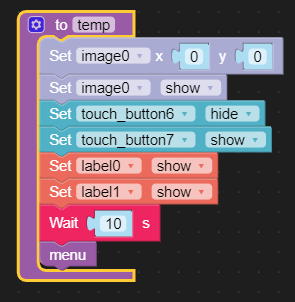
  • Wait Timer inside function or touch button UI problem

    1
    1
    1 Votes
    1 Posts
    3k Views
    No one has replied
  • How to change color for RGB "Set Atom Matrix"?

    8
    0 Votes
    8 Posts
    9k Views
    B
    I have the same problem using beta 1.6.6 For a bit more detail, if you create a new RGB matrix flow step it works - you can check the matrix color box and then choose the color picker and then color the pixels how you like. But, if you copy a matrix flow step, the matrix color box will revert to white, and if you attempt to choose a new color for the matrix color box, it will not work, reverts to white. So the way to create an animation is to choose a new matrix flow step each time. But, it would be good to fix the bug, as creating animations, one always wants to start from the previous frame and then only adjust the pixels to change in that frame to the next. Thanks! brad
  • Speaker IMU RGB have not yet been implemented in UIFlow for M5Stack FIRE.

    1
    0 Votes
    1 Posts
    3k Views
    No one has replied
  • Core 2 speaker blocks

    3
    1 Votes
    3 Posts
    7k Views
    M
    I tried the UIFlow "DAC beep" without success. Would be great to be able to use the Core2 speaker.
  • Core2 Internet Radio - stream WAV/MP3/AAC from Internet to Core2 speaker?

    1
    0 Votes
    1 Posts
    3k Views
    No one has replied
  • UIFlow functions for touch and swipe on Core2?

    1
    1 Votes
    1 Posts
    3k Views
    No one has replied
  • Upvote

    1
    0 Votes
    1 Posts
    3k Views
    No one has replied
  • Bluetooth over Core2

    4
    0 Votes
    4 Posts
    8k Views
    W
    Thank You
  • [solved] ESPNow Programm works fine in RUN-Mode but not in DOWNLAD-Mode

    2
    0 Votes
    2 Posts
    5k Views
    P
    @peter I have found the problem: In RUN mode, the block "Set Communucation Channel" is not executed. The units work on the default channel 6. I had selected channel 1, as it is emptier for me. After downloading into the device, however, the channel block was executed and the device ran on channel 1. That is why the devices did not find each other. After I changed the script to channel 6, it works as it should. Translated with www.DeepL.com/Translator (free version)
  • Publish mqtt to AWS Iot from UiFlow

    3
    0 Votes
    3 Posts
    5k Views
    greenleafG
    I am also stuck trying to get this to work. Some research reveals that there may be a ca_certs parameter required to include Amazon's root CA. I've tried it like this but no luck: while True: output.setText('Setting up mqtt') m5mqtt = M5mqtt('m5stick', 'a2zey9c7ts6fdf-ats.iot.us-west-2.amazonaws.com', 1883, '', '', 300, ssl = True, ssl_params = {'key': "/flash/res/priv.key", 'cert': "/flash/res/cert.pem", 'ca_certs': "/flash/res/ca.pem"}) m5mqtt.subscribe(str(''), fun__) output.setText('starting mqtt') m5mqtt.start() output.setText('publishing hello world') m5mqtt.publish(str('test'),str('hello world')) output.setText('sent hello world') wait(1) wait_ms(2) Can anyone from m5stack confirm whether ca_certs is a supported ssl parameter?
  • UIflow P2P - getP2PData()

    6
    0 Votes
    6 Posts
    9k Views
    R
    If you download this code to device you should add block to connect to your wifi network advanced -> network -> wifi connect or advanced -> network -> connect to wifi ...
  • Specify nested key in get key > in map

    1
    0 Votes
    1 Posts
    3k Views
    No one has replied
  • Time Based Sensor Data Storage in SD Card with Uiflow

    3
    0 Votes
    3 Posts
    6k Views
    F
    Core2 not tested and used MicroPython(UIFlow-v1.3.1-Beta) https://blog.csdn.net/zhufu86/article/details/90738571 M5Stack (ESP32) study notes (3)-microSD https://blog.csdn.net/zhufu86/article/details/91352563 M5Stack study notes (6)-use temperature, humidity and pressure sensor to make a temperature recorder
  • Different MAC-Adress in Burner and Device

    4
    0 Votes
    4 Posts
    6k Views
    P
    @peter now I know that every Device has 2 MAC-Adresses. The Adress with showed by MyMacAdress-Block and that Adress -1. It receives on both Adresses and send with the lower Adress. I tested it with 3 M5Stck C Firmware 1.7.0 and 1.4.5. Has that any sense? I see that the first time.