🤖Have you ever tried Chat.M5Stack.com before asking??😎

Subcategories

  • 5 Topics
    23 Posts
    H
    thank you so much for sharing! this looks cool. I am pretty new to micropython for M5Stack. May I ask which IDE you primarily use to do Micropython programming?
  • RTC unit and core1

    4
    0 Votes
    4 Posts
    4k Views
    felmueF
    Hello @breadbox no worries. You're welcome. Glad it works for you now. Thanks Felix
  • M5Paper: can't reconnect to WiFi after 'esp_light_sleep' (on power)

    1
    0 Votes
    1 Posts
    2k Views
    No one has replied
  • Unable to load new FW from Arduino IDE.

    arduino c++ esp32
    4
    0 Votes
    4 Posts
    7k Views
    F
    @teastain This is en backtrace decoded: PC: 0x04d25826 EXCVADDR: 0x04d25824 Decoding stack results 0x40090d71: prvIdleTask at /home/runner/work/esp32-arduino-lib-builder/esp32-arduino-lib-builder/esp-idf/components/freertos/tasks.c line 3382 0x4008f5b6: vPortTaskWrapper at /home/runner/work/esp32-arduino-lib-builder/esp32-arduino-lib-builder/esp-idf/components/freertos/port.c line 143
  • Error compiling examples

    4
    0 Votes
    4 Posts
    8k Views
    ExieE
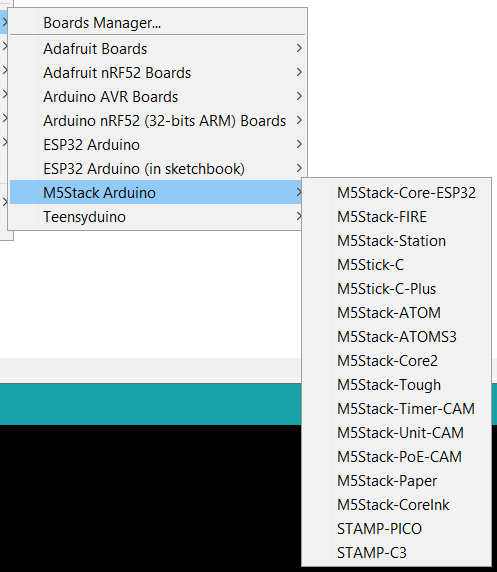
    Thanks for the tip @flypeek I checked with my Hello World code and this worked. I did not expect the AtomS3 to be that different to the original AtomMatrix. However I just confirmed if I change the "board" to just M5Stack-Atom all the original code compiles. I would have expected big changes if we referred to the ESP32-C3 with the new RISC architecture, but the S3 was fairly similar I thought. I presume it has a new board definition due to the LCD screen on the AtomS3. If I can get the Zigbee unit working nicely, I might port the example over and post up a PR in the AtomS3 library. Many thanks again @flypeek you have unblocked me and I can keep moving forward (I hope).
  • M5Paper crashing on EPD.Clear, or SPIFFs.begin

    4
    0 Votes
    4 Posts
    5k Views
    felmueF
    Hello @Hamnet correct, to continue to use M5EPD you either need to revert to Arduino 1.8 IDE (which worked for you in the past). Or you can try to comment out the lines mentioned in GT911.cpp and use Arduino IDE 2.x. The latter I tried myself and worked for me. Thanks Felix
  • LVGL example Arduino project for m5stack core2 or tough

    2
    0 Votes
    2 Posts
    3k Views
    M
    Hello@mgrouch LVGL is a good GUI. LVGL(Light and Versatile Graphics Library) https://lvgl.io/ LVGL always evolves and requires a description that suits Version. How to run LVGL on M5Stack : v7.11.0 https://forum.m5stack.com/topic/3613/how-to-run-lvgl-on-m5stack [image: 1679004315009-1678923739090-1633139486239-unknown.jpeg] How to run LVGL on M5Stack ( ESP32 ) https://macsbug.wordpress.com/2021/06/ LVGL with M5Stack Part 2 https://macsbug.wordpress.com/2021/07/03/lvgl-with-m5stack-part-2/ CO2 monitor with M5Stack and LVGL https://macsbug.wordpress.com/2021/07/05/co2-monitor-with-m5stack-and-lvgl/
  • M5Stick with both Hat and Grove

    4
    0 Votes
    4 Posts
    6k Views
    C
    Try putting the Wire1.begin(...) in your program loop instead of the setup {}. assigning other pins to the I2C channel; Wire1.begin(32, 33, 100000UL); // for I2C TOF connection .. before reading the TOF, Wire1.begin(21, 22, 100000UL); // for I2C gyro connection .. before reading the gyro.
  • 0 Votes
    3 Posts
    4k Views
    M
    Hello@theMusicMan M5Stack Core2 uses: m5stack/M5Core2 https://github.com/m5stack/M5Core2
  • StampS3 not included in latest board file definitions

    3
    2
    0 Votes
    3 Posts
    3k Views
    T
    Thanks!. They have just released version 2.0.6.1 of the board definitions and that has fixed the problem
  • Connect Arduino to M5stack Hearbeat sensor

    2
    0 Votes
    2 Posts
    2k Views
    teastainT
    Yes. There is nothing specific to M5Stack. Which exact model do you have? The M5Stack example will reference a library and M5.LCD. display references which may be confusing to an Arduino. Are you programming in Arduino IDE?
  • how to get .json data from m5stack unit v2 m12 version, via Wi-Fi?

    1
    0 Votes
    1 Posts
    2k Views
    No one has replied
  • Ext.io GPIOs as inputs ?

    3
    0 Votes
    3 Posts
    4k Views
    F
    hey I saw you are also on this other thread: https://forum.m5stack.com/topic/4633/extend-i-o-ext_io-how-to-read-inputs-arduino/14 I posted my fix there .
  • M5StickC-Plus Screen "Flash" on Startup

    1
    0 Votes
    1 Posts
    2k Views
    No one has replied
  • M5Stack.h: No such file or directory with M5StickCPlus?

    arduino esp32 c++
    2
    0 Votes
    2 Posts
    7k Views
    W
    @wsanders At least with respect to the LCD library: The only function implemented so far to manipulate whole images is drawBitmap. drawJpg and drawJpgFile are commented out in https://github.com/m5stack/M5StickC-Plus/blob/master/src/M5Display.h so I assume they aren't working yet. So my workflow for now is: Save the image from gimp in gimp's ".h" format. This is smaller than a xpm or bmp. You will get a static char *data structure of all the pixels in the image. The .h file includes a macro to extract the pixels: #define HEADER_PIXEL(data,pixel) { pixel[0] = (((data[0] - 33) << 2) | ((data[1] - 33) >> 4)); pixel[1] = ((((data[1] - 33) & 0xF) << 4) | ((data[2] - 33) >> 2)); pixel[2] = ((((data[2] - 33) & 0x3) << 6) | ((data[3] - 33))); data += 4; } Write your own function rgb888to565 to compress the pixels into a uint16_t. Draw a bitmap of the image as fast as you can: #include <M5StickCPlus.h> #include "1.h" int pixel[3]; // pointer fu to preserve the start of .h data char *datastart; uint16_t *bitmap; void setup() { M5.begin(); M5.Lcd.setRotation(3); bitmap = (uint16_t *)malloc(height * width * 2); } void loop() { M5.Lcd.fillScreen(GREEN); datastart = data; for (int16_t y=0; y < height; y++) { for (int16_t x=0; x < width; x++) { HEADER_PIXEL(data, pixel); bitmap[60*y + x] = rgb888to565(pixel[0], pixel[1], pixel[2]); } } M5.Lcd.drawBitmap(0,0,width,height,bitmap); data = datastart; } Or you can use the Sprite library, which works well.
  • Typo in RTC methods getDate and setDate

    1
    0 Votes
    1 Posts
    2k Views
    No one has replied
  • Sd2PinMap.h:524:2: error: #error Architecture or board not supported

    1
    0 Votes
    1 Posts
    3k Views
    No one has replied
  • [Solved] "#include <M5Core2.h>" doesn't compile

    arduino
    6
    0 Votes
    6 Posts
    11k Views
    rh1972R
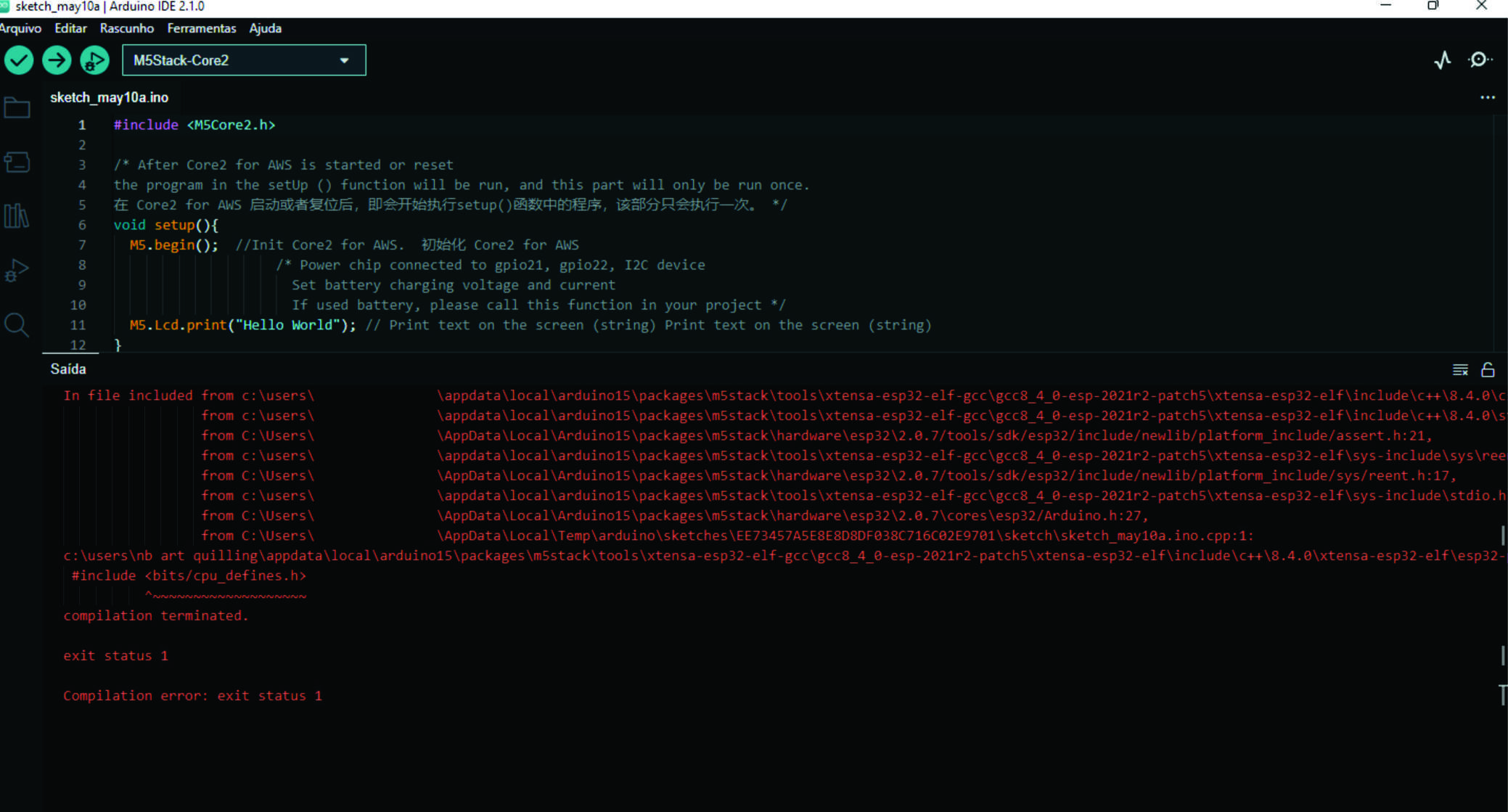
    Well, it's working. The path to my Windows profile has a space in it. I created a local account without a space, and my empty program compiled with no issues. Don't know if that's the reason. Very strange. Makes me want to reinstall Ubuntu, or something. Thanks for the replies, Terry.
  • DigitalWrite

    4
    0 Votes
    4 Posts
    5k Views
    ajb2k3A
    @sleepyfatcat said in DigitalWrite: Hello, I am trying to use C to on the LED on my M5 stick c plus. I have initialise pin 10 as the output, and when I send digitalWrite(led_pin, 0), it ons the LED. My code causes the LED to on when 0 is sent, and off when 1 is sent. Any idea why it seemed like it is flipped? Thank you This apparently is normal behaviour for most ESP Cores from what I have found in data sheets and is very confusing.
  • M5StickCPlus Bluetooth and Arduino Uno with HC05

    1
    0 Votes
    1 Posts
    2k Views
    No one has replied
  • M5Paper: fast update to display keyboard entries

    esp32 arduino
    1
    0 Votes
    1 Posts
    4k Views
    No one has replied