Hi Alex,
If I am understanding your question correctly you should be able to find the Demo within the M5Burner application?
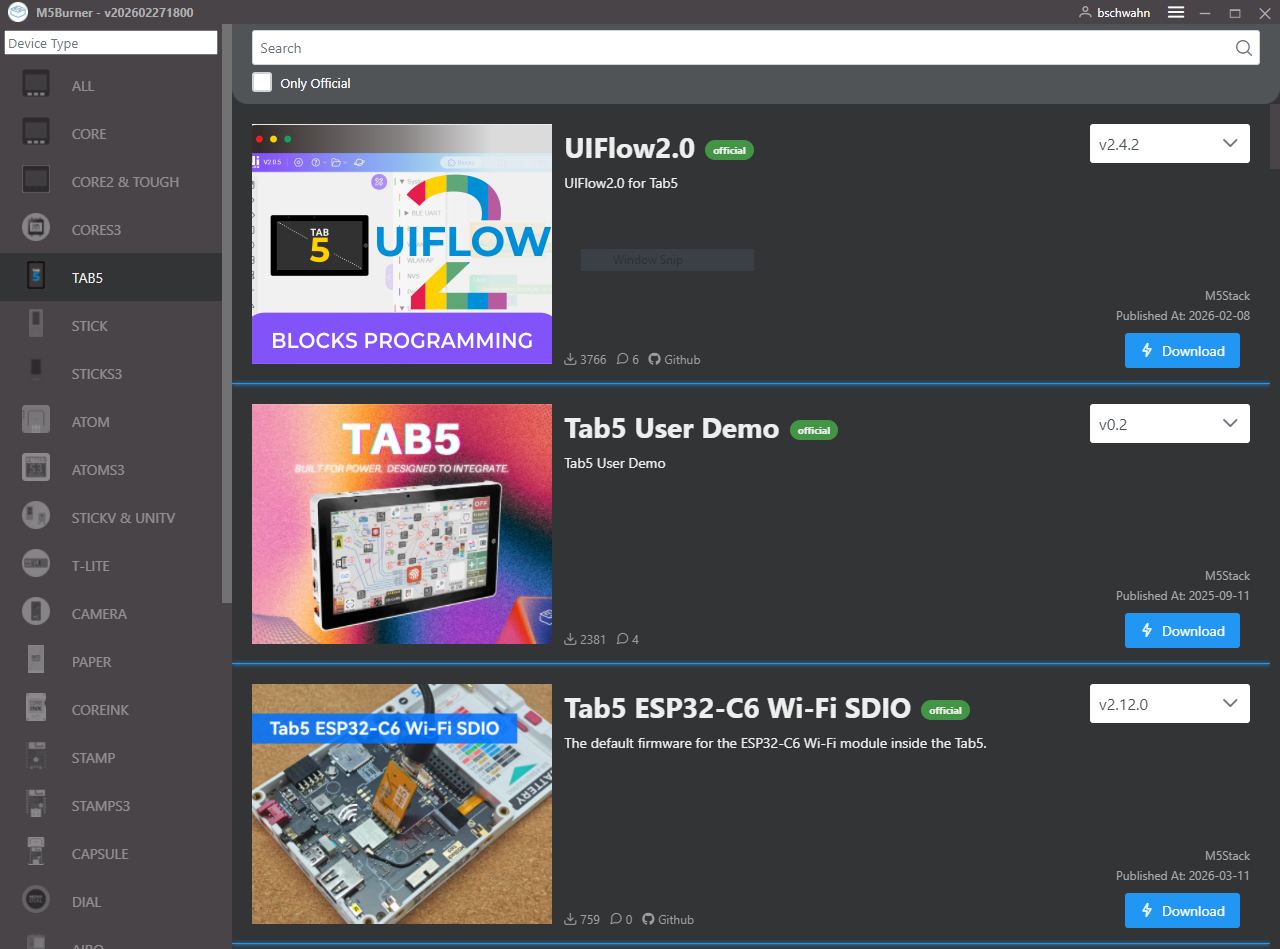
Hope this is what you are looking for?
Thanks-Brian
 Offline
Hi Alex,
If I am understanding your question correctly you should be able to find the Demo within the M5Burner application?
Hope this is what you are looking for?
Thanks-Brian
Hello Everyone,
First I really enjoy the M5Stack products so much that I plan to use them in the 2025/26 school year as part two new electronics classes...I think?
Simply put is that my problems are the result of not knowing the M5Stack products well enough yet. Yet part of my issues are the result of:
So my question is...because my students will ask...trust me....why can't we simply:
I am guessing these requests will cause a lot of code to be rewrote? Yet to make UIFLOW2 more flexible and to reduce frustration these requests would go a long way when you consider I wasted over 2 hours on a Friday night of trying to figure out why I couldn't connect a ENV III Sensor to work through a PaHub (now I know...address conflict) which was even more complicated when I was using PortC!
Thanks to a few of you (Felix) for this magic line of code and I just discovered how to add my own code today with Green item "Add mpy code" under SYSTEM (so the weekend wasn't a total loss) :
extio2_0 = EXTIO2Unit(PAHUBUnit(i2c=i2c0, channel=0, address=0x77)) # For EXTI/0 2
Sorry for my rant but I want to see M5Stack gain more of a market share!
Thanks-Brian
PS: I will visit the ENVIII later...it was more just a proof of concept vs. needing something to work.
Hi, I have a S3 but I haven't focused on the Camera aspect yet as I am trying to get another project done with what little free time I have. There usually are examples in UIFLOW that you can download but I didn't see any right away.
I did find a PDF files that does have some basic samples using UIFLOW which brings me to my next point...being an educator there are limits on what one can use/learn AI for. I would encourage you to use UIFLOW first for proof of concept and then begin reverse engineer the micro python code that UIFLOW creates.
Good luck and when it works be sure to post the code here!
Thanks veryalien for responding on the ESP-NOW support. Sorry for the late reply too!
I did see that the M5Dials and the TAB5 support UDP/TCP which I will look into after I get the current project up for now.
Thanks-Brian
@felmue Hi Felix,
Sorry for the late reply but thanks! I did upgrade to the latest version of UIFlow2 and everything seems good. I honestly don't know what I did wrong as I checked my MAC Addresses a few times (I use copy and paste method)?
Thanks again-Brian
Environment: UIFLOW2
Device: M5Dial V1.0 (not the newer V1.1 with the RTC)
Problem: communication between a Core2 and M5Dial using ESP-NOW with:
Version 2.4.0 and 2.4.1 of the Firmware to be used with UIFLOW2
Greetings all,
It appears that at least on the M5Dial V1.0 that the ESP-NOW is not working (just seems dead) until I move to down to V2.3.9 of the firmware (which brings up other problems with formatting which I did find a solution to rid the b').
I think this issue MIGHT exist on the CORE2 but I ran out of time to verify because of a problem I created.
Any thoughts on a fix /workaround or I am the only one using the ESP-NOW?
Thanks-Brian
PS: TAB5 does not have ESP-NOW listed in UIFLOW2 which I would be a better suited solution.
Project Overview for the curious: using multiple M5Dials that are connected to a ENVIII for air temperature monitoring and a DS18B20 for floor temperature monitoring in each of the seven zones on the first floor of the house which is using radiant floor heating. The M5Dials will communicate using ESP-NOW to a CORE2 which is acting as a "base". When the temperatures falls below the set temperature the CORE2 will using a EXT I/O 2 to control a relay board with in turn will control the values that allow hot water to flow to each zone on the first floor of the house.
@RPI25 said in Is it possible to use the M5GO Bottom 3 with the Tab 5:
M5GO Bottom 3
Hi RPI25 (and felmue)
I am guessing (as you didn't say) that you want to use the Battery function of the M5GO to power the TAB5? Or is there another reason you wish to add the M5GO to the TAB5?
With that said on the M5Stack Store it very specifically states that each "version" of the M5GOs are designed to work with a specific Core ONLY. I included a graphic as well:
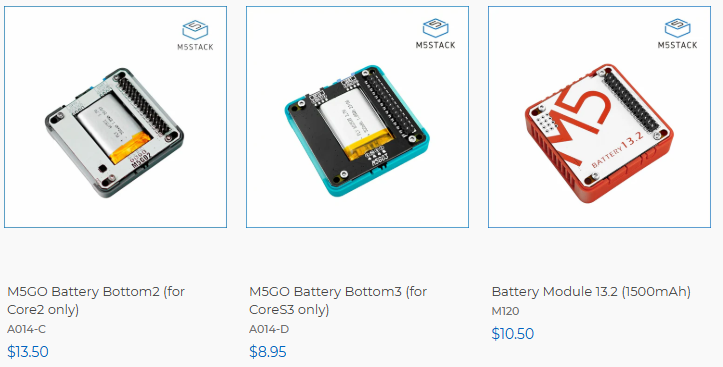
I did compare pinouts that were provided by Felix (thanks!) and again I am only guessing is that you are after the battery function? With that said I would simply purchase the battery (which I did do with my TAB5).
I am curious about your project?
Thanks-Brian
First thanks for the format used when posting!
I am going to admit a lot of first time/elementary mistakes when getting back into the M5Stack environment with my M5Dials (it has been several years). I will admit that it is strange that the DEMO firmware will work but not the actual firmware?
do you have any other controllers to verify your configuration?
are you downloading the correct firmware for UIFlow2? (I didn't LOL, I used the firmware for UIFlow1)
are you using the correct USB Drive for your Operating System (I had had to try different versions until I found one that worked).
try downloading a different version of the firmware for now
It sounds like you discovered what button you had to push to get the AtomS3R into download mode. I also made that mistake.
Could you post back once you discover what is the problem?
Thanks-Brian
Great! You got it working! Thanks for letting us know how you resolved the problem!
@cepics said in M5Unit_Roller CAN Bricked.:
Unit_Roller
Greetings,
I have no experience with this device but I did find this link that deals with the Roller Can firmware:
https://github.com/m5stack/M5Unit-RollerCAN-Internal-FW
Do you have other Roller Cans to verify operation?
Other trouble-shooting tips: (please remember, I have ZERO experience with this device but if I did this is what I would do)
I hope you can get this operational again with a firmware update/reset-Brian
Greetings,
Did you "erase" the firmware first? Updating the firmware does NOT erase the configuration of the device based on my experience with the M5Dials.
Hope this is the problem-Brian
Greetings,
What is the current draw of the PICO when not soldered to anything (yet doing the same tasks)? Are you sure there are not any issues with the PCB?
I am really in the dark here yet anytime soldering is involved there are concerns.
The problem might be heat related as electronic parts can be sensitive and can only survive a certain level of heat in a given amount of time. As stated ESD can also be an issue especially in dry areas where the relative humidity is less than 30 percent.
Hope you resolve your issues-Brian.
Greetings,
Background:
Problem:
What I think is the problem:
Thoughts:
Workarounds:
Thanks-Brian
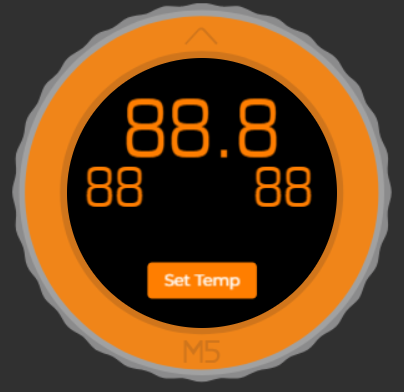
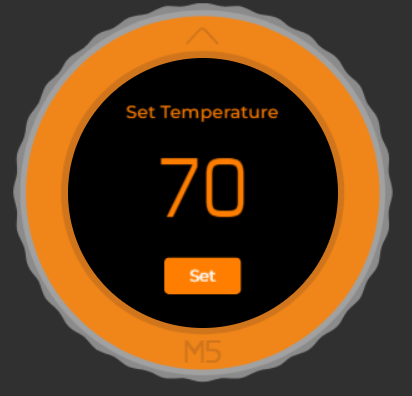
@kumohoshi42
Thanks for sharing how you resolved the problem!
Greetings all,
As listed in the header that I hoped (and now wish) that the TAB5 has support for ESP-NOW.
Sadly my project is based on using the M5Dial as room thermostats that for the time being will be tied to a CORE2 using ESP-NOW to control the values.
On another note there is very little documentation for the ESP-NOW in UIFLOW2. Yes, I have searched (for hours) and only found a few YouTube videos (not really helpful as it was based on UIFLOW1).
Once I master the UIFLOW2 and ESP-NOW I will upload a project as an example and begin a blog spot (or design a class on CANVAS which is a learning management tool) on the M5 as I intend to use these products in a course I will teach next school year.
In the event I missed content (I will apologize now) please let me know.
Thanks-Brian
PS: The AI Support has been helpful but lacks UIFLOW2 examples which I need for my future students who are non-programmers.
Thanks Arno for the push in the right direction. I was able to get this to work on my Core 2 EXCEPT using G21 or G22.
I will write up a tutorial on try to find a way to post/share.
Thanks again Arno!
@timtimw
That is awesome that you were able to get I2C to work with the ADC1115. I would be very interested in your ADC project at many of us discovered the built-in ADC has a few challenges. Again as Arno added could you please post /share your code? I am trying to use DS18B20 with UIFlow but am having some difficulties.
Thanks Brian
Awesome Felix!
Thanks for responding and clearning this up! Your response reminded me that I made the assumption that all Core 2 configurations are using the M5GO Bottom2 (which sorry to ceerietke as that may of confused you) which is not the case.
With that said you could remove the base and have direct access the GPIO pins directly inside the CORE 2.
I totally understand about the soldering. The quality of my soldering skills has diminished drastically along with my vision 😉
Ok, was really hoping someone with more experience with the Core 2 and Grove interface would step in here as I am a newbie yet here I go.
I don't believe the Ports can be used as standard GPIO. The Ports are used as IC2 Ports for serial based communication. Yes, the ports are connected to specific GPIO pins as you stated but are controlled by software for serial communication. I can't see how via UIFlow that you can treat the PBHUB as a standard GPIO.
Again now that I have commented that someone who is an expert will point out if I am correct or not to help you on your project 😉
Hi, I took a peek at openHASP and it looks like a lot of opportunity for HA.
I was hoping someone much more knowledgeable would hop in here to assist with the pbHUB because I am a bit confused how it works? I read the docs (which mentioned using PortB) and am still confused how to control a GPIO pin? With that said..
Why not use the GPIO pins directly? You can access the GPIO pins using the BUS Module? Part number is M024. I am using that module to interface LEDs, switches, rotary encoders directly to the Core 2 via the GPIO pins. You will need to solder the right angle header to the PCB and use an Xacto knife to remove some plastic.
Sorry if I am steering you in the wrong direction. I will pickup pbHUB next week to figure it out.
Keep us update on progress!