@aminekh Hi, I am adding some related information, as I am researching this topic too.
I have just watched this webinar https://www.hackster.io/videos/941 (Image Detection with M5Stack UnitV2) and found it interesting. It shows also how to use custom python jupyther notebooks https://jupyter.org/ with unitV2; more info about that here https://docs.m5stack.com/en/quick_start/unitv2/jupyter_notebook.
There is a V-training online platform https://docs.m5stack.com/en/quick_start/unitv2/v_training to create a custom object-detection model that can be later uploaded in the device web page.
@m5stack Thank you, that seems like a more structured example. I wint give up to get it working. We have three options : 1] I just dont understand, 2] I just dont understand, 3] I am using the wrong settings. Ha Ha Ha
@asmodev said in M5UV2 Wifi AP Enabled Firmware:
M5Stak UnitV2 working with a powerbank
Hello asmodev.
When i try to install the firmware a 'UPGRADE_FAIL' message file appears on the SD.
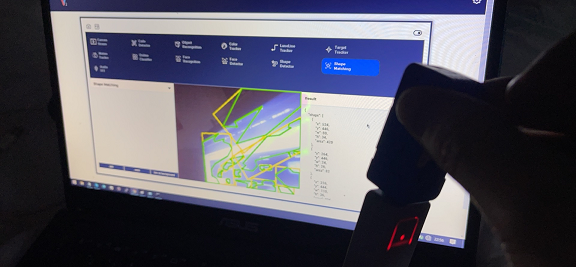
I reboot with terminal and try LaneLine Tracker setting.
but I had same problem...
I try it:
Power on and start UnitV2 .
Click gear icon and select "Switch to notebook mode".
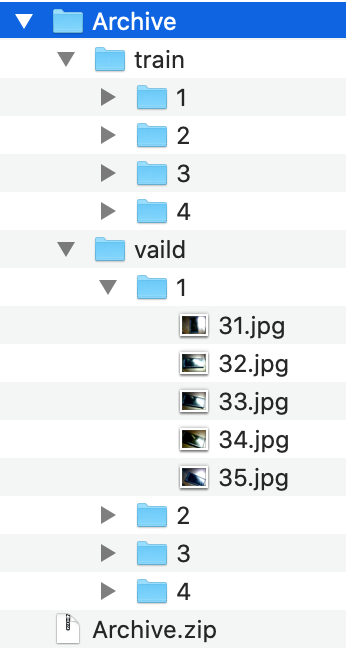
Open Jupyter main page.
Click "New" and select "Terminal".
type "reboot" and open camera stream page.
Click little switch and there color change black to light blue.
Select "LaneLine Tracker" on Browser GUI.
Change L_max text box value 0 to 30 .
Click “update” button.
Line tracking process is stopped. but camera stream keep running.
Maybe, I think my unitV2 need initialize firmware.
Where is unitv2 initialize procedure?
[image: 1624458918728-new.png]
[image: 1624458940928-reboot.png]