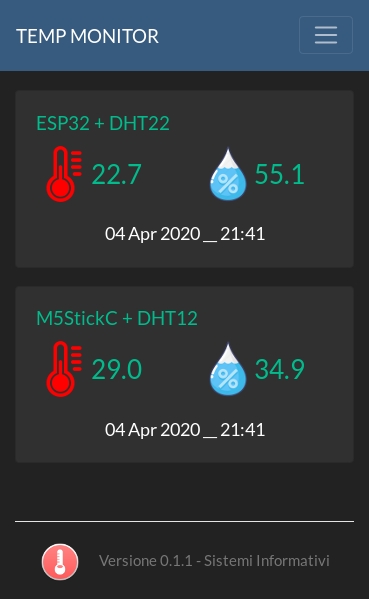
This one work on M5Stack!!!!!
/*
*/
#include "M5Stack.h"
#include <WiFi.h>
#include <WiFiClient.h>
#include <WebServer.h>
#define ServerVersion "1.0"
String webpage = "";
bool SD_present = false;
#include "index.h" //Web page header file
WebServer server(80);
//===============================================================
// Setup
//===============================================================
void setup(void) {
Serial.begin(115200);
Serial.println();
Serial.println("Booting Sketch...");
//ESP32 As access point IP: 192.168.4.1
WiFi.mode(WIFI_AP); //Access Point mode
WiFi.softAP("ESPWebServer", "12345678"); //Password length minimum 8 char
//----------------------------------------------------------------
Serial.print(F("Initializing SD card..."));
if (!SD.begin(TFCARD_CS_PIN, SPI, 40000000)) { // see if the card is present and can be initialised. Wemos SD-Card CS uses D8
Serial.println(F("Card failed or not present, no SD Card data logging possible..."));
SD_present = false;
}
else
{
Serial.println(F("Card initialised... file access enabled..."));
SD_present = true;
}
///////////////////////////// Server Commands
server.on("/", HomePage);
server.on("/download", File_Download);
server.on("/upload", File_Upload);
server.on("/fupload", HTTP_POST, []() {
server.send(200);
}, handleFileUpload);
///////////////////////////// End of Request commands
server.begin();
Serial.println("HTTP server started");
}
//===============================================================
// This routine is executed when you open its IP in browser
//===============================================================
void loop(void) {
server.handleClient();
delay(1);
}
// All supporting functions from here...
//~~~~~~~~~~~~~~~~~~~~~~~~~~~~~~~~~~~~~~~~~~~~~~~~~~~~~~~~~~~~~~~~~~~~~~~~~~~
void HomePage() {
SendHTML_Header();
webpage += F("<a href='/download'><button>Download</button></a>");
webpage += F("<a href='/upload'><button>Upload</button></a>");
append_page_footer();
SendHTML_Content();
SendHTML_Stop(); // Stop is needed because no content length was sent
}
//~~~~~~~~~~~~~~~~~~~~~~~~~~~~~~~~~~~~~~~~~~~~~~~~~~~~~~~~~~~~~~~~~~~~~~~~~~~
void File_Download() { // This gets called twice, the first pass selects the input, the second pass then processes the command line arguments
if (server.args() > 0 ) { // Arguments were received
if (server.hasArg("download")) SD_file_download(server.arg(0));
}
else SelectInput("Enter filename to download", "download", "download");
}
//~~~~~~~~~~~~~~~~~~~~~~~~~~~~~~~~~~~~~~~~~~~~~~~~~~~~~~~~~~~~~~~~~~~~~~~~~~~
void SD_file_download(String filename) {
if (SD_present) {
File download = SD.open("/" + filename);
if (download) {
server.sendHeader("Content-Type", "text/text");
server.sendHeader("Content-Disposition", "attachment; filename=" + filename);
server.sendHeader("Connection", "close");
server.streamFile(download, "application/octet-stream");
download.close();
} else ReportFileNotPresent("download");
} else ReportSDNotPresent();
}
//~~~~~~~~~~~~~~~~~~~~~~~~~~~~~~~~~~~~~~~~~~~~~~~~~~~~~~~~~~~~~~~~~~~~~~~~~~~
void File_Upload() {
append_page_header();
webpage += F("<h3>Select File to Upload</h3>");
webpage += F("<FORM action='/fupload' method='post' enctype='multipart/form-data'>");
webpage += F("<input class='buttons' style='width:40%' type='file' name='fupload' id = 'fupload' value=''><br>");
webpage += F("<br><button class='buttons' style='width:10%' type='submit'>Upload File</button><br>");
webpage += F("<a href='/'>[Back]</a><br><br>");
append_page_footer();
server.send(200, "text/html", webpage);
}
//~~~~~~~~~~~~~~~~~~~~~~~~~~~~~~~~~~~~~~~~~~~~~~~~~~~~~~~~~~~~~~~~~~~~~~~~~~~
File UploadFile;
void handleFileUpload() { // upload a new file to the Filing system
HTTPUpload& uploadfile = server.upload(); // See https://github.com/esp8266/Arduino/tree/master/libraries/ESP8266WebServer/srcv
// For further information on 'status' structure, there are other reasons such as a failed transfer that could be used
if (uploadfile.status == UPLOAD_FILE_START)
{
String filename = uploadfile.filename;
if (!filename.startsWith("/")) filename = "/" + filename;
Serial.print("Upload File Name: "); Serial.println(filename);
SD.remove(filename); // Remove a previous version, otherwise data is appended the file again
UploadFile = SD.open(filename, FILE_WRITE); // Open the file for writing in SPIFFS (create it, if doesn't exist)
filename = String();
}
else if (uploadfile.status == UPLOAD_FILE_WRITE)
{
if (UploadFile) UploadFile.write(uploadfile.buf, uploadfile.currentSize); // Write the received bytes to the file
}
else if (uploadfile.status == UPLOAD_FILE_END)
{
if (UploadFile) // If the file was successfully created
{
UploadFile.close(); // Close the file again
Serial.print("Upload Size: "); Serial.println(uploadfile.totalSize);
webpage = "";
append_page_header();
webpage += F("<h3>File was successfully uploaded</h3>");
webpage += F("<h2>Uploaded File Name: "); webpage += uploadfile.filename + "</h2>";
webpage += F("<h2>File Size: "); webpage += file_size(uploadfile.totalSize) + "</h2><br>";
append_page_footer();
server.send(200, "text/html", webpage);
}
else
{
ReportCouldNotCreateFile("upload");
}
}
}
//~~~~~~~~~~~~~~~~~~~~~~~~~~~~~~~~~~~~~~~~~~~~~~~~~~~~~~~~~~~~~~~~~~~~~~~~~~~
void SendHTML_Header() {
server.sendHeader("Cache-Control", "no-cache, no-store, must-revalidate");
server.sendHeader("Pragma", "no-cache");
server.sendHeader("Expires", "-1");
server.setContentLength(CONTENT_LENGTH_UNKNOWN);
server.send(200, "text/html", ""); // Empty content inhibits Content-length header so we have to close the socket ourselves.
append_page_header();
server.sendContent(webpage);
webpage = "";
}
//~~~~~~~~~~~~~~~~~~~~~~~~~~~~~~~~~~~~~~~~~~~~~~~~~~~~~~~~~~~~~~~~~~~~~~~~~~~
void SendHTML_Content() {
server.sendContent(webpage);
webpage = "";
}
//~~~~~~~~~~~~~~~~~~~~~~~~~~~~~~~~~~~~~~~~~~~~~~~~~~~~~~~~~~~~~~~~~~~~~~~~~~~
void SendHTML_Stop() {
server.sendContent("");
server.client().stop(); // Stop is needed because no content length was sent
}
//~~~~~~~~~~~~~~~~~~~~~~~~~~~~~~~~~~~~~~~~~~~~~~~~~~~~~~~~~~~~~~~~~~~~~~~~~~~
void SelectInput(String heading1, String command, String arg_calling_name) {
SendHTML_Header();
webpage += F("<h3>"); webpage += heading1 + "</h3>";
webpage += F("<FORM action='/"); webpage += command + "' method='post'>"; // Must match the calling argument e.g. '/chart' calls '/chart' after selection but with arguments!
webpage += F("<input type='text' name='"); webpage += arg_calling_name; webpage += F("' value=''><br>");
webpage += F("<type='submit' name='"); webpage += arg_calling_name; webpage += F("' value=''><br>");
webpage += F("<a href='/'>[Back]</a>");
append_page_footer();
SendHTML_Content();
SendHTML_Stop();
}
//~~~~~~~~~~~~~~~~~~~~~~~~~~~~~~~~~~~~~~~~~~~~~~~~~~~~~~~~~~~~~~~~~~~~~~~~~~~
void ReportSDNotPresent() {
SendHTML_Header();
webpage += F("<h3>No SD Card present</h3>");
webpage += F("<a href='/'>[Back]</a><br><br>");
append_page_footer();
SendHTML_Content();
SendHTML_Stop();
}
//~~~~~~~~~~~~~~~~~~~~~~~~~~~~~~~~~~~~~~~~~~~~~~~~~~~~~~~~~~~~~~~~~~~~~~~~~~~
void ReportFileNotPresent(String target) {
SendHTML_Header();
webpage += F("<h3>File does not exist</h3>");
webpage += F("<a href='/"); webpage += target + "'>[Back]</a><br><br>";
append_page_footer();
SendHTML_Content();
SendHTML_Stop();
}
//~~~~~~~~~~~~~~~~~~~~~~~~~~~~~~~~~~~~~~~~~~~~~~~~~~~~~~~~~~~~~~~~~~~~~~~~~~~
void ReportCouldNotCreateFile(String target) {
SendHTML_Header();
webpage += F("<h3>Could Not Create Uploaded File (write-protected?)</h3>");
webpage += F("<a href='/"); webpage += target + "'>[Back]</a><br><br>";
append_page_footer();
SendHTML_Content();
SendHTML_Stop();
}
//~~~~~~~~~~~~~~~~~~~~~~~~~~~~~~~~~~~~~~~~~~~~~~~~~~~~~~~~~~~~~~~~~~~~~~~~~~~
String file_size(int bytes) {
String fsize = "";
if (bytes < 1024) fsize = String(bytes) + " B";
else if (bytes < (1024 * 1024)) fsize = String(bytes / 1024.0, 3) + " KB";
else if (bytes < (1024 * 1024 * 1024)) fsize = String(bytes / 1024.0 / 1024.0, 3) + " MB";
else fsize = String(bytes / 1024.0 / 1024.0 / 1024.0, 3) + " GB";
return fsize;
}
and this is the page
void append_page_header() {
webpage = F("<!DOCTYPE html><html>");
webpage += F("<head>");
webpage += F("<title>File Server</title>"); // NOTE: 1em = 16px
webpage += F("<meta name='viewport' content='user-scalable=yes,initial-scale=1.0,width=device-width'>");
webpage += F("<style>");
webpage += F("body{max-width:65%;margin:0 auto;font-family:arial;font-size:105%;text-align:center;color:blue;background-color:#F7F2Fd;}");
webpage += F("ul{list-style-type:none;margin:0.1em;padding:0;border-radius:0.375em;overflow:hidden;background-color:#dcade6;font-size:1em;}");
webpage += F("li{float:left;border-radius:0.375em;border-right:0.06em solid #bbb;}last-child {border-right:none;font-size:85%}");
webpage += F("li a{display: block;border-radius:0.375em;padding:0.44em 0.44em;text-decoration:none;font-size:85%}");
webpage += F("li a:hover{background-color:#EAE3EA;border-radius:0.375em;font-size:85%}");
webpage += F("section {font-size:0.88em;}");
webpage += F("h1{color:white;border-radius:0.5em;font-size:1em;padding:0.2em 0.2em;background:#558ED5;}");
webpage += F("h2{color:orange;font-size:1.0em;}");
webpage += F("h3{font-size:0.8em;}");
webpage += F("table{font-family:arial,sans-serif;font-size:0.9em;border-collapse:collapse;width:85%;}");
webpage += F("th,td {border:0.06em solid #dddddd;text-align:left;padding:0.3em;border-bottom:0.06em solid #dddddd;}");
webpage += F("tr:nth-child(odd) {background-color:#eeeeee;}");
webpage += F(".rcorners_n {border-radius:0.5em;background:#558ED5;padding:0.3em 0.3em;width:20%;color:white;font-size:75%;}");
webpage += F(".rcorners_m {border-radius:0.5em;background:#558ED5;padding:0.3em 0.3em;width:50%;color:white;font-size:75%;}");
webpage += F(".rcorners_w {border-radius:0.5em;background:#558ED5;padding:0.3em 0.3em;width:70%;color:white;font-size:75%;}");
webpage += F(".column{float:left;width:50%;height:45%;}");
webpage += F(".row:after{content:'';display:table;clear:both;}");
webpage += F("*{box-sizing:border-box;}");
webpage += F("footer{background-color:#eedfff; text-align:center;padding:0.3em 0.3em;border-radius:0.375em;font-size:60%;}");
webpage += F("button{border-radius:0.5em;background:#558ED5;padding:0.3em 0.3em;width:20%;color:white;font-size:130%;}");
webpage += F(".buttons {border-radius:0.5em;background:#558ED5;padding:0.3em 0.3em;width:15%;color:white;font-size:80%;}");
webpage += F(".buttonsm{border-radius:0.5em;background:#558ED5;padding:0.3em 0.3em;width:9%; color:white;font-size:70%;}");
webpage += F(".buttonm {border-radius:0.5em;background:#558ED5;padding:0.3em 0.3em;width:15%;color:white;font-size:70%;}");
webpage += F(".buttonw {border-radius:0.5em;background:#558ED5;padding:0.3em 0.3em;width:40%;color:white;font-size:70%;}");
webpage += F("a{font-size:75%;}");
webpage += F("p{font-size:75%;}");
webpage += F("</style></head><body><h1>File Server "); webpage += String(ServerVersion) + "</h1>";
}
//~~~~~~~~~~~~~~~~~~~~~~~~~~~~~~~~~~~~~~~~~~~~~~~~~~~~~~~~~~~~~~~~~~~~~~~~~~~
void append_page_footer(){ // Saves repeating many lines of code for HTML page footers
webpage += F("<ul>");
webpage += F("<li><a href='/'>Home</a></li>"); // Lower Menu bar command entries
webpage += F("<li><a href='/download'>Download</a></li>");
webpage += F("<li><a href='/upload'>Upload</a></li>");
webpage += F("</ul>");
webpage += "<footer>©"+String(char(byte(0x40>>1)))+String(char(byte(0x88>>1)))+String(char(byte(0x5c>>1)))+String(char(byte(0x98>>1)))+String(char(byte(0x5c>>1)));
webpage += String(char((0x84>>1)))+String(char(byte(0xd2>>1)))+String(char(0xe4>>1))+String(char(0xc8>>1))+String(char(byte(0x40>>1)));
webpage += String(char(byte(0x64/2)))+String(char(byte(0x60>>1)))+String(char(byte(0x62>>1)))+String(char(0x70>>1))+"</footer>";
webpage += F("</body></html>");
}