🤖Have you ever tried Chat.M5Stack.com before asking??😎
  • sim800l gprs + mqtt

    4
    0 Votes
    4 Posts
    9k Views
    N
    To start understanding the functioning of the sim800l module I used the following example: //Reset resistance is not soldered. If necessary, weld it yourself. #include <M5Stack.h> #define RX_PIN 16 #define TX_PIN 17 #define RESET_PIN 5 void header(const char *string, uint16_t color){ M5.Lcd.fillScreen(color); M5.Lcd.setTextSize(1); M5.Lcd.setTextColor(TFT_MAGENTA, TFT_BLUE); M5.Lcd.fillRect(0, 0, 320, 30, TFT_BLUE); M5.Lcd.setTextDatum(TC_DATUM); M5.Lcd.drawString(string, 160, 3, 4); } void setup() { M5.begin(); header("SIM800L AT command", TFT_BLACK); M5.Lcd.setTextFont(2); M5.Lcd.setTextColor(TFT_WHITE, TFT_BLACK); M5.Lcd.drawString("Please use serial port to Test AT command.",0, 35, 2); // Host serial communication Serial.begin(115200); // SIM800L serial communication Serial2.begin(115200, SERIAL_8N1, RX_PIN, TX_PIN); pinMode(RESET_PIN, OUTPUT); } void loop() { //AT instruction write if(Serial.available()){ Serial2.write(Serial.read()); } //AT instruction result if(Serial2.available()){ Serial.write(Serial2.read()); } delay(10); } I sent some at command to understand if the module worked but apparently it doesn't work. Any suggestions?[image: 1585130692629-sim800l.png]
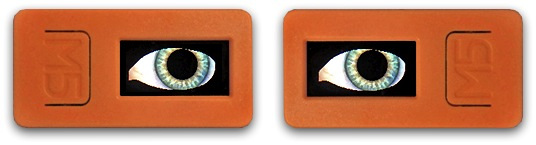
  • M5StickC Electronic Animated Eyes

    3
    1
    0 Votes
    3 Posts
    9k Views
    sysdl132S
    Great!
  • RemoteLoRa – more than ON/OFF

    1
    0 Votes
    1 Posts
    6k Views
    No one has replied
  • UIFlow Handbook updated 01-March-2020

    3
    1 Votes
    3 Posts
    6k Views
    ajb2k3A
    @skink said in UIFlow Handbook updated 01-March-2020: Wow, even if it is only in English, but it´s hammer the user manual, hats off to working. Thank you very much this is a super great manual with UI-Flow and Python examples. greeting skink Thank you for reading it, Other languages are planned, I'm just sorry that it is taking me so long to write it.
  • GSMout - receive SMS and calls "at home"

    2
    0 Votes
    2 Posts
    8k Views
    sysdl132S
    [image: 1582951650695-82b78cf0-9a69-43d6-bc22-91f15fba9777-image.png]
  • fixed background image

    3
    0 Votes
    3 Posts
    6k Views
    sysdl132S
    [image: 1582950983695-8433b3b0-3224-43f6-84f9-0a9a5c2e6030-image.png] it can display images without eraseing. (click OK)
  • M5ez chat app

    6
    0 Votes
    6 Posts
    10k Views
    m5stackM
    @sysdl132 Great, i will take the time to try。
  • External speaker

    3
    0 Votes
    3 Posts
    4k Views
    world101W
    Pin 25 might work http://forum.m5stack.com/topic/1482/m5stack-with-external-speaker
  • ESP-Now Project: Sender reporting temperature to Receiver

    1
    2
    0 Votes
    1 Posts
    6k Views
    No one has replied
  • IDE based on basic Language available

    2
    0 Votes
    2 Posts
    4k Views
    lukasmaximusL
    Thanks for the heads up, looks cool. Will definitely try it out
  • How to connect ToF sensor to ProtoHat

    2
    0 Votes
    2 Posts
    5k Views
    lukasmaximusL
    HI @AndreaF the space is a little tight, but perhaps you can put it in sideways and solder things to the right place via a few extra wires. As you can see in the picture of env hat below, the SDA of your TOF module should be connected to pin G0 and the SCL should be connected to G26 [image: 1579658679155-env_hat_01-resized.jpg]
  • M5Stick C mit EXTEND I/O-Modul

    9
    0 Votes
    9 Posts
    14k Views
    lukasmaximusL
    Ich habe eine deutsche Sektion des Forums erstellt. Können wir dieses Thema bitte dorthin verschieben? http://forum.m5stack.com/category/37/deutsches-forum
  • M5 Stack FIRE Artificial Horizon

    3
    0 Votes
    3 Posts
    7k Views
    E
    Thanks for the Twitter link, i've reached out to see if he can help. I did figure out how to do a rudimentary calibration by waiting for a button press and then setting the current values for roll and pitch to "offset" values and "correcting" subsequent readings using them. It works well enough for now, and I can calibrate in different orientations. The only issue now is that this just uses the magnetometer, I think... I'm only reading &roll and &pitch from IMU.getAhrsData(), i'm not reading the gyro values. So this is susceptible to motion, if I slide the unit from side to side on the table the horizon tilts when it should stay horizontal.
  • Hosting a simple HTML with M5* device img src problem

    7
    0 Votes
    7 Posts
    14k Views
    T
    @robalstona Thanks, I did a try and it worked! However, line of code I got went through my wall ^^ Thanks
  • Control a project via web

    8
    0 Votes
    8 Posts
    18k Views
    M
    @svennib said in Control a project via web: MQTT This is a tutorial about UIFlow and MQTT and CloudMQTT: https://www.youtube.com/watch?v=5RozKI-3i4Q
  • This topic is deleted!

    1
    0 Votes
    1 Posts
    73 Views
    No one has replied
  • M5Stack Web Radio

    3
    0 Votes
    3 Posts
    7k Views
    lukasmaximusL
    Cool product, and I love the name. If you would like any assistance in production of this product please contact support@m5stack.com
  • M5-bit (Micro-Bit) part 2

    8
    2
    1 Votes
    8 Posts
    15k Views
    ChrisWRC
    @ajb2k3 [image: 1577665245401-image1-resized.jpg] [image: 1577665258871-image2-resized.jpg] [image: 1577665275715-image3.jpg]
  • MediaPlayer

    2
    0 Votes
    2 Posts
    6k Views
    ChrisWRC
    Stereo is working (now with the latest update) when pin 35 is pulled high. I made this and tested it ; [image: 1577400602288-image1.jpg] The amplifier you can get here
  • 0 Votes
    3 Posts
    11k Views
    C
    hi, wich ino file I have to upload to visualize "thermal distance? SPAD_read doesn't compile with this output: Arduino: 1.8.9 (Mac OS X), Board: "M5Stack-Core-ESP32, QIO, 80MHz, Default, 921600, None" sketch/SPAD_read.ino.cpp.o:(.literal._Z8checkDevP12VL53L1_Dev_t+0x8): undefined reference to `VL53L1_RdWord' sketch/SPAD_read.ino.cpp.o:(.literal._Z5setupv+0x48): undefined reference to `VL53L1_WaitDeviceBooted' sketch/SPAD_read.ino.cpp.o:(.literal._Z5setupv+0x4c): undefined reference to `VL53L1_DataInit' sketch/SPAD_read.ino.cpp.o:(.literal._Z5setupv+0x50): undefined reference to `VL53L1_StaticInit' sketch/SPAD_read.ino.cpp.o:(.literal._Z5setupv+0x54): undefined reference to `VL53L1_SetDistanceMode' sketch/SPAD_read.ino.cpp.o:(.literal._Z5setupv+0x58): undefined reference to `VL53L1_SetMeasurementTimingBudgetMicroSeconds' sketch/SPAD_read.ino.cpp.o:(.literal._Z5setupv+0x5c): undefined reference to `VL53L1_SetInterMeasurementPeriodMilliSeconds' sketch/SPAD_read.ino.cpp.o:(.literal._Z5setupv+0x60): undefined reference to `VL53L1_StartMeasurement' sketch/SPAD_read.ino.cpp.o:(.literal._Z4loopv+0xc): undefined reference to `VL53L1_SetUserROI' sketch/SPAD_read.ino.cpp.o:(.literal._Z4loopv+0x10): undefined reference to `VL53L1_WaitMeasurementDataReady' sketch/SPAD_read.ino.cpp.o:(.literal._Z4loopv+0x14): undefined reference to `VL53L1_GetRangingMeasurementData' sketch/SPAD_read.ino.cpp.o:(.literal._Z4loopv+0x18): undefined reference to `VL53L1_clear_interrupt_and_enable_next_range' sketch/SPAD_read.ino.cpp.o: In function `checkDev(VL53L1_Dev_t*)': Multiple libraries were found for "SPI.h" Used: /Library/Arduino15/packages/esp32/hardware/esp32/1.0.2/libraries/SPI Not used: /Documents/Arduino/libraries/SPI Multiple libraries were found for "SD.h" /var/folders/f3/0kf10ljj6sj4q4twsw_vtxrw0000gn/T/arduino_modified_sketch_71183/SPAD_read.ino:170: undefined reference to `VL53L1_RdWord' Used: /Users/Library/Arduino15/packages/esp32/hardware/esp32/1.0.2/libraries/SD Not used: /Users/Documents/Arduino/libraries/SD sketch/SPAD_read.ino.cpp.o: In function `setup()': Not used: /private/var/folders/f3/0kf10ljj6sj4q4twsw_vtxrw0000gn/T/AppTranslocation/65325227-2EA8-4077-950D-C93B6E24B2C5/d/Arduino-1.8.9.app/Contents/Java/libraries/SD Multiple libraries were found for "WiFiClient.h" Used: /Users/Library/Arduino15/packages/esp32/hardware/esp32/1.0.2/libraries/WiFi Not used: /private/var/folders/f3/0kf10ljj6sj4q4twsw_vtxrw0000gn/T/AppTranslocation/65325227-2EA8-4077-950D-C93B6E24B2C5/d/Arduino-1.8.9.app/Contents/Java/libraries/WiFi /var/folders/f3/0kf10ljj6sj4q4twsw_vtxrw0000gn/T/arduino_modified_sketch_71183/SPAD_read.ino:170: undefined reference to `VL53L1_WaitDeviceBooted' /var/folders/f3/0kf10ljj6sj4q4twsw_vtxrw0000gn/T/arduino_modified_sketch_71183/SPAD_read.ino:170: undefined reference to `VL53L1_DataInit' /var/folders/f3/0kf10ljj6sj4q4twsw_vtxrw0000gn/T/arduino_modified_sketch_71183/SPAD_read.ino:170: undefined reference to `VL53L1_StaticInit' /var/folders/f3/0kf10ljj6sj4q4twsw_vtxrw0000gn/T/arduino_modified_sketch_71183/SPAD_read.ino:170: undefined reference to `VL53L1_SetDistanceMode' /var/folders/f3/0kf10ljj6sj4q4twsw_vtxrw0000gn/T/arduino_modified_sketch_71183/SPAD_read.ino:170: undefined reference to `VL53L1_SetMeasurementTimingBudgetMicroSeconds' /var/folders/f3/0kf10ljj6sj4q4twsw_vtxrw0000gn/T/arduino_modified_sketch_71183/SPAD_read.ino:170: undefined reference to `VL53L1_SetInterMeasurementPeriodMilliSeconds' /var/folders/f3/0kf10ljj6sj4q4twsw_vtxrw0000gn/T/arduino_modified_sketch_71183/SPAD_read.ino:170: undefined reference to `VL53L1_StartMeasurement' sketch/SPAD_read.ino.cpp.o: In function `loop()': /var/folders/f3/0kf10ljj6sj4q4twsw_vtxrw0000gn/T/arduino_modified_sketch_71183/SPAD_read.ino:137: undefined reference to `VL53L1_SetUserROI' /var/folders/f3/0kf10ljj6sj4q4twsw_vtxrw0000gn/T/arduino_modified_sketch_71183/SPAD_read.ino:139: undefined reference to `VL53L1_WaitMeasurementDataReady' /var/folders/f3/0kf10ljj6sj4q4twsw_vtxrw0000gn/T/arduino_modified_sketch_71183/SPAD_read.ino:140: undefined reference to `VL53L1_GetRangingMeasurementData' /var/folders/f3/0kf10ljj6sj4q4twsw_vtxrw0000gn/T/arduino_modified_sketch_71183/SPAD_read.ino:141: undefined reference to `VL53L1_clear_interrupt_and_enable_next_range' collect2: error: ld returned 1 exit status exit status 1 Error compiling for board M5Stack-Core-ESP32. This report would have more information with "Show verbose output during compilation" option enabled in File -> Preferences.