🤖Have you ever tried Chat.M5Stack.com before asking??😎
  • This topic is deleted!

    1
    0 Votes
    1 Posts
    1 Views
    No one has replied
  • 0 Votes
    6 Posts
    8k Views
    K
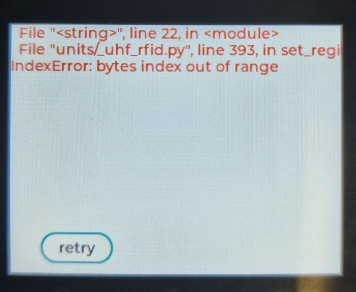
    @tinkerer I made a quick reader nothing special and this is on a Basic Core unit quick video showing it working https://youtu.be/qvtr6Vy-HwY The Tags I use are these ones [image: IMG_2634.jpeg?alt=media&token=63017c6e-6a97-4aa0-8eba-bb32b3e3ac63] [image: IMG_2635.jpeg?alt=media&token=3698cee3-1078-4b9f-9d3f-a8d2514a21aa] make sure the port is correct otherwise the bytes out of range error pops up from m5stack import * from m5ui import * from uiflow import * import unit setScreenColor(0x222222) uhf_rfid_0 = unit.get(unit.UHF_RFID, unit.PORTA) uhf_rfid_0.set_region(uhf_rfid_0.REGIN_US) uhf_rfid_0.automatic_freq_hopping(0xFF) uhf_rfid_0.set_channel_freq(924.25) epc_bool = 0 uhf_rfid_0.set_select_mode(0x01) label0 = M5TextBox(128, 59, "Tag #", lcd.FONT_Default, 0xFFFFFF, rotate=0) label1 = M5TextBox(22, 106, "waiting ... ", lcd.FONT_Default, 0xFFFFFF, rotate=0) while True: # while not temp: temp = uhf_rfid_0.single_polling() if temp: # label10.setText(str(temp)) print("-----") print(temp[0]) print(temp[1]) print("-----") label1.setText(temp[0]) wait(.5)
  • lcd.arc green outline

    2
    0 Votes
    2 Posts
    3k Views
    felmueF
    Hello @Ber it looks like using the arc block only one color (either outline or filling) can be defined at the time. The color which is not defined seems to be random, causing the unwanted outline. So instead of using the arc block directly you could use the Advanced - Execute code block which then allows to define both colors together like this: lcd.arc(120, 160, 100, 50, 0, 90, color=0xff0000, fillcolor=0xff0000) Thanks Felix
  • This topic is deleted!

    3
    0 Votes
    3 Posts
    8 Views
  • Unable to draw geometrical figures

    2
    1
    0 Votes
    2 Posts
    3k Views
    ajb2k3A
    That's because that's a core2 which uses LVGL not the basic graphics found on the cores. The functions are still there but you will need to directly code in micropython to access them.
  • Uses "wlan.X" before initalizing wlan

    1
    0 Votes
    1 Posts
    2k Views
    No one has replied
  • Webbased UIflow "Advanced" misses things like UART

    3
    1
    0 Votes
    3 Posts
    4k Views
    ajb2k3A
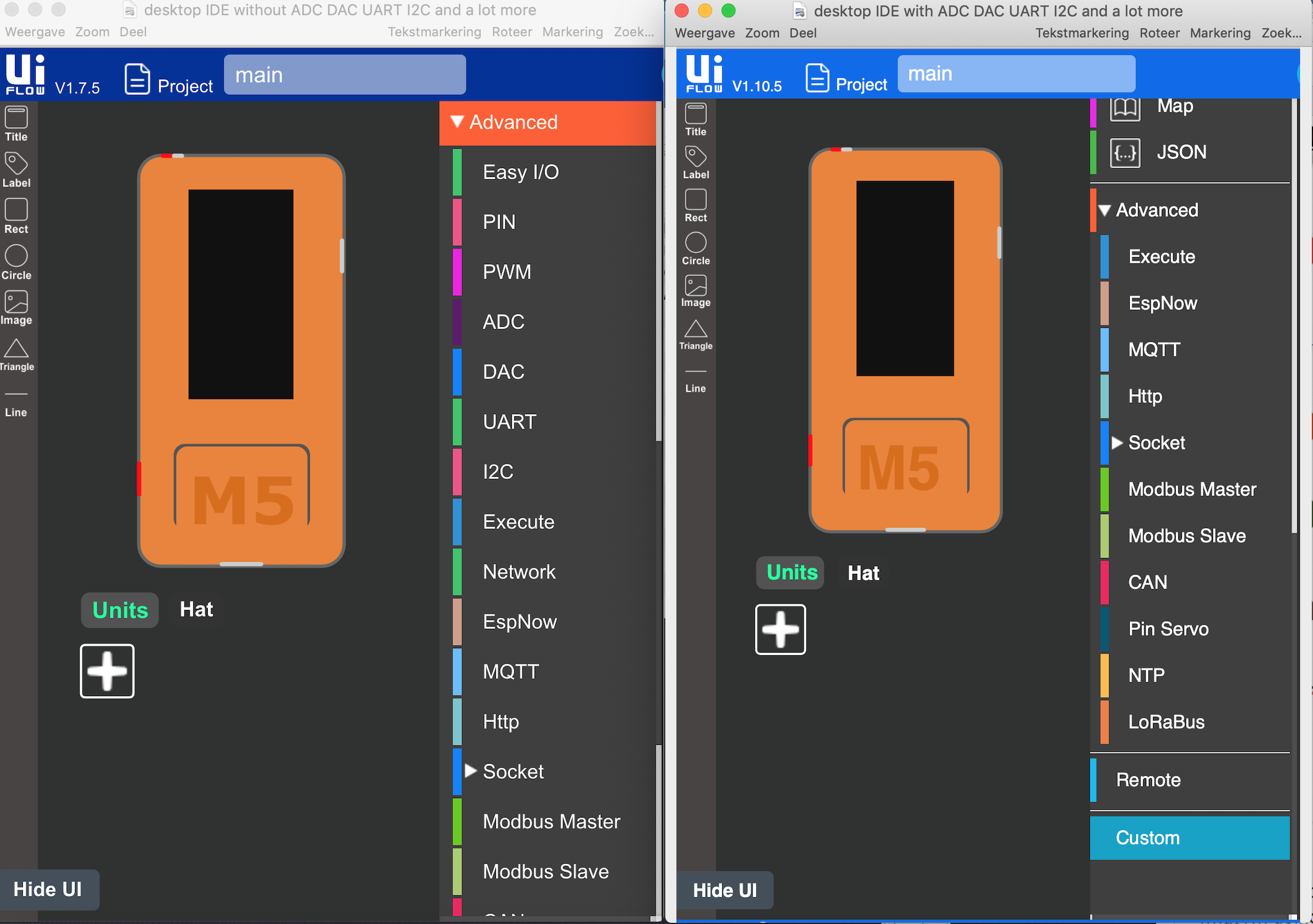
    @martingrotendag A lot of the functions were removed from advanced folder to the hardware folder. [image: 1663184204324-screenshot-2022-09-14-at-20.36.33-resized.png]
  • uiflow online unable to open recently saved files (Core 1.9.5)

    12
    1 Votes
    12 Posts
    18k Views
    A
    @janulr I have found the same issue - unable to open M5F files after saving and closing. But looking at the clues above I found a workaround. I have a custom block for DS18B20 in the original file. If I add the custom block back in to UIFlow again and then open the file IT WORKS. Otherwise I get a blank Blockly screen and most of the pyton code is missing, Display screen is also blank. Hope this helps. Developers need to find a way of warning when the M5F is opened that a "Custom Block is Missing". That way we can load the block and continue.
  • UiFlow 1.10.2 Core2 white screen indefinitely

    3
    0 Votes
    3 Posts
    5k Views
    ajb2k3A
    Have you burned the correct Core2 UiFlow firmware ? sometimes this happens if you use Core or Core fire firmware instead of Core2 firmware. Also, are you including any graphical elements? If you run a program without GUI elements set then the screen will go blank!
  • 0 Votes
    2 Posts
    3k Views
    ajb2k3A
    see my reply on your other post.
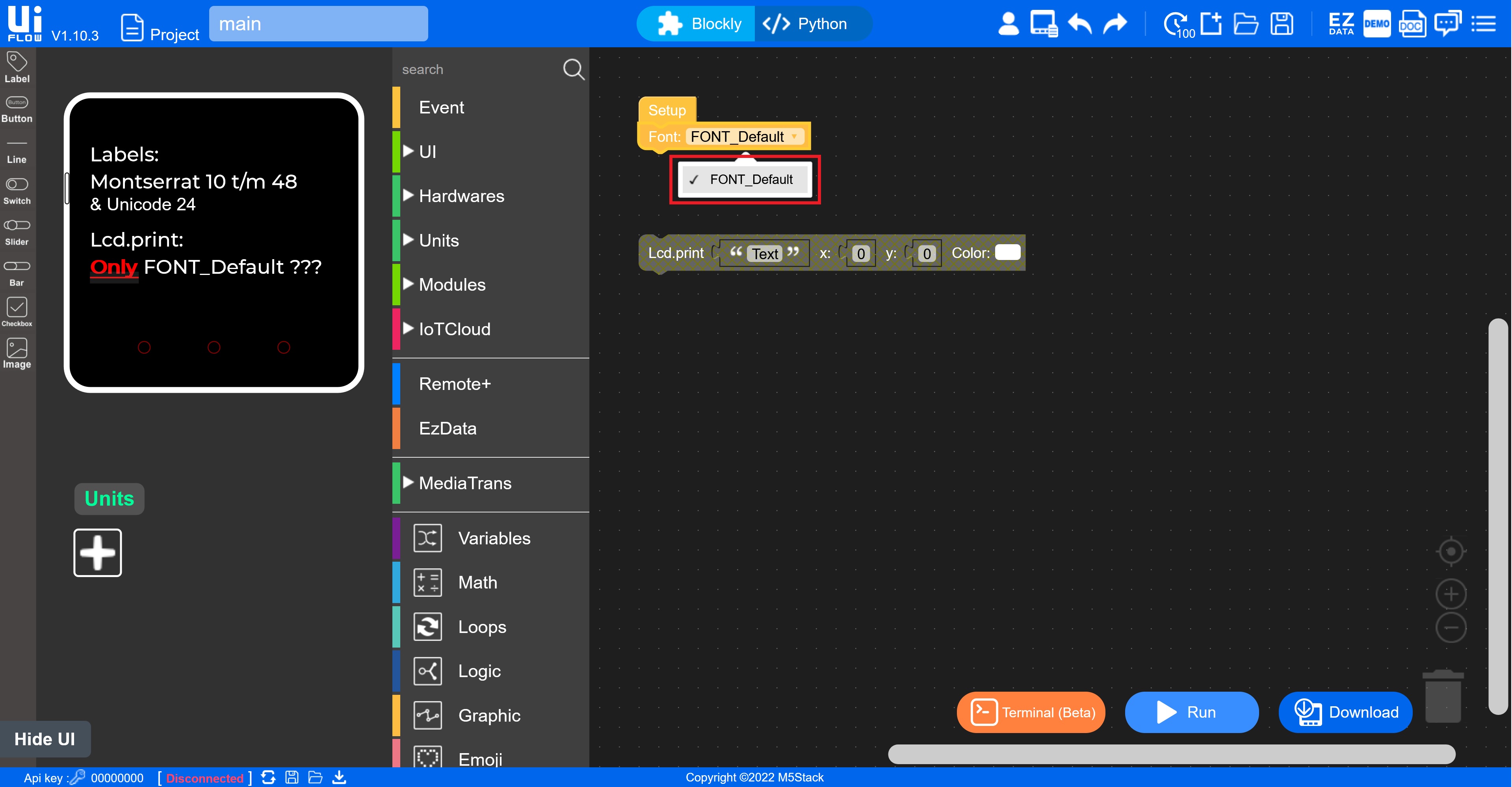
  • Only "Font_Default" on the Core2?

    1
    1
    0 Votes
    1 Posts
    3k Views
    No one has replied
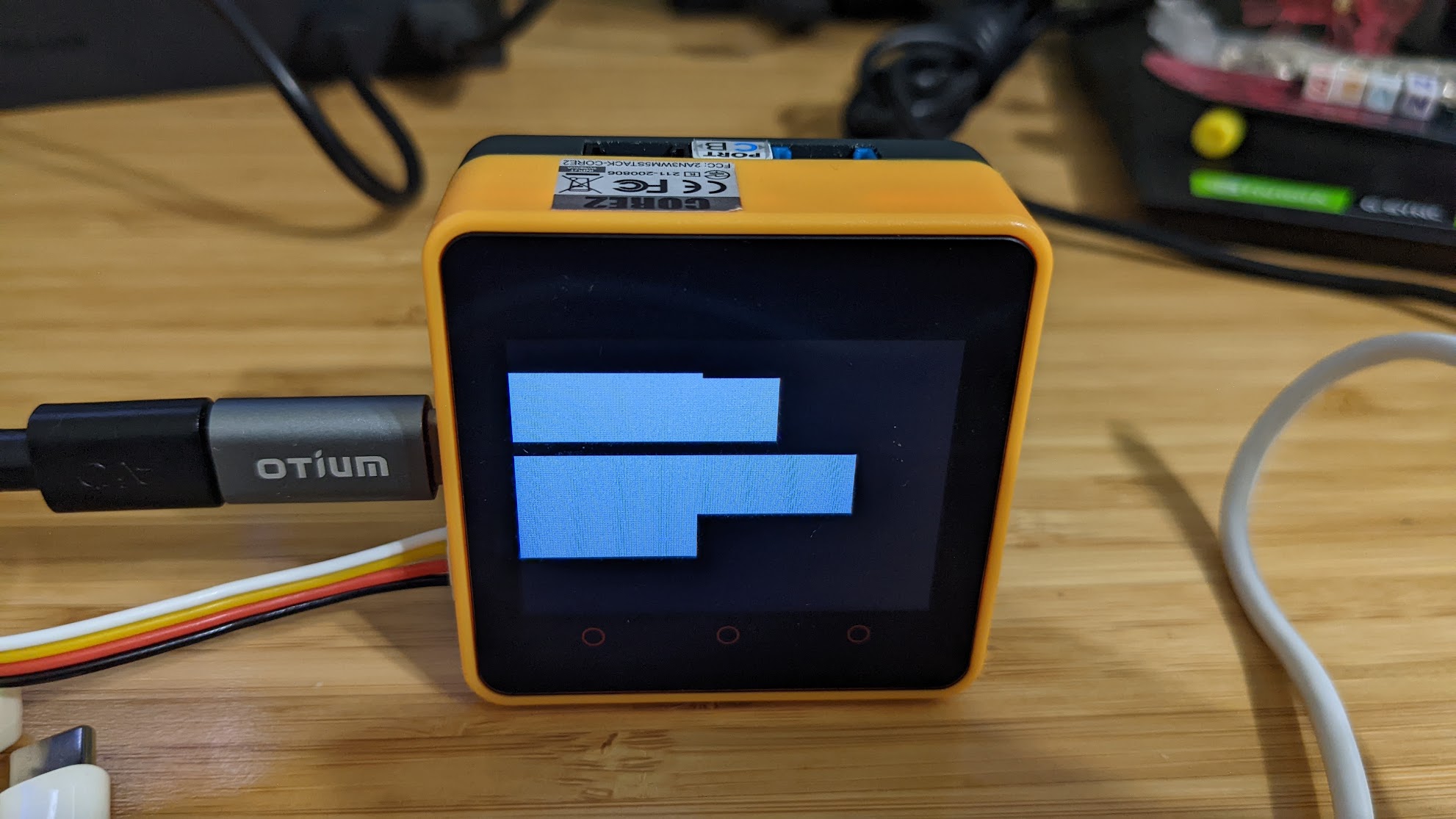
  • Labels show up as blank white rectangles when running program

    2
    2
    0 Votes
    2 Posts
    4k Views
    greenleafG
    As you can see I'm not doing anything especially exotic or weird here: [image: 1660436661231-1d5b4e7a-a8af-4c03-9a12-4820a937aaf3-image.png]
  • ESPNow with M5StickC Plus in UIFlow v1.10.2

    3
    0 Votes
    3 Posts
    4k Views
    S
    Thank you for answering! The firmware of my M5StickC Plus is v1.9.1, which seems to be outdated. When I wrote v1.10.2 with the presented M5 burner, it worked properly. It was rudimentary. Thank you very much.
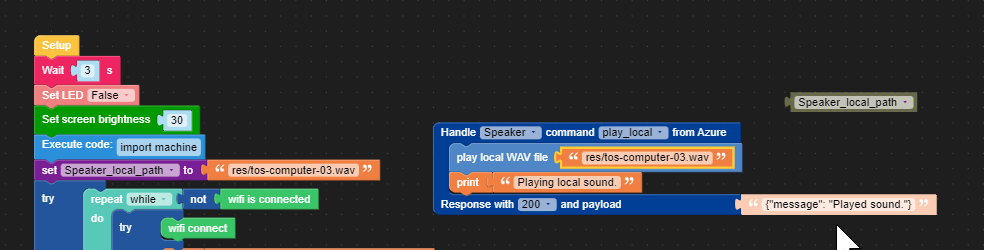
  • Azure IoT Speaker play_local path variable does not work

    1
    2
    0 Votes
    1 Posts
    3k Views
    No one has replied
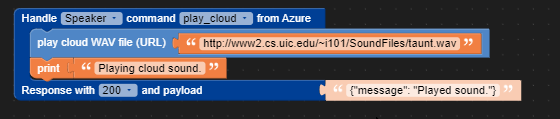
  • Azure IoT Speaker play_cloud command broken

    1
    1
    0 Votes
    1 Posts
    2k Views
    No one has replied
  • M5Burner couldn't burn

    2
    0 Votes
    2 Posts
    3k Views
    ajb2k3A
    Have you installed the device drivers Xcode (from the App Store) and Python 3?
  • M5Burner does not work in MacOX 12.3.

    m5 burner uiflow
    18
    4 Votes
    18 Posts
    33k Views
    ajb2k3A
    @yu_with_a_mission said in M5Burner does not work in MacOX 12.3.: @yopita I tried you way and get another error, "File"/Applications/M5Burner.app/Contents/Resources/packages/tools/serial/tools/list_ports_osx.py", line 32, in <module> kIOMasterPortDefault = ctypes.c_void_p.in_dll(iokit, "kIOMasterPortDefault") ValueError: dlsym(RTLD_DEFAULT, kIOMasterPortDefault): symbol not found ================= Burn Failed =================" How can I solve? System: MacOS Monterey 12.4 Device: M5StickCPlus There is an Issue Montery. Have you installed Xcode from the App Store? Have you instilled the latest Python 3 from the python site? Have you installed the drivers? Have you set the PATH variable correctly? Have you copied the M5Burner V3 to the Applications folder? Have you erased the controller first before writing the correct firmware?
  • "Flash Card" UI Flow Demo fails on Core 2

    2
    0 Votes
    2 Posts
    2k Views
    J
    Web UI Flow V1.4.5 (latest) and Firmware v1.9.8-core2 (latest)
  • new m5stack: Failed to write to target RAM (result was 01070000)

    22
    0 Votes
    22 Posts
    69k Views
    ajb2k3A
    @drjakob Check which USB driver is in the new cores as the driver chip was changed due to the part shortage.
  • Font size 10 Not functioning on V1.98

    2
    0 Votes
    2 Posts
    4k Views
    S
    This is on a Core2