🤖Have you ever tried Chat.M5Stack.com before asking??😎
  • UIFlow stopped working on a Firefox Browser (Linux)

    1
    0 Votes
    1 Posts
    3k Views
    No one has replied
  • "get Battery Level" issue

    4
    0 Votes
    4 Posts
    7k Views
    R
    When using the MQTT the simmilar problem occure. The weight value sometimes shows nonsense number.
  • Missing or wrong Unicode characters for Japanese Katakana

    2
    0 Votes
    2 Posts
    4k Views
    W
    I checked this on M5Stack Basic, and these two characters (0x30FC, and 0x30FB) were shown properly. So this is the problem occurs only on core2. v1.8.3 for core2 still has this problem, and I strongly wish It would soon be fixed.
  • text or shape is overwritten by the background.

    2
    2
    0 Votes
    2 Posts
    4k Views
    W
    I forgot to add the picture of the screen when the bug happens. This is the screenshot of step 5 [image: 1629056268496-core2bug1-resized.jpg] it seems like a part of M5Img (in a rectangle (35,132, 274,16) is written back onto the text. and this is the screenshot of the code above (right after calling lcd.rect(...) ) [image: 1629056381759-core2bug2-resized.jpg] and the rectangle (35,132,274,16) is overwritten with the background. when you use M5Img instead of screen.set_screen_bg_color, you will see a part of the image instead of the background. in both screenshots, text must be shown without a black/yellow rectangle.
  • Map对象操作错误

    1
    0 Votes
    1 Posts
    2k Views
    No one has replied
  • CANID 0x7FF cannot be sent

    1
    0 Votes
    1 Posts
    2k Views
    No one has replied
  • 1.3" OLED Unit UIFlow display is dim

    1
    0 Votes
    1 Posts
    4k Views
    No one has replied
  • M5Stack Core2 "Restart On" block not working v1.7.8

    core2 power restart rtc
    2
    1 Votes
    2 Posts
    7k Views
    B
    Upon further testing and investigation, my original observation is incorrect. It seems that the blocks are mostly working correctly. It does not seem to be an issue with a specific version either. When I setup a simple UIFlow sketch to "Restart after 10 seconds", the first time I run it it correctly restart after 10 seconds. It then seems that the IRQ register isn't set right because it won't restart again if I immediately run the code again. If I instead power of the Core2 and then power it back on with the button on the side it will then run the code correctly and restart the device. It does not seem to be a hardware issue as the example wake on rtc code in the M5Core2 arduino library works correctly every time.
  • Using MQTT deletes UI elements on M5StickC Plus

    3
    1 Votes
    3 Posts
    6k Views
    IAMLIUBOI
    Sorry, there is no reply for a long time, we will investigate this bug.
  • Wav playback is broken in 1.7.5

    1
    0 Votes
    1 Posts
    3k Views
    No one has replied
  • 0 Votes
    1 Posts
    2k Views
    No one has replied
  • Uiflow cant work on iPads

    2
    1 Votes
    2 Posts
    5k Views
    m5stackM
    thank you feedback. we already fixed this problem.
  • Possible Bug On Image Hide/Show

    2
    1
    0 Votes
    2 Posts
    5k Views
    D
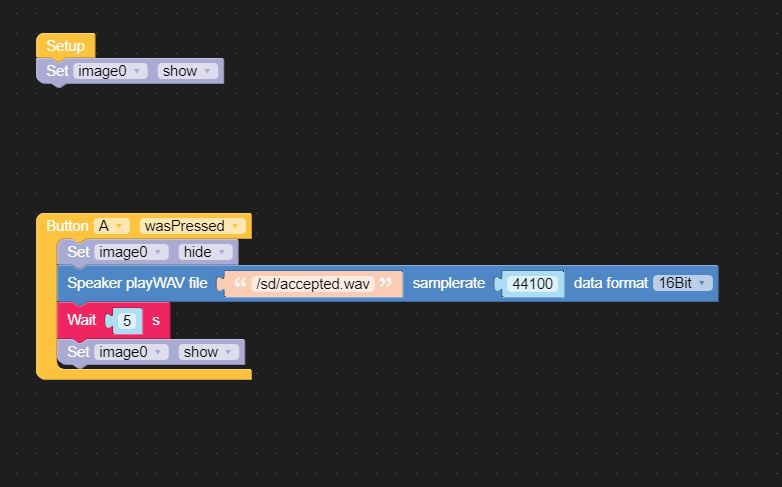
    @delchi said in Possible Bug On Image Hide/Show: Core2Duo Firmware : UiFlow 1.7.4.1-Core2 IDE : UiFlow 1.7.4 What I'm trying to do : Display image 0 ( PNG , in Flash , 330 x 240 36.4 KB ) Wait for Button A to be pressed Hide Image 0 Play WAV file ( SD card ) Show Label0 Wait 5 Show Image 0 What happens : Everything works, with the exception of the image show/hide/show. It constantly shows after button A is pressed. Wave file pays, but no change to the image. Coded in Blockly, [image: 1618199248238-capture-resized.jpg] Python : from m5stack import * from m5stack_ui import * from uiflow import * import time screen = M5Screen() screen.clean_screen() screen.set_screen_bg_color(0xFFFFFF) image0 = M5Img("res/Untitled-2.png", x=0, y=0, parent=None) def buttonA_wasPressed(): # global params image0.set_hidden(True) speaker.playWAV('/sd/accepted.wav', rate=44100, dataf=speaker.F16B) wait(5) image0.set_hidden(False) pass btnA.wasPressed(buttonA_wasPressed) image0.set_hidden(False) Bump ?
  • No more than 10 mqtt publish messages per second possible

    1
    0 Votes
    1 Posts
    3k Views
    No one has replied
  • Online UiFlow version on mobile browsers - dissapearing virtual keyboard

    5
    0 Votes
    5 Posts
    12k Views
    J
    @zontex UIFlow 1.7.4, the bug still not fixed. This makes UIFlow completely unusable on mobile browsers.
  • JavaScript error in M5Burner

    9
    1
    0 Votes
    9 Posts
    18k Views
    L
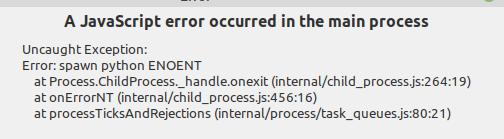
    I have similar Problems. Burner V2.2.8 M5Paper V1.7.3.1 and 1.7.4 [image: 1617949689750-bildschirmfoto-2021-04-09-um-07.49.07-resized.png]
  • 0 Votes
    1 Posts
    3k Views
    No one has replied
  • The Max value of the slider cannot be modified !

    5
    1
    0 Votes
    5 Posts
    10k Views
    ArnoA
    Perfect !
  • uiFlow v1.7.3 Double Setup block error

    3
    1
    0 Votes
    3 Posts
    4k Views
    L
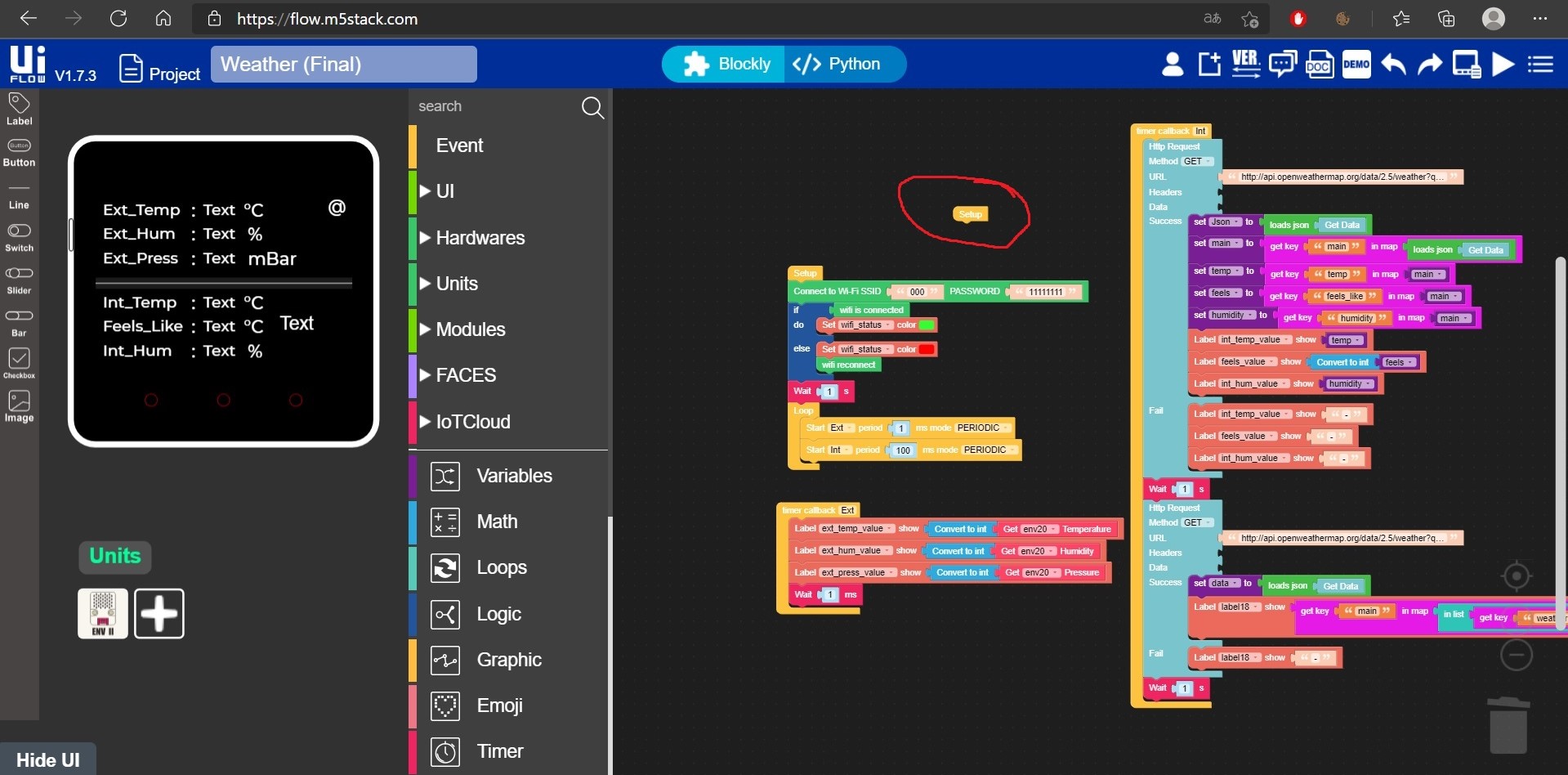
    Yes, the duplicate remain if i save the file, refresh the webpage, or load the program again! But in the meantime I figured out the solution. Just right click to block and disable.
  • uiFlow v1.7.3 Core2 UI simulator font bug

    3
    1
    1 Votes
    3 Posts
    6k Views
    m5stackM
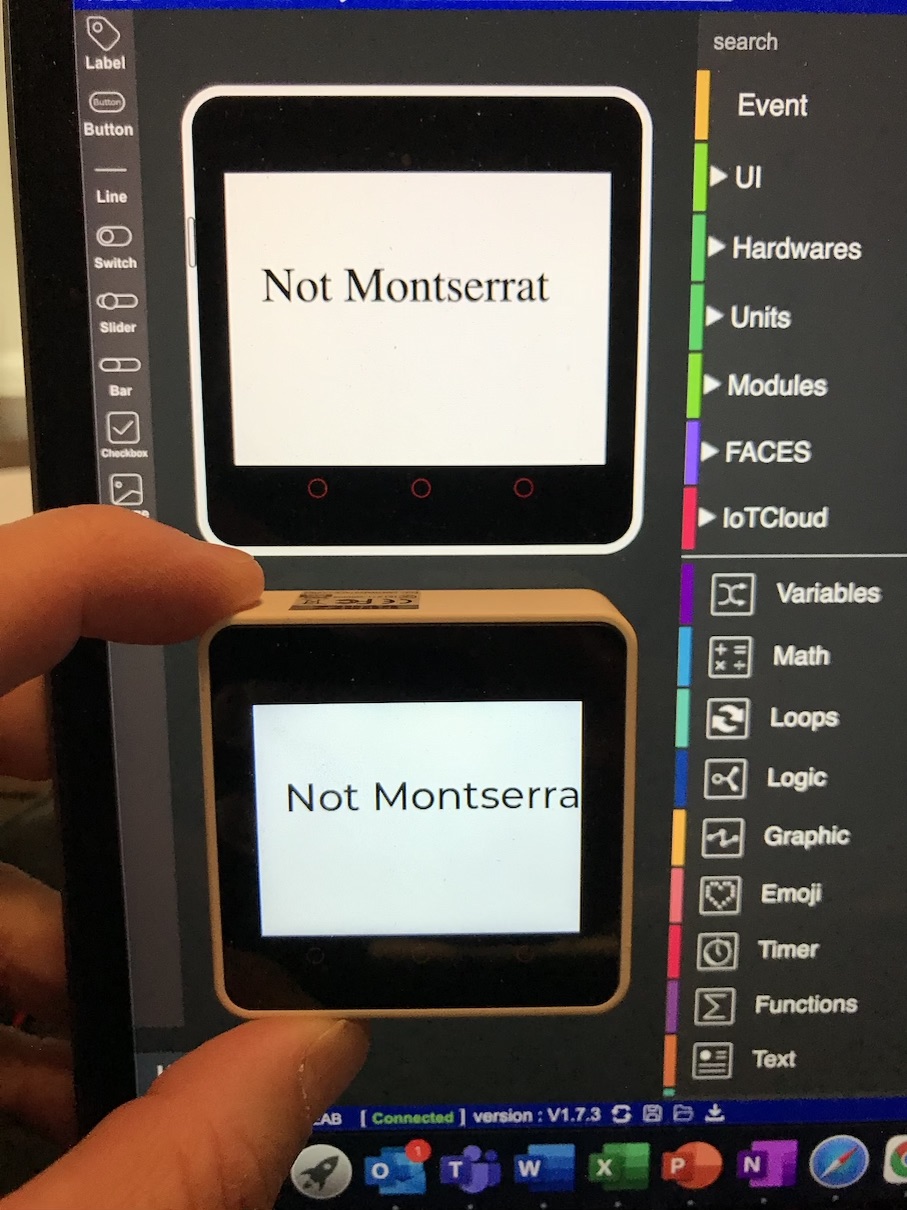
    Thank you for your patience