🤖Have you ever tried Chat.M5Stack.com before asking??😎

Subcategories

  • Hear all about new products, initiatives and events here.

    14 Topics
    20 Posts
    kurikoK
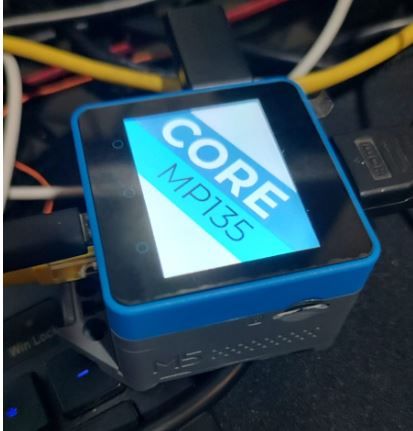
    UiFlow2.0 quick start for CoreMP135 has been released. https://docs.m5stack.com/en/guide/linux/coremp135/uiflow2
  • 2 Topics
    2 Posts
    ajb2k3A
    Members will have noticed that some of us have pictures instead of letters next to our names. This isn't anything to do with status but is a function of the forum available to most (if not all) forum member. To set a picture for your avater you need to click on your letter in the top right hand side of the screen and a menu will appear. Click "Edit Profile" and you will be taken to the profile screen. At the top is a picture with your initial in it, click on it and you can upload an image to use.
  • Here is where you'll find News about promotions, M5stack related blog posts and Videos from M5stack users

    233 Topics
    308 Posts
    S
    To fix issues with M5Burner on Mac, ensure you’ve installed the correct USB-to-serial drivers (like CP210x or CH340). Run M5Burner using Rosetta if needed. Allow app permissions via System Settings > Privacy & Security. Always download the latest M5Burner version compatible with your mac.
  • Timer Camera F

    2
    0 Votes
    2 Posts
    2k Views
    G
    @gavin67890 [Groan] Bad USB lead out of the packet! But in case it helps others: This helped identify the issue: Serial.printf("Bat Voltage: %dmv\r\n", TimerCAM.Power.getBatteryVoltage()); Serial.printf("Bat Level: %d%%\r\n", TimerCAM.Power.getBatteryLevel()); delay(1000);
  • 0 Votes
    1 Posts
    990 Views
    No one has replied
  • How can I turn off unitv2?

    1
    0 Votes
    1 Posts
    990 Views
    No one has replied
  • Issue with UART Communication from UnitV2 to Raspberry Pi

    1
    0 Votes
    1 Posts
    1k Views
    No one has replied
  • This topic is deleted!

    1
    0 Votes
    1 Posts
    1 Views
    No one has replied
  • I cant login to uiflow2.m5stack.com

    4
    0 Votes
    4 Posts
    2k Views
    namazu2024N
    @Kristomen @ajb2k3 I am having the same problem, but when I log in in the reverse order I get an error and can't log in. I started using uiflow2 a few days ago, but when I try to log in to uiflow with my EMAIL/PW I get an error. I started using uiflow2, then I tried to log in to uifloww, but I couldn't open it with my account.
  • Same issue today 9/3/24

    1
    0 Votes
    1 Posts
    870 Views
    No one has replied
  • Can't erase firmware cardputer

    3
    1
    0 Votes
    3 Posts
    2k Views
    ajb2k3A
    Delete M5Burner and reinstall
  • Best way to distribute M5 Core app to customers

    1
    0 Votes
    1 Posts
    1k Views
    No one has replied
  • How to get started With the m5stickc plus 2

    2
    0 Votes
    2 Posts
    1k Views
    teastainT
    @Bertibert No, we will not help you be a jerk. Using this firmware for these activities would be illegal.
  • Hardware selection advice is needed to control 16 servos independently

    3
    0 Votes
    3 Posts
    2k Views
    F
    @robski Perfect, thank you very much. Can you please confirm that I understand this correctly? The M5stack core s3 se is compatible with the 16 channel servo2 module I need an external 6-12 volt power supply for the servo module Do I also need a separate power supply for the controller, or can the controller get power from the servo? If I do need a power supply, can I use one of the battery bottoms, like for example the din base? And one last question, which probably should be in a separate thread. Is there a similar module for turning relays on/off (or can these PWM channels be used for this instead of controlling servos)? I could find the relay module, but that is only 4 relays and I need 16. Again, sorry about the basic questions. I have a project in mind (a computer aided 16 shaft loom) that needs moving 16 harnesses up/down. I need 16 channels to control these movements. This can be done using servos or using solenoids.

  • Developer wanted: PNG display app

    1
    0 Votes
    1 Posts
    739 Views
    No one has replied
  • M5CoreS3 Camera Pinout for use with ESP32 CameraWebServer example

    7
    0 Votes
    7 Posts
    4k Views
    R
    @felmue Hi Felix, I discovered that the problem with the stream not starting is related to poor WiFi performance. It works when I put the M5CoreS3 near my WiFi access point. From the comments in your program source, I guess you don't expect most of the features other than streaming to work. I had hoped that resize and face detect might work. V-Flip, H-Mirror and Save seem to work. Thanks, it's a place to start. Ralph
  • How can I mark a post as resolved?

    1
    1
    0 Votes
    1 Posts
    1k Views
    No one has replied
  • Inexperienced shopping list for grandson

    3
    0 Votes
    3 Posts
    2k Views
    J
    @ajb2k3 That's great, many thanks have placed order today Looks like the perfect thing and just what was needed :)
  • Pa.HUB: use any port for connection.

    9
    1
    0 Votes
    9 Posts
    5k Views
    S
    Here are some additional details: When I initially scan for the I2C bus, it says: Scanning... I2C device found at address 0x70 After pressing the reset button in AtomS3, it says: Scanning... I2C device found at address 0x44 I2C device found at address 0x70 I2C device found at address 0x76 I tried using Wire.end() to end all I2C communication, but the addresses still remains open. How to close them? void scanI2CBus() { byte error, address; Serial.println("Scanning..."); for (address = 1; address < 127; address++) { // The I2C address 0x00 is reserved and the addresses should be between 0x01 and 0x7F Wire.beginTransmission(address); error = Wire.endTransmission(); if (error == 0) { Serial.print("I2C device found at address 0x"); if (address < 16) { Serial.print("0"); } Serial.print(address, HEX); } } }
  • Simple Hello World with PlatformIO and M5Dial

    3
    0 Votes
    3 Posts
    5k Views
    Matej's WorkshopM
    @uberdweeb Hello! Sorry for late answer, but I have the fix for it. All you need to do is modify the platformio.ini file, and write this into it: [env:m5stack-stamps3] platform = espressif32 board = m5stack-stamps3 framework = arduino build_flags = -DARDUINO_USB_CDC_ON_BOOT=1 monitor_speed = 115200
  • NanoC6 or Atom Lite power/battery - moisture

    1
    0 Votes
    1 Posts
    874 Views
    No one has replied
  • image display core135 change

    2
    1
    0 Votes
    2 Posts
    1k Views
    ajb2k3A
    @AndresCotes you need to learn how to program in linux and about Device tree overlays.
  • This topic is deleted!

    1
    0 Votes
    1 Posts
    3 Views
    No one has replied