🤖Have you ever tried Chat.M5Stack.com before asking??😎

Subcategories

  • 53 Topics
    243 Posts
    greenleafG
    TL;DR: The factory certificate in slot 10 is in a compressed format that AWS IoT rejects. You need to generate a new properly-formatted certificate. Full working example here: https://github.com/scarolan/grafana-core2aws-iot The Problem Everyone Hits If you've tried to use the Core2 for AWS with its built-in ATECC608 secure element, you've probably hit this error when registering the certificate: CertificateValidationException: The certificate could not be parsed You're not crazy. The factory certificate in slot 10 is stored in Microchip's compressed format with: Empty issuer/subject fields Invalid dates (Aug 28, 2005) Missing X.509 structure AWS IoT's register-certificate-without-ca API rejects it outright. The Solution Generate a new properly-formatted certificate that still uses the locked private key in slot 0 (so you maintain hardware security): 1. Clone the Working Example git clone https://github.com/scarolan/grafana-core2aws-iot cd grafana-core2aws-iot/extras/generate_cert 2. Flash the Certificate Generator pio run -t upload --upload-port COM3 pio device monitor --port COM3 --baud 115200 3. Save the Certificate Copy the certificate output (including -----BEGIN CERTIFICATE----- lines) to a file. 4. Register with AWS IoT aws iot register-certificate-without-ca \ --certificate-pem file://device_new.pem \ --status ACTIVE \ --region us-east-1 Then attach your policy and thing as usual. 5. Use in Your Firmware Update secrets.h with the new certificate and you're done! Why This Works The certificate generator: Reads the public key from slot 0 (the private key never leaves the chip) Creates a proper X.509 certificate with valid dates and subject fields Signs it using the locked private key (signing happens inside the ATECC608) Returns a properly-formatted certificate AWS IoT accepts Hardware security is maintained - the private key in slot 0 is never exposed, it's just used differently. Complete Documentation I've documented the full solution with explanations of what's happening: ATECC608 Architecture - How the secure element works, slot configuration, lock mechanism Certificate Solution - Why the factory cert fails and how to fix it Full Working Example - Complete vibration monitoring IoT demo with AWS IoT Core + Timestream Why M5Stack Doesn't Document This The compressed certificate format is a Microchip design decision (saves space on the chip). It's meant to work with: Microchip's Trust Platform provisioning tools Their specific certificate reconstruction libraries Microchip-managed certificate authorities It was never designed to work directly with third-party services like AWS IoT without special handling. M5Stack provides a complex registration helper (registration_helper.py) that reconstructs the certificate with special manifest-based APIs, but it's 800+ lines of Python with tons of dependencies. The approach above is much simpler - just generate a new cert and register it normally. Tested and Working This solution is running in production on my demo device: MQTTS publishing to AWS IoT Core every 5 seconds Data flowing to Amazon Timestream Hardware-backed authentication with ATECC608 Zero issues with certificate validation Hope This Saves Someone's Week I fought with this for a week a couple years ago and gave up in frustration. Revisited it recently and finally cracked it. Hopefully this saves others the same pain! Questions/issues? Comment here or open an issue on GitHub. Repository: https://github.com/scarolan/grafana-core2aws-iot Hardware: M5Stack Core2 for AWS Libraries: ArduinoECCX08, ArduinoBearSSL, M5Unified Tested: PlatformIO, Arduino framework on ESP32
  • 89 Topics
    337 Posts
    ShawnHymelS
    @felmue That helps a lot, thank you!
  • 65 Topics
    228 Posts
    H
    Has anyone installed firmware and upon starting gets stuck in a menu selection loop where the highlight selection continues to scroll?
  • M5Stack's little brother. Discuss M5 Stick hardware and software related issues here

    403 Topics
    2k Posts
    M
    Does anyone's built-in IR receiver work?
  • 18 Topics
    71 Posts
    P
    I just got the M5GO Kit, and I'm trying to make a Voice Assistant. For some reasons, the Demo of the kit made me think that accessing the microphone is easy. But, after hours of finding, it seems that there is no library or support for the kit to record audio. Does anyone have any resource regarding this?
  • 27 Topics
    114 Posts
    M
    Problem: Der Schrittmotor funktioniert nur korrekt in der Z-Achse bei normalen (langsamen) Drehgeschwindigkeiten. Beim Versuch, die X- und Y-Achsen zu verwenden, funktioniert der Motor nur, wenn ich die Vorschubgeschwindigkeiten auf das 10-fache oder höher erhöhe. Wenn ich versuche, die Adresse auf 0x71 zu ändern, wird das Modul nicht erkannt.
  • 50 Topics
    133 Posts
    Y
    @samantha_martin Hola Samantha. El M5StickC Plus (SKU:K016-P) utiliza el chip ESP32-PICO-D4, que integra Bluetooth LE. Para reducir la latencia en la transmisión HID, puedes probar las siguientes acciones: Optimizar la frecuencia de envío de datos: En las librerías ESP32-BLE-Keyboard o BleGamepad, ajusta el intervalo de notificación BLE a un valor más bajo (por ejemplo, 10-20 ms). Algunas librerías permiten configurar esto al inicializar el dispositivo HID. Minimizar el código en el loop(): Asegúrate de que no haya delays innecesarios ni tareas bloqueantes (como impresiones Serial) que ralenticen la detección de botones y el envío de comandos. Configurar el modo BLE de bajo consumo: Aunque el ESP32-PICO-D4 es eficiente, verifica que no se encuentre en modos de suspensión prolongada. Asegúrate de que el dispositivo BLE esté configurado para enviar notificaciones inmediatamente al detectar una pulsación. Actualizar el firmware del ESP32: Usa la última versión del core ESP32 en Arduino IDE, ya que a menudo incluyen optimizaciones en el stack BLE. Verificar la configuración de Android: En el menú de configuración de Bluetooth de tu teléfono, desactiva opciones como "Ahorro de batería" para el dispositivo M5StickC Plus, ya que pueden restringir la frecuencia de actualizaciones HID. https://chat.m5stack.com/
  • For Topics related to the Core 2

    335 Topics
    1k Posts
    easytargetE
    @skyflyer said in External 1S LIPO on M5Core2 BUS PIN1 and PIN30?: I tried to find information about it, and want to confirm that it is OK to connect the external Lipo battery to pins 1 and 30 on the "BUS expansion port"? And that the battery will be charged when connected to the external USB power? If you look at the schematic you will see that pin30 on the bus and VBAT (on the lipo connector) are the same. So yes, you can replace the internal battery with an external one with the same voltage! @skyflyer said in External 1S LIPO on M5Core2 BUS PIN1 and PIN30?: And I don't need to remove the internal 500mAh battery, since they would be connected in parallel anyhow? Do not simply put rechargeable batteries in parallel. Disconnect the internal one. You can have batteries in parallel but.. at a minimum you need some diodes to prevent them back-charging each other, have a look online where there is a lot of info about this.
  • M5Core S3 with Vscode and Micropython

    2
    0 Votes
    2 Posts
    2k Views
    ajb2k3A
    As long as the correct micropython plugins are added to VSCode, it should be possible.
  • M5CoreS3 GPIOs compared to M5Stack

    1
    2 Votes
    1 Posts
    2k Views
    No one has replied
  • M5Paper Shutdown() / Deep Sleep / Wakeup

    15
    0 Votes
    15 Posts
    34k Views
    C
    @jop said in M5Paper Shutdown() / Deep Sleep / Wakeup: overload-2 int shutdown( int seconds ); The timer function of the BM8563* is based on a 8 bit counter which can be set to be controlled by a clock frequency of 4096, 64, 1 or 1/60 Hz. This means it can timeout with following max interval @ resolution: 62,3 ms @ 244,1 µs 4 s @ 15,5 ms 255 s @ 1 s 15300 s (255 min) @ 60 s (1 min) so intervals above 255 seconds (4 min and 25 seconds) needs to be timed at one minute resolution. I have however tested this on my CoreINK (UiFlow/mocropython) and found that it rounds down in intervals of 2 minutes (120 s) for some reason. I made a script to that just put the unit to sleep but increases the sleep interval with 10 sec every time and then uses the clock to measure the actual sleep time. This was the result: [image: 1683278469264-4835f713-9fcf-4986-a3f7-f9f9ca8e3512-image-resized.png] *) BM8563 datasheet
  • Charging problem CoreInk

    2
    0 Votes
    2 Posts
    2k Views
    robskiR
    have you tried to use different usb port/cable?
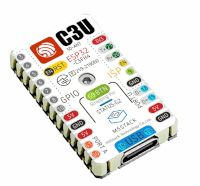
  • M5Stamp C3U read ENV II

    4
    1
    0 Votes
    4 Posts
    4k Views
    teastainT
    @dabouse Hi! This is what I get, could you check again, for quality assurance, I'd like to know if there is a problem!? Oooops, I just discovered that it is tagged PRIVATE, not my intention...working on it! *fixed it! Sorry!!!
  • M5Paper: how to detect USB power?

    4
    0 Votes
    4 Posts
    5k Views
    felmueF
    Hello @holofloh cool, glad it worked. Thanks Felix
  • I2C SHT31 Uiflow

    2
    0 Votes
    2 Posts
    3k Views
    C
    https://forum.m5stack.com/topic/1419/m5stickc-sensor-sht-31
  • M5 Station category?

    1
    0 Votes
    1 Posts
    3k Views
    No one has replied
  • (Posibly) Bricked M5Paper

    2
    0 Votes
    2 Posts
    3k Views
    ajb2k3A
    In M5Burner you use the Erase button to "Nuke" the existing firmware.
  • Unit V2 power supply from HYP2.0-4P Grove connector

    3
    0 Votes
    3 Posts
    4k Views
    mongonta555M
    It is unofficial and cannot be guaranteed, but it works in my environment if I make my own cable to connect Grove's +5V and GND to the USB terminal side. Please see the thread in the link below for detailed instructions on how to make it. https://twitter.com/mongonta555/status/1401805311481061377
  • M5Stack Paper I2C Doesn't work

    15
    0 Votes
    15 Posts
    20k Views
    M
    @Koiru I have not found a solution but I have found a workaround. The culprit creating the constant reboots are the touchscreen, if I call the begin function without enabling the touchscreen I can get the unit to work instead of doing constant reboots. To initialize the unit without touchscreen, use the following arguments: M5.begin(false, true, true, true, true);
  • Atom Lite EspNow issue

    2
    0 Votes
    2 Posts
    3k Views
    M
    For me, the issue is resolved, but not quite with an eye to the future. I had the UI Flow IDE on the desktop 1.9.5 ( there is unfortunately not newer) and on the Atom Lite I had the 1.11.0. Thereby it came to incompatibilities that the EspNow in the newer variant works quite differently. BADLY.
  • Core ADC with 12V damaged

    3
    0 Votes
    3 Posts
    4k Views
    M
    Okay ... that falls then under "teaching money" and super stupid. Happens when it should always be done quickly on the side.
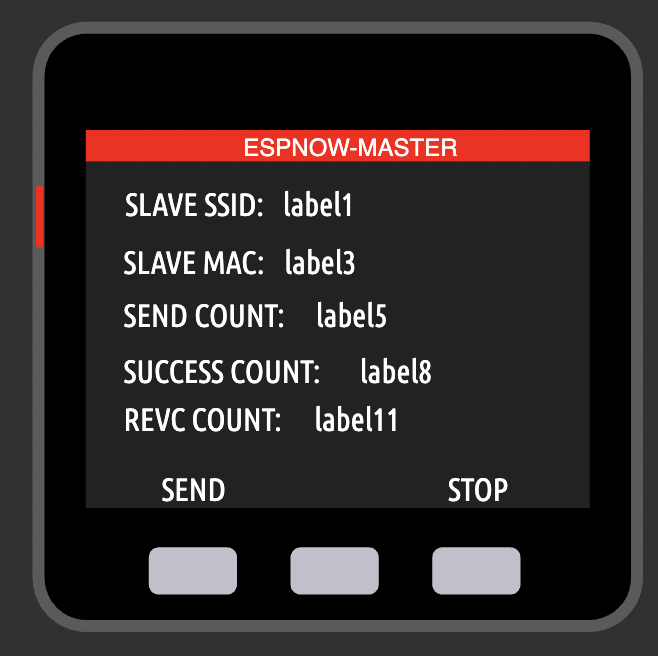
  • ESPNOW is broken

    4
    2
    0 Votes
    4 Posts
    7k Views
    S
    Hi ajb2k3 & teastain, thanks a lot for your advices. I will look at micropython side but I'm very concerned by the fact that the UIFlow blocks I used have been deprecated without notice. I'm on a very bug hurry now. I went back to V1.9.8 firmware on my M5StickCPlus and M5Core and everything is working again now. At least temporarily. Have a good week
  • M5Paper error on Arduino upload

    5
    0 Votes
    5 Posts
    7k Views
    G
    During compile I found this error message: Multiple libraries were found for "SD.h" Used: C:\Users\Gordon\AppData\Local\Arduino15\packages\m5stack\hardware\esp32\2.0.5\libraries\SD Not used: C:\Program Files (x86)\Arduino\libraries\SD Multiple libraries were found for "WiFiClient.h" Used: C:\Users\Gordon\AppData\Local\Arduino15\packages\m5stack\hardware\esp32\2.0.5\libraries\WiFi Not used: C:\Program Files (x86)\Arduino\libraries\WiFi "C:\Users\Gordon\AppData\Local\Arduino15\packages\m5stack\tools\xtensa-esp32-elf-gcc\gcc8_4_0-esp-2021r2-patch3/bin/xtensa-esp32-elf-ar" cr "C:\Users\Gordon\AppData\Local\Temp\arduino_build_476900\core\core.a" "C:\Users\Gordon\AppData\Local\Temp\arduino_build_476900\core\esp32-hal-rgb-led.c.o" remove core\core.a: The process cannot access the file because it is being used by another process. "C:\Users\Gordon\AppData\Local\Arduino15\packages\m5stack\tools\xtensa-esp32-elf-gcc\gcc8_4_0-esp-2021r2-patch3/bin/xtensa-esp32-elf-ar" cr "C:\Users\Gordon\AppData\Local\Temp\arduino_build_476900\core\core.a" "C:\Users\Gordon\AppData\Local\Temp\arduino_build_476900\core\esp32-hal-rmt.c.o" Error compiling for board M5Stack-Paper. and then after compile I get this: "C:\Users\Gordon\AppData\Local\Arduino15\packages\m5stack\tools\xtensa-esp32-elf-gcc\gcc8_4_0-esp-2021r2-patch3/bin/xtensa-esp32-elf-size" -A "C:\Users\Gordon\AppData\Local\Temp\arduino_build_476900/M5Paper_Hello_World.ino.elf" Sketch uses 415801 bytes (6%) of program storage space. Maximum is 6553600 bytes. Global variables use 18392 bytes (0%) of dynamic memory, leaving 4503592 bytes for local variables. Maximum is 4521984 bytes. C:\Users\Gordon\AppData\Local\Arduino15\packages\m5stack\tools\esptool_py\3.3.0/esptool.exe --chip esp32 --port COM6 --baud 921600 --before default_reset --after hard_reset write_flash {upload.erase_cmd} -z --flash_mode dio --flash_freq 80m --flash_size 16MB 0x1000 C:\Users\Gordon\AppData\Local\Temp\arduino_build_476900/M5Paper_Hello_World.ino.bootloader.bin 0x8000 C:\Users\Gordon\AppData\Local\Temp\arduino_build_476900/M5Paper_Hello_World.ino.partitions.bin 0xe000 C:\Users\Gordon\AppData\Local\Arduino15\packages\m5stack\hardware\esp32\2.0.5/tools/partitions/boot_app0.bin 0x10000 C:\Users\Gordon\AppData\Local\Temp\arduino_build_476900/M5Paper_Hello_World.ino.bin usage: esptool write_flash [-h] [--erase-all] [--flash_freq {keep,80m,60m,48m,40m,30m,26m,24m,20m,16m,15m,12m}] [--flash_mode {keep,qio,qout,dio,dout}] [--flash_size FLASH_SIZE] [--spi-connection SPI_CONNECTION] [--no-progress] [--verify] [--encrypt] [--encrypt-files <address> <filename> [<address> <filename> ...]] [--ignore-flash-encryption-efuse-setting] [--compress | --no-compress] <address> <filename> [<address> <filename> ...] esptool write_flash: error: argument <address> <filename>: Address "{upload.erase_cmd}" must be a number esptool write_flash: error: argument <address> <filename>: Address "{upload.erase_cmd}" must be a number

  • m5stack core turns itself off

    2
    0 Votes
    2 Posts
    3k Views
    ajb2k3A
    @asshutossh Check for memory issues, Kernal panics and or Guru meditation errors using a terminal program. There are only 2 causes for this. the first is the battery not charged fully or The memory is getting filled and causing a kernal panic resulting it CPU shutoff or reset.
  • WebPage Display

    Moved
    4
    0 Votes
    4 Posts
    9k Views
    S
    Hello, after three years is it possible to show a static WebPage on the M5Stack/M5Core2? Anyone has an idea?
  • M5Stack Station-485

    2
    0 Votes
    2 Posts
    3k Views
    felmueF
    Hello @jsarge I don't know if and when the Station-485 will be added to the Arduino Board library. But since it uses the same ESP32 chip as the M5Stack Basic I'd guess selecting that should work. (Note: I do not (yet) have a Station-485 so I cannot test myself.) M5Station-485 documentation is here including a link to the Arduino library. Normally the preinstalled firmware is for UIFlow (not sure that is true for M5Station-485 though). Anyhow, UIFlow firmware can be installed via M5Burner found here. Edit: the preinstalled firmware on my M5Station is not UIFlow firmware. UIFlow (installed with M5Burner) works fine for me. I don't (yet) see the source code for the preinstalled firmware on github. the provided Arduino examples work fine for me selecting a generic M5Stack ESP32 device. Thanks Felix
  • M5Stack CoreInk RTC does not boot the device

    5
    0 Votes
    5 Posts
    6k Views
    N
    After a lot of testing I came to the following conclusion: The problem was that I waited too long before enabling GPIO pin 12 in my code. This pin is used to keep the device powered by the battery. I'm just speculating here, but it seems like there is a time frame in which you need to enable this pin, otherwise the device will not successfully boot. Thanks! Nick
  • CoreInk UIFlow Deepsleep

    4
    0 Votes
    4 Posts
    6k Views
    V
    I didn't get anywhere setting GPIO1 however I downloaded UIFlow v3.0 from https://docs.m5stack.com/en/download and uploaded the latest version v1.10.1 to my Core Ink and now I have working Restart and Power On / Off :-)