🤖Have you ever tried Chat.M5Stack.com before asking??😎
  • M5Dial UART Write not sending data

    3
    0 Votes
    3 Posts
    1k Views
    felmueF
    Hello @xbr11332003 have you tried to send the data with trailing CR LF? E.g. uart1.write('hallo\r\n')? Works for me. Thanks Felix
  • M5StickC with Hat ENV 2

    2
    0 Votes
    2 Posts
    1k Views
    felmueF
    Hello @robski I don't have an ENV II but with an ENV I, I get the same error 'device not found' as reported here. As far as I can tell the issue seems to be the underlying I2C code. Thanks Felix
  • Problem accessing https://uiflow2.m5stack.com

    11
    3 Votes
    11 Posts
    6k Views
    M
    Seems to be down for me at the moment. Thanks, Matthew
  • Convert RFID uid bytearray in HEX String

    2
    0 Votes
    2 Posts
    1k Views
    felmueF
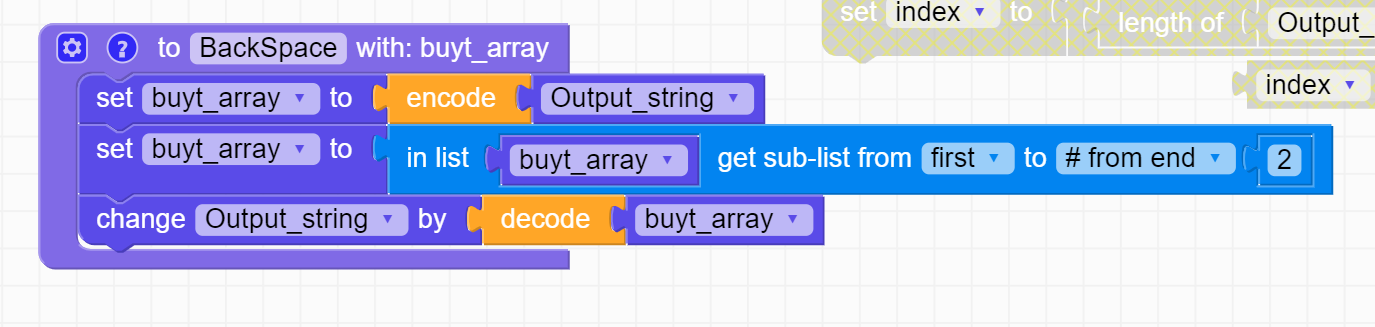
    Hello @mascaos you probably know this already - often for things where no native block is available you can use the generic Execute mpy code block as shown in the example in the Project Zone: M5Dial_RFID_as_hex_string_UIFlow2.0.7 Thanks Felix
  • ImportError: no module named 'M5'

    2
    1 Votes
    2 Posts
    2k Views
    B
    Worked it out. The Stick was showing V1.13.4, which was the firmware version for UIFlow 1. I had previously flashed that onto the stick. When I was burning UIFlow 2, it didn't erase or overwrite the V1 firmware. I forced an erase by going to Burn / Erase. The stick is now showing the V2 firmware and I am able to flash new programs to it.
  • text block decode produced erroneous python

    4
    1
    0 Votes
    4 Posts
    2k Views
    teastainT
    @ajb2k3 I would have chosen Monty Arduino. -cheers
  • Size of program

    1
    0 Votes
    1 Posts
    868 Views
    No one has replied
  • UIFlow2 graphics limitations

    1
    0 Votes
    1 Posts
    657 Views
    No one has replied
  • Atom PortABC

    1
    0 Votes
    1 Posts
    871 Views
    No one has replied
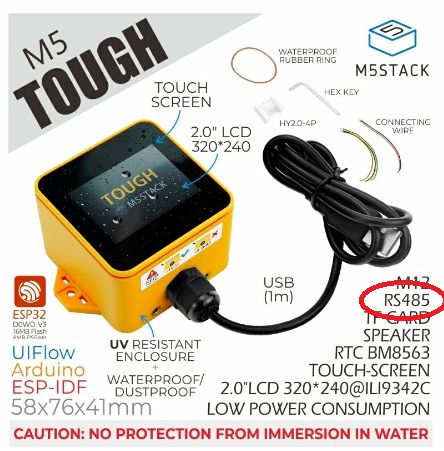
  • M5Tough - RS-485 in Uiflow2

    6
    3
    0 Votes
    6 Posts
    4k Views
    R
    @felmue Thank you for the prompt response, I will try it today
  • UIFlow2.0 could not burnned correctly into M5Stack basic(Core)

    6
    0 Votes
    6 Posts
    4k Views
    M
    I have the same problem with UIFlow2 and Core Basic.
  • My new CoreS3 is linked to another account. WTF??

    2
    0 Votes
    2 Posts
    768 Views
    ajb2k3A
    @sergvir looks like it’s a used and returned unit
  • UIFlow2 for Core Basic misses UnitCAM

    1
    0 Votes
    1 Posts
    728 Views
    No one has replied
  • M5 tough..getting started issue...

    8
    0 Votes
    8 Posts
    4k Views
    ajb2k3A
    You have missed a step there, you must Erase the existing firmware before burning new firmware.
  • How to make a menu like M5stackdinmeter

    1
    0 Votes
    1 Posts
    991 Views
    No one has replied
  • hat.DAC2.Hat missing on UiFlow for Stick2Plus

    6
    0 Votes
    6 Posts
    4k Views
    felmueF
    Hello @dlhawley are you positive you have burnt the latest UIFlow2 firmware (e.g. v2.0.5) onto your M5Stick Plus (not 2)? I see the following line for my M5Stick Plus (not 2): MicroPython v1.22.0-dirty on 2024-05-11; M5Stack StickC PLUS with ESP32 Thanks Felix
  • uiflow2 server responding with server status 500

    5
    2 Votes
    5 Posts
    2k Views
    bugtrapB
    I can't upload image file. According to the response message, "Failed to parse multipart servlet request; nested exception is java.io.IOException: org.apache.tomcat.util.http.fileupload.impl.IOFileUploadException: Processing of multipart/form-data request failed. No space left on device". Perhaps the server's temporary upload area has been exhausted? I think it is the same reason why the project cannot be saved.
  • BUG: in Power.timerSleep() UIFlow2.0 for Core-INK

    core-ink power
    10
    1
    0 Votes
    10 Posts
    7k Views
    C
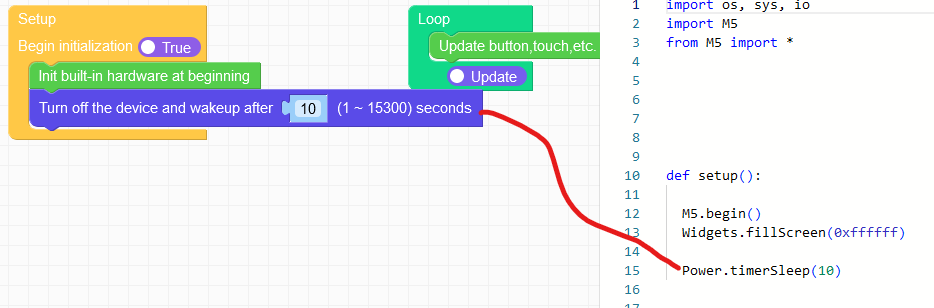
    Here is a workaround for UIFLow2.0: import M5 import hardware import time # UIFlow2.0 workaround for M5.Power.timerSleep() not working properly # on SOME CoreINK devices. On these decvices the board-power is not # proberly turned off. However, the M5.Power.powerOff() does work # for these devices, i.e. turning board-power properly off M5.begin() #init i2c bus with pins connected to the RTC i2c0 = hardware.I2C(0, scl=hardware.Pin(22), sda=hardware.Pin(21), freq=400000) ##### Put your code here. time.sleep(3) ##### code substitution the timerSleep() function # Set registers of the RTC. ref datasheet for BM8563 RTC for further info # reg 0x00 always 00h # reg 0x01 bit 2-7: always 0, bit 0: enable/disable timer int # 0x01 = timer enabled reg00_01 = bytearray([0x00, 0x01]) # reg 0x0D always 00h - clock out disabled # reg 0x0E bit 7: endable/disable timer, bit 0-1 timer resolution # 10=sec 11 = min # 0x82 = int enabled and seconds resolution # reg 0x0F timer value 0-255 # 0x14 = 20d = 20 sec. if reg 0x0E = 0x83 then 20 min reg0D_0F = bytearray([0x00, 0x82, 0x14]) # i2c device address of RTC is 0x51 # Write to register address 0x00-0x01 i2c0.writeto_mem(0x51,0x00, reg00_01) # Write to register adsress 0x0D-0x0F i2c0.writeto_mem(0x51,0x0D, reg0D_0F) M5.Power.powerOff() ##### end of code substitution the timerSleep() function

  • ImportError: no module named 'M5' burned UIFlow2.0 - 2.0.5 with Fire

    3
    1
    0 Votes
    3 Posts
    2k Views
    ajb2k3A
    Make sure you erase and burn the correct firmware for the controller, UIFlow and uiflow2 are not the same
  • Centering A Label in M5Stack Core S3

    2
    0 Votes
    2 Posts
    2k Views
    C
    Statically you can center a label in the UI-editor. Dynamically not so easy as far as I can see, because there is no way to get the width and height of a particular string. If your program is only outputting a known set of strings you could make a small table (dictionary or similar) with the "center coordinates" for each string....