🤖Have you ever tried Chat.M5Stack.com before asking??😎

Subcategories

  • Lessons and Guides for Uiflow

    125 Topics
    434 Posts
    A
    Hi, I'm a new user of M5stack products, having got an M5StickC Plus2 recently. It's a nice device, but the documentation isn't always accurate which makes learning how to use it a slow process. I tried to use the example for drawing a raw buffer to the screen here But it resulted in different garbled output each time and not a green rectangle. It seems that the len parameter is expecting 16-bit entries in the buffer so needs to be halved. Here's the code that works on my device (note the //2 for len parameter): width, height = 40, 30 green565 = 0x07E0 raw_buf = bytearray(width * height * 2) for i in range(width * height): raw_buf[2*i] = (green565 >> 8) & 0xFF raw_buf[2*i+1] = green565 & 0xFF Display.drawRawBuf(raw_buf, 100, 100, width, height, len(raw_buf)//2, swap=False) Hopefully this will help others and eventually get changed in the docs - assuming it's the same for all UIFlow2 supported devices? If anybody knows a fix to make it work properly for lower than 16bit depth screens so I can draw a raw buffer to a 1-bit canvas properly, please let me know!

  • 212 Topics
    790 Posts
    Y
    Hello I faced problem about digi-clock write charcter block. Problem is 3rd and 4th digit can not display with this block. I created below flow. Then Digi-Clock displays "0.1.:" for 1st and 2nd digit and colon. [image: 1778319992199-1aae8860-52c1-4c60-9097-5668ed98e2ee-image.jpeg] Howerver, index of write character block can be set only 0 to 4. Therefore it could not display 3rd and 4th digit. I think this index shoud be set 0 to 8. It doesn't work if index forced set to 5 to 8. (It was same behavior as 0 if index is set to 5.) I think the index for DigiClockUnit.set_char should be 0–8, not 0–4. https://uiflow-micropython.readthedocs.io/en/latest/unit/digi_clock.html Could you please kindly consider to fix this issue? (Or let me know please if any other solution available.) #Write raw data and write string blocks are works correctly. Using device -AtomS3 lite -Digi-clock UIFlow version:2.4.4 FW version:2.2.5 OS:Windows11 Thank you in advance Best Regards Yamada
  • 11 Topics
    33 Posts
    A
    @jeanfabre On web, just choice block type. [image: 1729260517944-86b7a25c93207d9a32e5b33471bb1f0.png] For code, add return description like this: def func(self) -> int: return 0
  • App to access EZData Topic

    3
    0 Votes
    3 Posts
    2k Views
    E
    Thank you!
  • Stamp Pico and connecting more than one unit

    3
    0 Votes
    3 Posts
    3k Views
    K
    @felmue said in Stamp Pico and connecting more than one unit: PIR unit only needs one input GPIO and the relay unit only needs one output GPIO. Thanks felmue I did get this working.
  • KeyCode does not work in UIFlow 2.0/Cardputer

    2
    0 Votes
    2 Posts
    2k Views
    felmueF
    Hello @mikeluyten Probably this bug. Thanks Felix
  • Trying to download to m5Dial

    2
    0 Votes
    2 Posts
    2k Views
    robskiR
    disconnect M5dial, press and hold Boot btn - at the back in the middle of the sticker - while holding it connect M5Dial to USB it will boot in diff mode, Boot Btn pressing is different to press of reset button, you won't hear click, its hard to even feel it is pressed too
  • UIFlow Timer locks code?

    2
    3
    0 Votes
    2 Posts
    3k Views
    Z
    I think I cracked it. I hope this will help some people with the same issue. [image: 1708581718541-uiflow_block_1708581446233-resized.png] @ajb2k3 , I was looking at some of the comments regarding m5.lightsleep() and m5.deepsleep(). how can you wake the device up without a timer, is there a button press option?
  • UIFlow 1 cannot download code a second time

    3
    0 Votes
    3 Posts
    3k Views
    robskiR
    you download firmware with wifi details in it so it connects to uiflow cloud, then you download your blockly project over cloud connection which overwrites what was in it from burner but possibly no wifi config in it, if...if you add wifi config in your blockly project then your unit should be still available via uiflow cloud and be online... use RUN for testing projects
  • Triangle Waveform causes Core to reset in UIFLow

    1
    1
    0 Votes
    1 Posts
    2k Views
    No one has replied
  • M5Piano and Byte arrays.

    2
    0 Votes
    2 Posts
    2k Views
    ajb2k3A
    Never mind, I found the missing int from bytes blocks and it works. [image: 1707557010053-screenshot-2024-02-10-at-09.22.46-resized.png]
  • Atom Matrix with FW 1.13.1 not connecting to AWS

    13
    1
    1 Votes
    13 Posts
    9k Views
    ajb2k3A
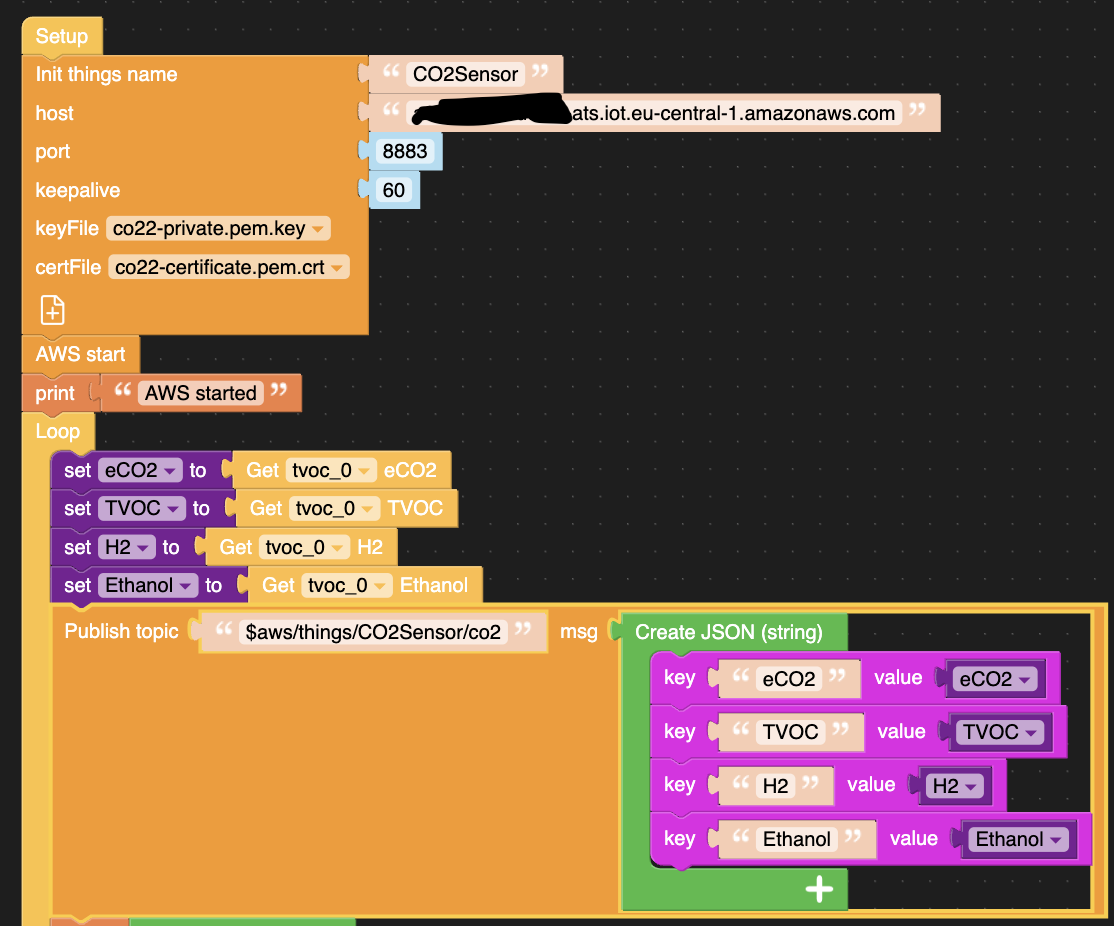
    @chr1g1 said in Atom Matrix with FW 1.13.1 not connecting to AWS: added it as directed above. Still weird behaviour of the Atom Matrix on FW 1.13.2. Here is the log: I print out "submitted to aws" after the publish block in the loop. APIKEY: xxx submitted to aws [17797] MQTTException -> 128 reconnect start ... reconnect finish ... submitted to aws submitted to aws submitted to aws submitted to aws submitted to aws Well there is an improvement as you are no longer getting the [24577] MQTTException -> [Errno 9] EBADF Which means the Atom is now working Error 128 means that it tried to subscribe to the AWS topic before the connection was made. If you make a subscribe and a call, according to your log it should be present. add a 5 second delay after the AWS start.
  • UIFlow HID BLE Keyboard

    2
    0 Votes
    2 Posts
    3k Views
    X
    Maybe that will help. It works with T-vK/ESP32-BLE-Keyboard. You can also include your own code blocks in UIFlow blocky/python. https://shuzo-kino.hateblo.jp/entry/2022/04/06/235900
  • Pair Core S3 and Servo 2 module in UIflow

    3
    0 Votes
    3 Posts
    3k Views
    T
    @ajb2k3 I tried some more test sketches with other Core units but the module doesn't seem to be available for any on UIflow. For reference this is the module I'm talking about. https://docs.m5stack.com/en/module/servo2
  • Issues with program "run" in UIflow 2.0

    4
    0 Votes
    4 Posts
    4k Views
    T
    @thefearface Lol. So it turns out changing which usb connection the cable was placed in fixed the issue. Everything works now with Uiflow. Weird. Thanks for the replies!
  • 0 Votes
    6 Posts
    4k Views
    felmueF
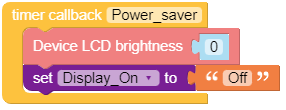
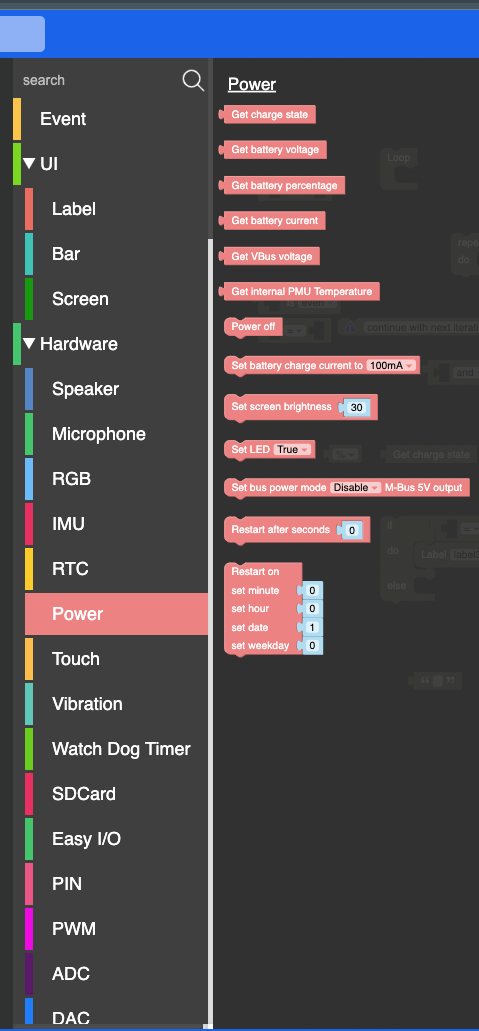
    Hello @dFAD3R have you tried the available power blocks? What is it you hope to achieve? Thanks Felix
  • ImagePlus datasource

    2
    0 Votes
    2 Posts
    2k Views
    ajb2k3A
    Not for image plus, you need to use image
  • Can't login to UI Flow 2

    4
    2 Votes
    4 Posts
    4k Views
    ajb2k3A
    For future reference it means it can not access the main server. considering how many users are now trying to access the server and the servers location, its not surprising that its sometimes inaccessible.
  • Advanced section in UIFlow missing

    2
    0 Votes
    2 Posts
    2k Views
    ajb2k3A
    @chuckgiddens Try zooming out using the " - " button
  • Newbie Question Re downloading

    3
    0 Votes
    3 Posts
    2k Views
    ajb2k3A
    When you download a program to run of a device the device runs the program not UIFlow connect. To reconnect to UIFlow you need to reset the boot option using the device configure in M5Burner
  • Correct Modbus slave response

    7
    0 Votes
    7 Posts
    7k Views
    P
    Hi @dennis78ac Happy new year and thanks for your suggestion, we will check and test and after add your code to uiflow
  • M5Dial RFID w/UIFLOW2

    2
    0 Votes
    2 Posts
    3k Views
    robskiR
    uiflow2 alpha 29 has rfid in it now
  • Get properties of M5TextBox

    1
    0 Votes
    1 Posts
    2k Views
    No one has replied