šŸ¤–Have you ever tried Chat.M5Stack.com before asking??šŸ˜Ž

Subcategories

  • Lessons and Guides for Uiflow

    125 Topics
    434 Posts
    A
    Hi, I'm a new user of M5stack products, having got an M5StickC Plus2 recently. It's a nice device, but the documentation isn't always accurate which makes learning how to use it a slow process. I tried to use the example for drawing a raw buffer to the screen here But it resulted in different garbled output each time and not a green rectangle. It seems that the len parameter is expecting 16-bit entries in the buffer so needs to be halved. Here's the code that works on my device (note the //2 for len parameter): width, height = 40, 30 green565 = 0x07E0 raw_buf = bytearray(width * height * 2) for i in range(width * height): raw_buf[2*i] = (green565 >> 8) & 0xFF raw_buf[2*i+1] = green565 & 0xFF Display.drawRawBuf(raw_buf, 100, 100, width, height, len(raw_buf)//2, swap=False) Hopefully this will help others and eventually get changed in the docs - assuming it's the same for all UIFlow2 supported devices? If anybody knows a fix to make it work properly for lower than 16bit depth screens so I can draw a raw buffer to a 1-bit canvas properly, please let me know!

  • 212 Topics
    790 Posts
    Y
    Hello I faced problem about digi-clock write charcter block. Problem is 3rd and 4th digit can not display with this block. I created below flow. Then Digi-Clock displays "0.1.:" for 1st and 2nd digit and colon. [image: 1778319992199-1aae8860-52c1-4c60-9097-5668ed98e2ee-image.jpeg] Howerver, index of write character block can be set only 0 to 4. Therefore it could not display 3rd and 4th digit. I think this index shoud be set 0 to 8. It doesn't work if index forced set to 5 to 8. (It was same behavior as 0 if index is set to 5.) I think the index for DigiClockUnit.set_char should be 0–8, not 0–4. https://uiflow-micropython.readthedocs.io/en/latest/unit/digi_clock.html Could you please kindly consider to fix this issue? (Or let me know please if any other solution available.) #Write raw data and write string blocks are works correctly. Using device -AtomS3 lite -Digi-clock UIFlow version:2.4.4 FW version:2.2.5 OS:Windows11 Thank you in advance Best Regards Yamada
  • 11 Topics
    33 Posts
    A
    @jeanfabre On web, just choice block type. [image: 1729260517944-86b7a25c93207d9a32e5b33471bb1f0.png] For code, add return description like this: def func(self) -> int: return 0
  • Hola buenas tengo problemas para conectar mi M5 stick plus2 al wifi.

    1
    0 Votes
    1 Posts
    1k Views
    No one has replied
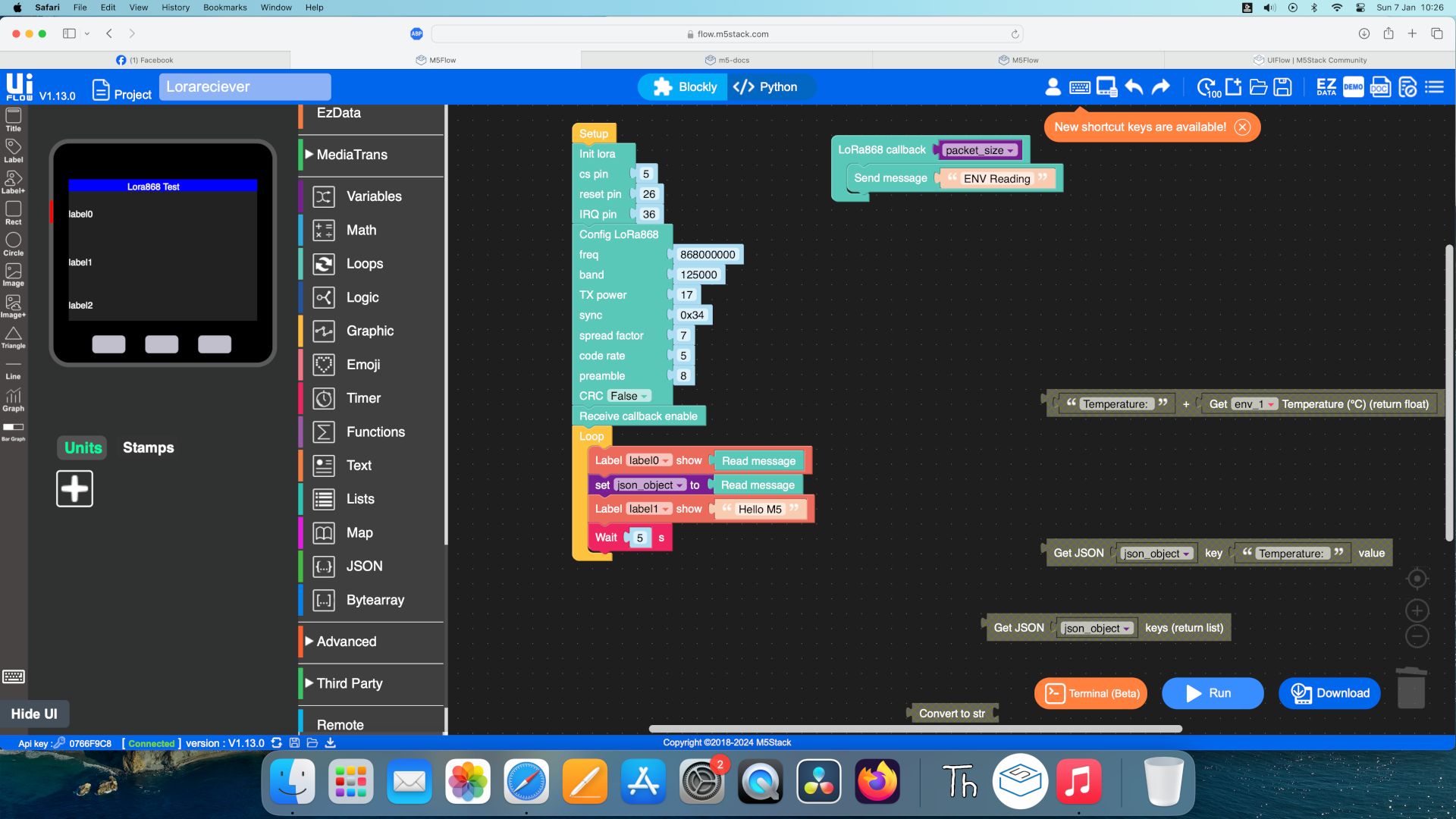
  • JSON decrypt of LORA868 in UIFLOW

    1
    1
    0 Votes
    1 Posts
    2k Views
    No one has replied
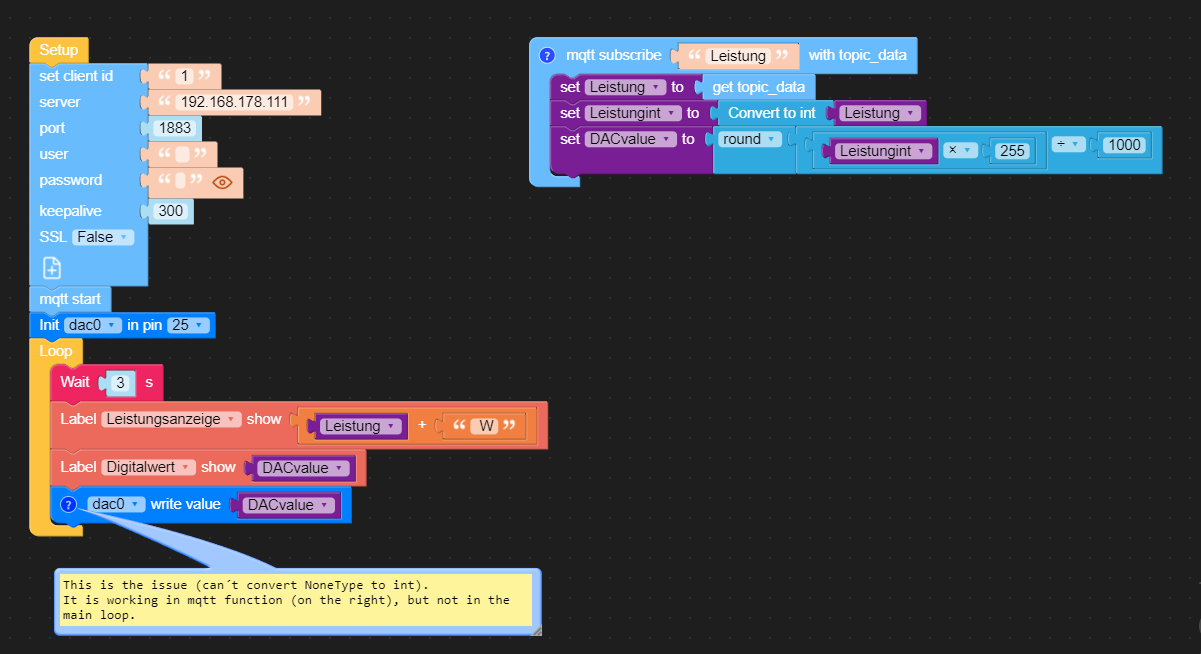
  • "CanĀ“t convert NoneType to int" issue

    3
    2
    0 Votes
    3 Posts
    3k Views
    ajb2k3A
    Are you using a ā€œconvert to intā€ block to convert the value being sent to the dac?
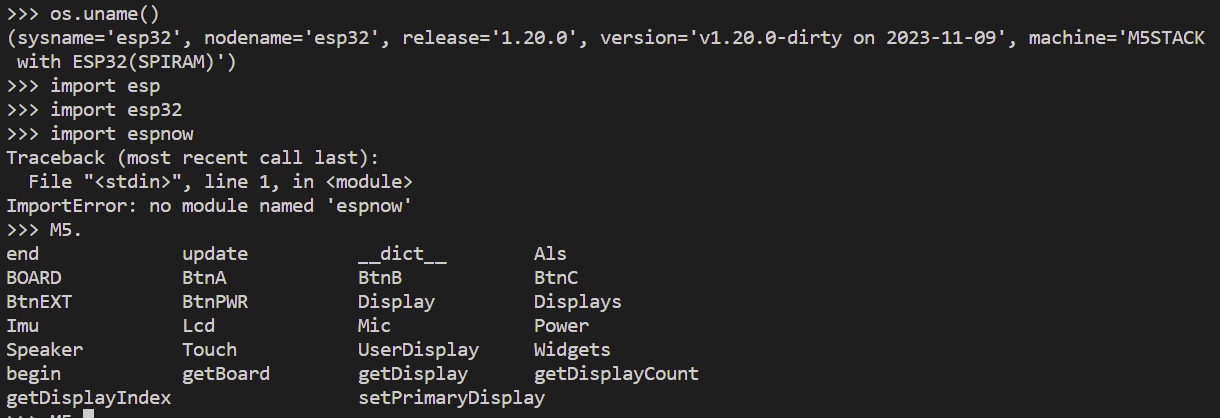
  • ESPNow in UIFlow/MicroPython on M5StickC Plus2?

    3
    1
    0 Votes
    3 Posts
    3k Views
    S
    I too am extremely interested in this. I've been trying to program some wireless stuff on a couple of M5StickC Plus2s using UIFlow and ESP-Now... The only thing is I'm not seeing any ESP-Now options in the new UIFlow 2.0. There are block options in v 1.0 but when I use those I've been running into errors.
  • UART Equal function always returns false

    3
    0 Votes
    3 Posts
    3k Views
    H
    Thank you for the reply, but I have already thought of that. the "decode" block removes everything other than the message (b'M105'\n -> M105)
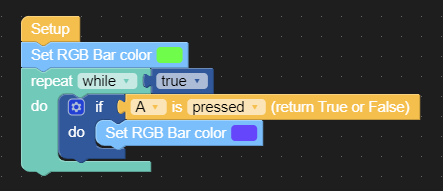
  • UIFlow infinite loop and code reload

    3
    1
    0 Votes
    3 Posts
    3k Views
    P
    Hi @b0rscht , You should add this loop (yellow color) because it has included a 2ms delay or you use to while loop inside add the 2ms delay [image: 1702517364506-513b239c-addb-4a09-b0ae-ec00dce2a2bc-image.png] [image: 1702517691177-ba574b3e-88f1-4a38-9f15-096c2383c338-image.png] (OR) [image: 1702517302469-ac6155b5-dd37-48b7-93fe-99815c7185c3-image.png]
  • Help with ESP-Now and UiFlow on M5Stick C?

    3
    0 Votes
    3 Posts
    3k Views
    S
    Hi @pandian-nano, Thanks! That was super helpful! That took care of the problem but now I'm getting the following error: "name 'now' isn't defined' Trying to figure out what's going on... it would be so fun to use ESP-Now on this thing :] I know I could probably use the arduino ide to do this, but I was just starting to get excited about UIFlow, it's pretty neat!
  • Blockey[CatM+GNSS Unit] , HTTP request

    3
    0 Votes
    3 Posts
    3k Views
    C
    Sorry for my very late reply and Thank you a Screen shot. Kind people like you and UIFLOW updates solved my problem.
  • WiFi AP Connectivity UIFlow V2.0.0

    4
    0 Votes
    4 Posts
    5k Views
    G
    @bergkatse I managed to resolve some of the issues that I was having and, implemented MQTT into my Core 2 monitoring. I stuck with UIFlow for this initial application to see how capable it was. It's not too bad however, I believe I will move to the Arduino IDE for more control. Here is the M5Stack Core 2 app that I created for your reference: [image: 1701112443929-cb317c54-58c7-404a-ae59-e84bf132f4c9-image-resized.png] I'm note sure if I implemented the WLAN functionality properly however, it works under all conditions. For example, if I exit the area of WiFi coverage, the connection resumes when I get back into range. Thank you
  • This topic is deleted!

    1
    0 Votes
    1 Posts
    4 Views
    No one has replied
  • Random Integer Problem

    2
    1
    0 Votes
    2 Posts
    2k Views
    H
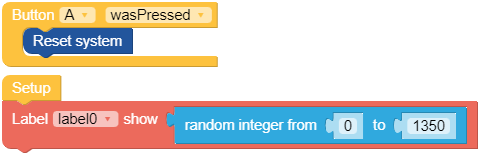
    According to https://xkcd.com/221/ the random number should be 4 :-) In reality a randomizer will just be an algorithm to create numbers and often they get initialized by a timer. So if you always start the same code after reset and read the number it seems to met always the same initialisation. I miss a function to "randomize" the initialisation. Try to do it by any loop/function before that delays in a random way e.g. connection to wifi or read from a noisy AD channel until a specific value is read.
  • Transferring files from SD card in UIflow or...

    2
    0 Votes
    2 Posts
    2k Views
    ajb2k3A
    @bergkatse unfortunately no as the limit is actually hardware. The S3 versions may be able to but not the older ones as they don’t have the USB mode architecture
  • M5StickC Plus EEPROM Issue UIFLOW

    2
    1
    0 Votes
    2 Posts
    2k Views
    P
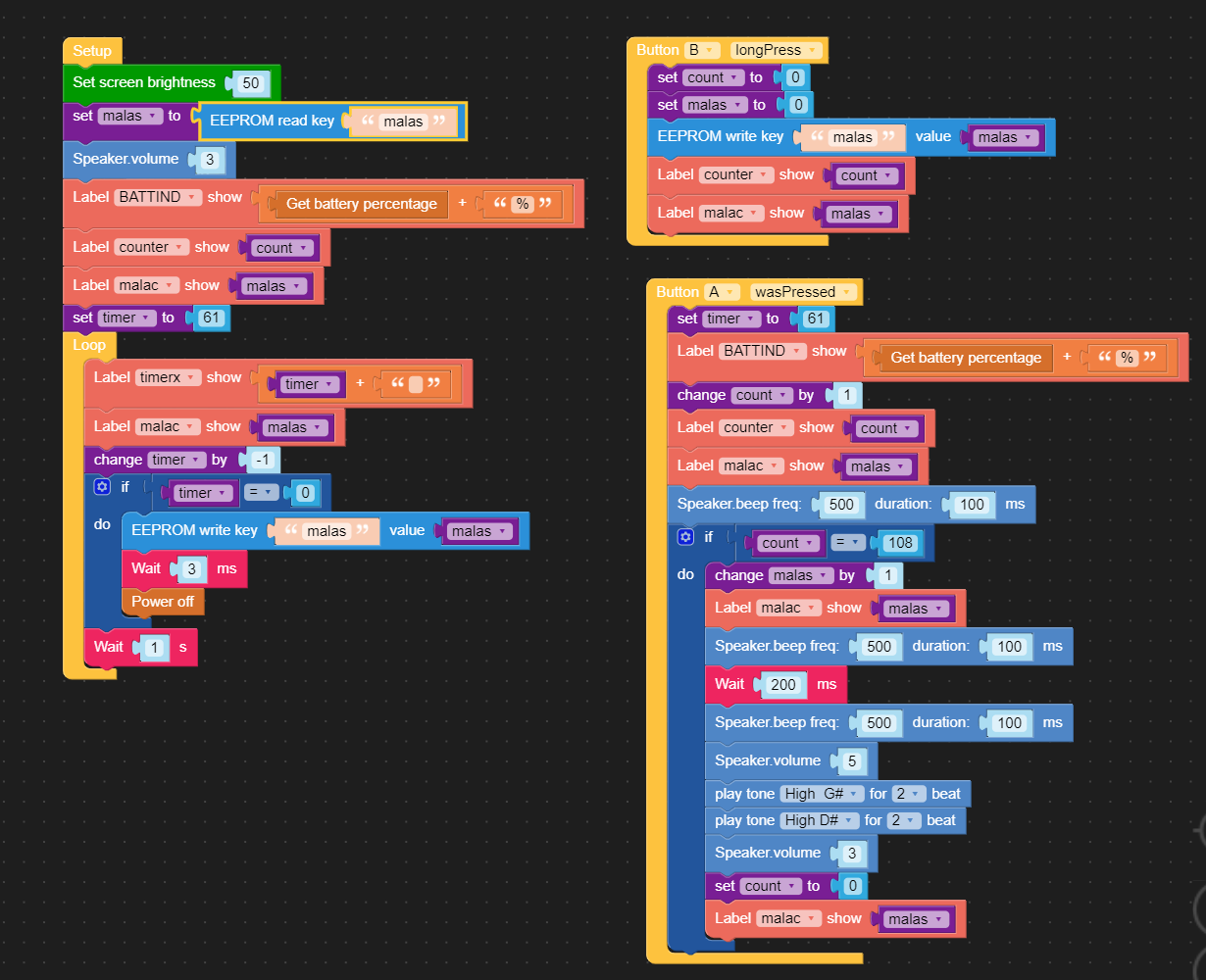
    @kunal What is the real problem? Please explain in detail, we have tested it and it works on my side
  • Deploying UI Flow code to multiple devices - best practices/solutions??

    1
    0 Votes
    1 Posts
    2k Views
    No one has replied
  • RTC Error 19 help

    3
    0 Votes
    3 Posts
    3k Views
    S
    Hi @pandian-nano Since I have written, it works fine… 🄸
  • Restart After Seconds...

    5
    0 Votes
    5 Posts
    4k Views
    P
    Hi @cwdallas, We will update the new uiflow firmware version next week (Thursday) and every two weeks once
  • MQTT Issues

    5
    1
    0 Votes
    5 Posts
    5k Views
    C
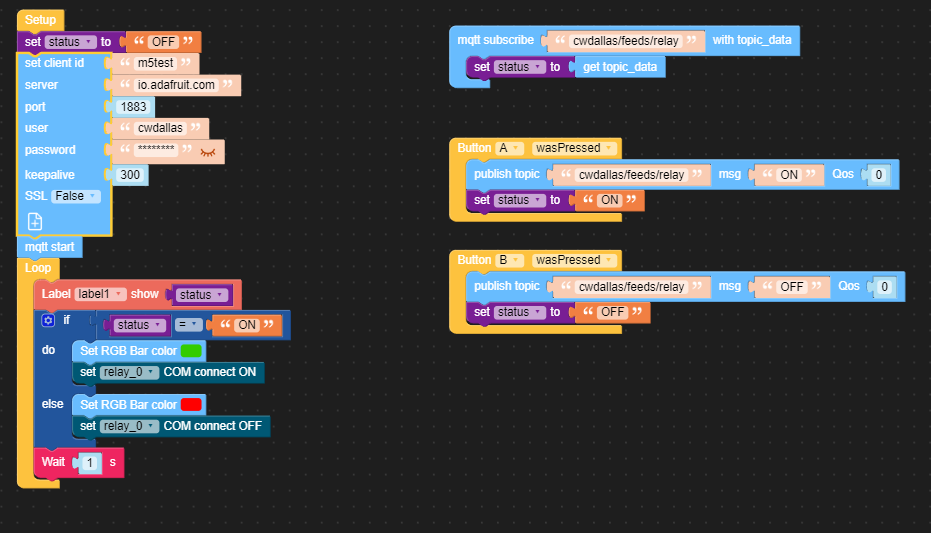
    @pandian-nano Yes! thank you so much
  • json library error in uiflow

    7
    0 Votes
    7 Posts
    7k Views
    K
    @pandian-nano AHHH! Just figured it out. I had an old version of the burner program. I think I've got it now. Thank you!
  • 0 Votes
    4 Posts
    4k Views
    P
    Hi, @natgus @Brentbraunmagic Check if this wifi and server are connected or not, if wifi is connected screen will be shown orange color and if the server is connected screen will be shown sky blue color. [image: 1698975776795-5331424c-1d6b-486f-a530-d292952afd52-01e37af037ac229ec2a562cecc11fa4-resized.jpg] [image: 1698975791974-4dec59b1-e6f9-47bb-9759-cc92cd2414f5-95accc055677a0ea967a9e9e0002916-resized.jpg] Please refer to this link: https://docs.m5stack.com/en/quick_start/m5stickc_plus/uiflow Update to the latest firmware version
  • From SD-Card in Core2 to NAS

    2
    0 Votes
    2 Posts
    2k Views
    S
    Just which kind of protokoll. FTP, HTTP....