🤖Have you ever tried Chat.M5Stack.com before asking??😎

Subcategories

  • Lessons and Guides for Uiflow

    125 Topics
    434 Posts
    A
    Hi, I'm a new user of M5stack products, having got an M5StickC Plus2 recently. It's a nice device, but the documentation isn't always accurate which makes learning how to use it a slow process. I tried to use the example for drawing a raw buffer to the screen here But it resulted in different garbled output each time and not a green rectangle. It seems that the len parameter is expecting 16-bit entries in the buffer so needs to be halved. Here's the code that works on my device (note the //2 for len parameter): width, height = 40, 30 green565 = 0x07E0 raw_buf = bytearray(width * height * 2) for i in range(width * height): raw_buf[2*i] = (green565 >> 8) & 0xFF raw_buf[2*i+1] = green565 & 0xFF Display.drawRawBuf(raw_buf, 100, 100, width, height, len(raw_buf)//2, swap=False) Hopefully this will help others and eventually get changed in the docs - assuming it's the same for all UIFlow2 supported devices? If anybody knows a fix to make it work properly for lower than 16bit depth screens so I can draw a raw buffer to a 1-bit canvas properly, please let me know!

  • 212 Topics
    790 Posts
    Y
    Hello I faced problem about digi-clock write charcter block. Problem is 3rd and 4th digit can not display with this block. I created below flow. Then Digi-Clock displays "0.1.:" for 1st and 2nd digit and colon. [image: 1778319992199-1aae8860-52c1-4c60-9097-5668ed98e2ee-image.jpeg] Howerver, index of write character block can be set only 0 to 4. Therefore it could not display 3rd and 4th digit. I think this index shoud be set 0 to 8. It doesn't work if index forced set to 5 to 8. (It was same behavior as 0 if index is set to 5.) I think the index for DigiClockUnit.set_char should be 0–8, not 0–4. https://uiflow-micropython.readthedocs.io/en/latest/unit/digi_clock.html Could you please kindly consider to fix this issue? (Or let me know please if any other solution available.) #Write raw data and write string blocks are works correctly. Using device -AtomS3 lite -Digi-clock UIFlow version:2.4.4 FW version:2.2.5 OS:Windows11 Thank you in advance Best Regards Yamada
  • 11 Topics
    33 Posts
    A
    @jeanfabre On web, just choice block type. [image: 1729260517944-86b7a25c93207d9a32e5b33471bb1f0.png] For code, add return description like this: def func(self) -> int: return 0
  • UIFlow 2.0 Suggestion

    1
    4 Votes
    1 Posts
    3k Views
    No one has replied
  • UIFlow Desktop 1.0.17, Custom Block Problem?

    4
    0 Votes
    4 Posts
    6k Views
    stanelyS
    @ajb2k3 :( hope 2.0 is comes out soon.
  • M5Paper / Touch only working on USB power

    14
    1
    0 Votes
    14 Posts
    21k Views
    B
    Hello, i can confirm that touch is now working with firmware 1.9.2 in battery mode. Thanks @all for the help.
  • Frequency measurement with hardware interrupt handler

    8
    1
    0 Votes
    8 Posts
    14k Views
    stanelyS
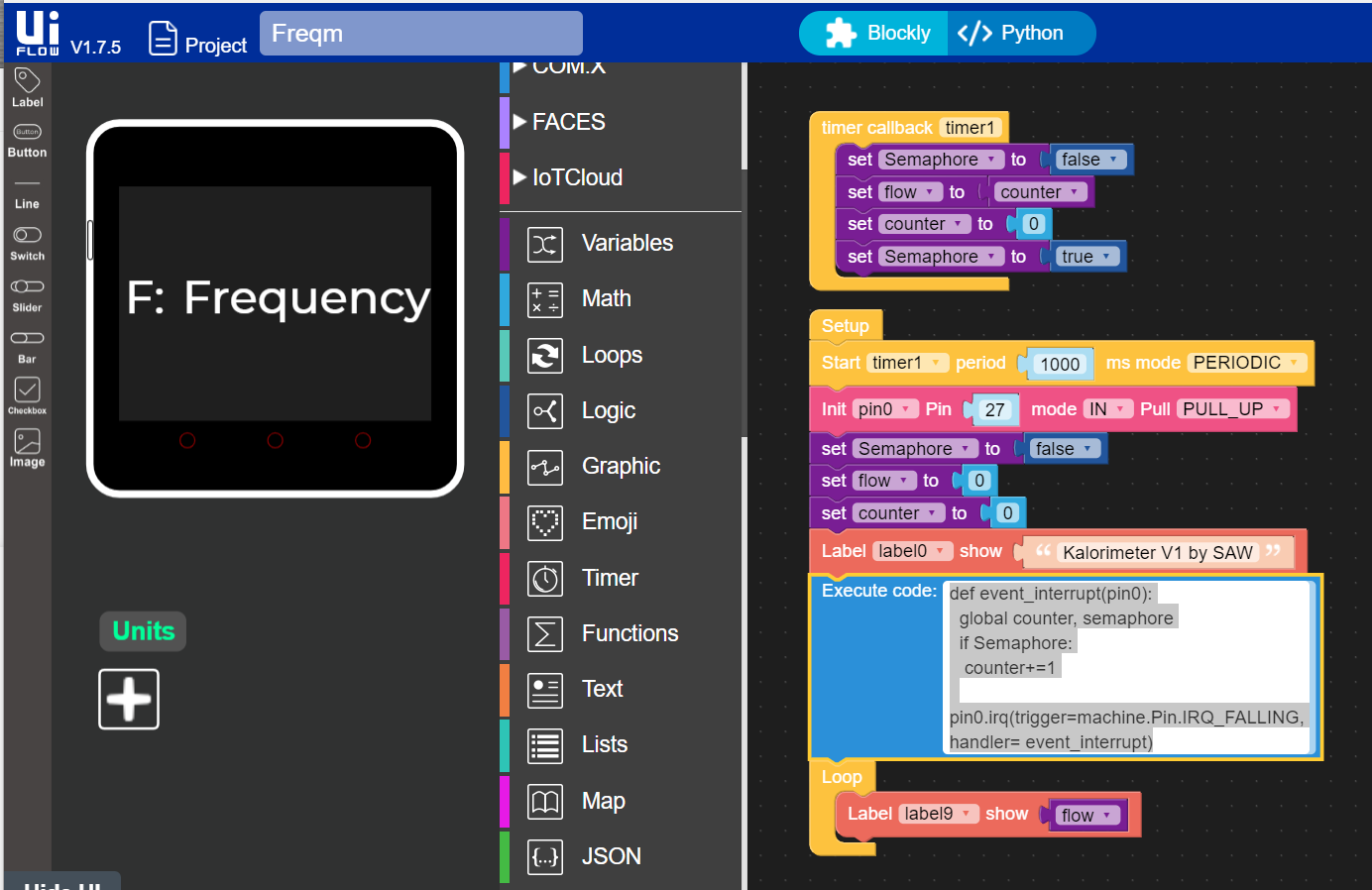
    @Amani , I also need to measure frequency using an M5 Stack Core 2. I was looking at your code and wondering if you ever solved this problem? I see that you're using a counter that's incremented in an interrupt handler. How do you get the frequency from that? The way I understand Micro Python interrupts is that they're soft and give you jitter of some milliseconds, like over 2. Because the M5 Stack UIFlow runs on top of Micro Python, it does not seem likely that interrupts with adequate resolution are possible. You'll be lucky to measure a 500Hz signal. But I'm very interested to hear if you came up with a solution. I'm planning to solve this problem with a frequency to voltage converter. TI makes a low voltage part, LM331. The output is a voltage proportional to frequency that can be input to an ADC pin. Here's a link to the datasheet, https://www.ti.com/lit/ds/symlink/lm331.pdf I don't see another way to solve this problem using an M5 Stack. I'm hoping you found one that you can tell me about. Thanks
  • SDCard does not work on M5Stack FIRE.

    14
    0 Votes
    14 Posts
    26k Views
    felmueF
    Hello @romor001 I've just retested it on my M5Stack Fire running UiFlow v1.9.1-fire firmware and I can list the content of the SD card just fine. Blockly code: [image: 1644921581552-uiflowm5firesdcard220415.png] Micropython code: from m5stack import * from m5ui import * from uiflow import * import os setScreenColor(0x222222) print(os.listdir('/sd/')) Make sure the SD card is inserted before you power the M5Stack Fire as it is mounted while booting up (mounting code is in boot.py). In the log you'll see this: SD card mounted at "/sd" Thanks Felix
  • Pahub not recognized on port SDA21/SCL22 (uiflow 1.9.1) - help needed

    4
    0 Votes
    4 Posts
    7k Views
    felmueF
    Hello @Arno I am sorry, I cannot help you on this one - I don't have the EXTEND I/O unit to test. That said, you might get some idea how to talk to it through I2C by looking at the Arduino example? Thanks Felix
  • UIFLOW blocky missing IMU's "get Z" block

    1
    0 Votes
    1 Posts
    2k Views
    No one has replied
  • UIFlow Custom Block Maker Missing Components

    4
    0 Votes
    4 Posts
    6k Views
    ajb2k3A
    The expect this is due to the api upgrade
  • ERR_INCOMPLETE_CHUNKED_ENCODING on flow.m5stack.com

    3
    0 Votes
    3 Posts
    4k Views
    T
    Looks like it is back up now
  • CardKB ESC from CORE2

    1
    0 Votes
    1 Posts
    3k Views
    No one has replied
  • ADS1100 Hat with Core2

    2
    1
    0 Votes
    2 Posts
    3k Views
    felmueF
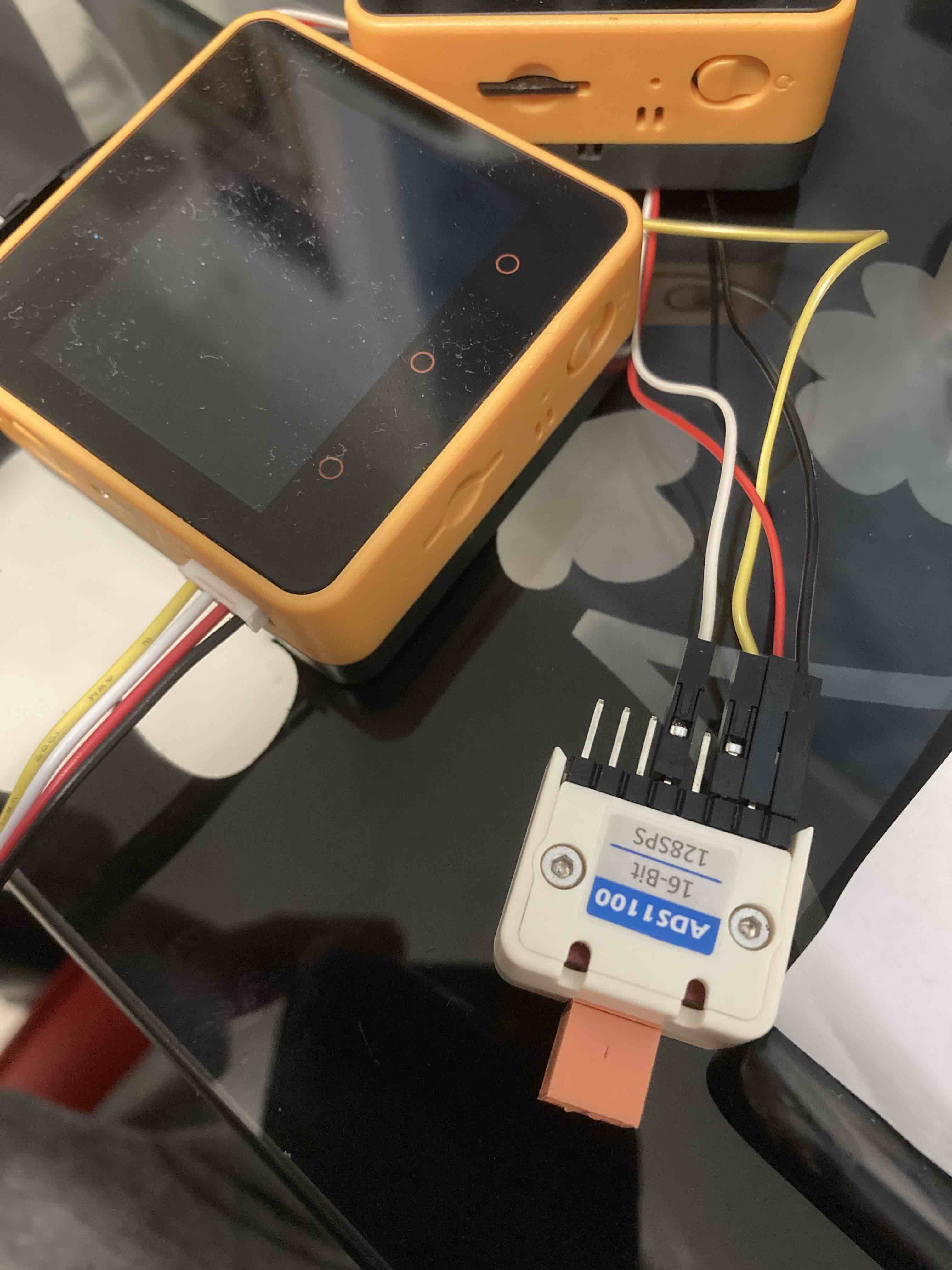
    Hello @brvus76 according to the schematic the hat needs 3.3 V. Thanks Felix
  • Where did rectangle go? Core to Tough

    3
    1 Votes
    3 Posts
    5k Views
    M
    Hello @tgeddings I don't know UIFlow, but there are bar graphs in the Arduino IDE. The LCD has a progressBar command. https://github.com/m5stack/m5-docs/blob/master/docs/en/api/lcd.md progressBar(int x, int y, int w, int h, uint8_t val); [image: 1643144585697-m5_vs1053s.png] LVGL has many display functions as well as bar graphs. Light and Versatile Graphics Library:https://lvgl.io/ UIFlow is a port of LVGL, and the addition of functions is always delayed.
  • Guidance on running multiple programs

    5
    0 Votes
    5 Posts
    9k Views
    J
    @robalstona thank you for the guidance as it saves me a lot of trial and error. Appreciate it.
  • UiFLOW. I2C Programing

    8
    1 Votes
    8 Posts
    12k Views
    bschwahnB
    @arno Thanks Arno for the push in the right direction. I was able to get this to work on my Core 2 EXCEPT using G21 or G22. I will write up a tutorial on try to find a way to post/share. Thanks again Arno!
  • UIFlow : how to select multiple blocks ?

    2
    0 Votes
    2 Posts
    4k Views
    m5stackM
    unless the block is stacked together. else you can't remove or select them at the same time.
  • 0 Votes
    1 Posts
    4k Views
    No one has replied
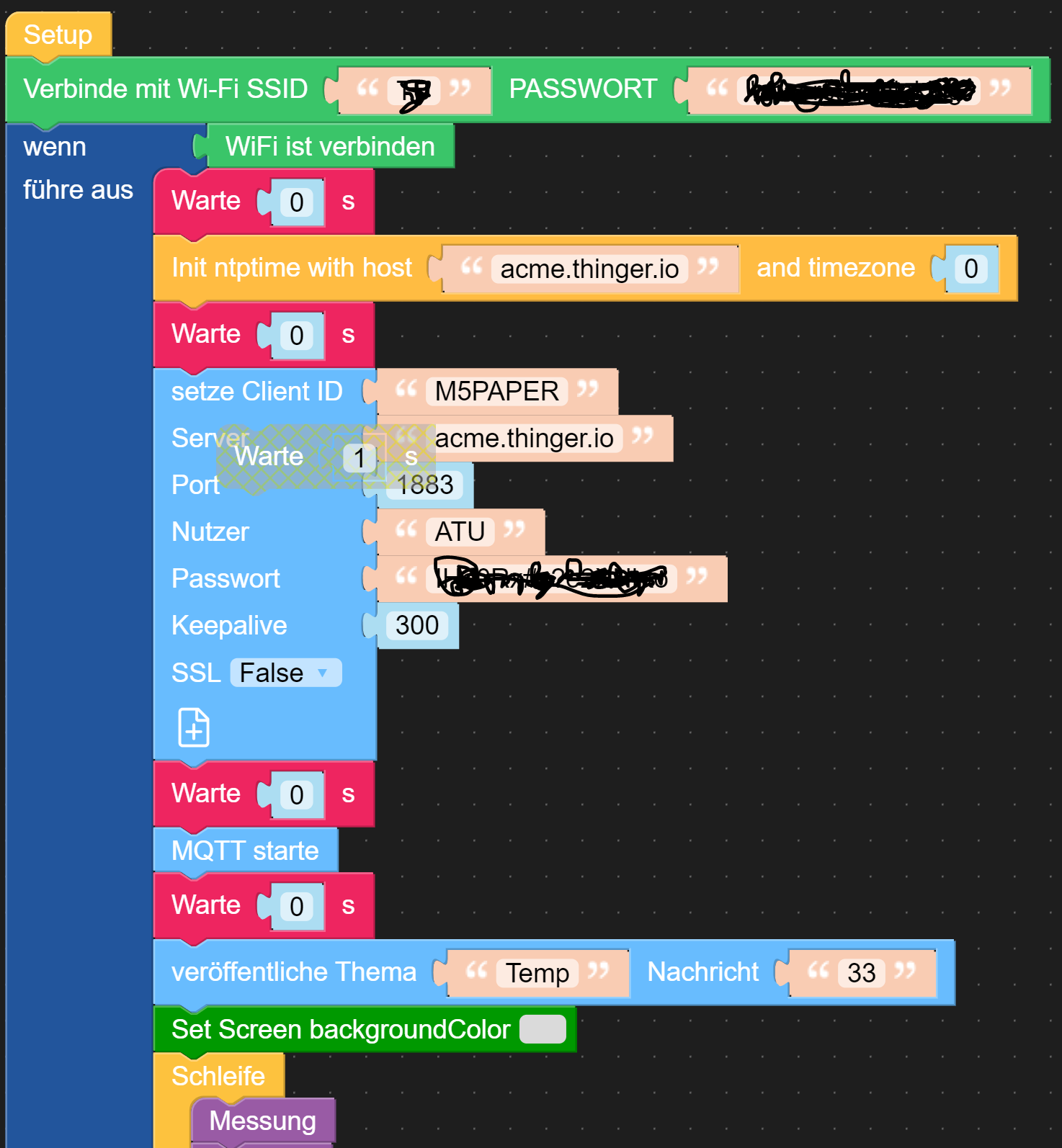
  • UIFLOW MQTT with thinger.io

    5
    1
    0 Votes
    5 Posts
    7k Views
    A
    @arno Does anyone know a free provider for MQTT with good representations of measured values?
  • How do I upload python code for Fire v1.9.0?

    2
    0 Votes
    2 Posts
    3k Views
    W
    Thonny and Micropython run great together. Here is a link where you can download different firmware. You should also flash the firmware via Thonny. It is very simple. https://github.com/russhughes/ili9342c_mpy
  • Missing "import module" definition at UIFlow 1.9.0 at new Project

    3
    0 Votes
    3 Posts
    4k Views
    F
    @felmue Thanks for support, problem solved.
  • M5Paper - Uploaded via Flow but nothing showed on the screen.

    3
    1
    0 Votes
    3 Posts
    3k Views
    J
    Thanks, i also realized that i have uploaded wrong Core firmware, but both was needed to make solve my issue.