🤖Have you ever tried Chat.M5Stack.com before asking??😎

Subcategories

  • Lessons and Guides for Uiflow

    125 Topics
    434 Posts
    A
    Hi, I'm a new user of M5stack products, having got an M5StickC Plus2 recently. It's a nice device, but the documentation isn't always accurate which makes learning how to use it a slow process. I tried to use the example for drawing a raw buffer to the screen here But it resulted in different garbled output each time and not a green rectangle. It seems that the len parameter is expecting 16-bit entries in the buffer so needs to be halved. Here's the code that works on my device (note the //2 for len parameter): width, height = 40, 30 green565 = 0x07E0 raw_buf = bytearray(width * height * 2) for i in range(width * height): raw_buf[2*i] = (green565 >> 8) & 0xFF raw_buf[2*i+1] = green565 & 0xFF Display.drawRawBuf(raw_buf, 100, 100, width, height, len(raw_buf)//2, swap=False) Hopefully this will help others and eventually get changed in the docs - assuming it's the same for all UIFlow2 supported devices? If anybody knows a fix to make it work properly for lower than 16bit depth screens so I can draw a raw buffer to a 1-bit canvas properly, please let me know!
  • 212 Topics
    790 Posts
    Y
    Hello I faced problem about digi-clock write charcter block. Problem is 3rd and 4th digit can not display with this block. I created below flow. Then Digi-Clock displays "0.1.:" for 1st and 2nd digit and colon. [image: 1778319992199-1aae8860-52c1-4c60-9097-5668ed98e2ee-image.jpeg] Howerver, index of write character block can be set only 0 to 4. Therefore it could not display 3rd and 4th digit. I think this index shoud be set 0 to 8. It doesn't work if index forced set to 5 to 8. (It was same behavior as 0 if index is set to 5.) I think the index for DigiClockUnit.set_char should be 0–8, not 0–4. https://uiflow-micropython.readthedocs.io/en/latest/unit/digi_clock.html Could you please kindly consider to fix this issue? (Or let me know please if any other solution available.) #Write raw data and write string blocks are works correctly. Using device -AtomS3 lite -Digi-clock UIFlow version:2.4.4 FW version:2.2.5 OS:Windows11 Thank you in advance Best Regards Yamada
  • 11 Topics
    33 Posts
    A
    @jeanfabre On web, just choice block type. [image: 1729260517944-86b7a25c93207d9a32e5b33471bb1f0.png] For code, add return description like this: def func(self) -> int: return 0
  • This topic is deleted!

    1
    0 Votes
    1 Posts
    86 Views
    No one has replied
  • UIFlox desktop on windows 7

    5
    0 Votes
    5 Posts
    8k Views
    GulliverosG
    Hey there! I'm glad you're interested in using M5Fire and UIFlow in your workshop. It's always best to be prepared for any situation, and having a backup plan in case of no internet connection is smart. I'm sorry to hear that the UIFlow desktop download is only for Windows 10, but I might have a solution for you. Have you tried checking out websites that offer Windows 7 product key options for older computers? I found one website that has a variety of Windows 10 product key options for different devices, and it worked great for me when I upgraded my own computer.
  • UIflow and work with XML responses

    1
    0 Votes
    1 Posts
    2k Views
    No one has replied
  • Possible Problems with MQTT?

    6
    2
    0 Votes
    6 Posts
    8k Views
    ajb2k3A
    If the Atom is not connected to the host computer as it is when testing, you will need to add the WIFI AP and Password blocks to the start of the program.
  • M5f files are "Not supported" on some devices.

    1
    0 Votes
    1 Posts
    2k Views
    No one has replied
  • Works with Chromebook?

    6
    0 Votes
    6 Posts
    11k Views
    C
    @m5stack Hey everyone! First post here. Is the full support problem regarding Chrome OS solved? I would like to know if I could flash a M5Stick CPlus on a Chromebook or not. As far as I've read, I can program one via browserbased UIFlow on Chromebooks only...
  • #!/bin/bash ./bin/uiflow-desktop-ide - MEANING PLEASE?!?!

    2
    0 Votes
    2 Posts
    2k Views
    ajb2k3A
    The desktop version is not supported at present and not due to be updated until after UIFlow V2 is out
  • M5Stamp Pico API key too short

    9
    1
    0 Votes
    9 Posts
    10k Views
    greenleafG
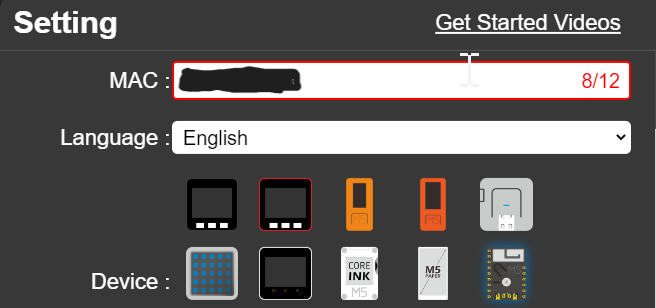
    For future viewers of this thread, the API key is the same as the MAC address. You can usually find this on your router config where it shows device info. The MAC is also shown in the serial output when you connect a burner device (or FTDI cable as mentioned above. My problem was the device was stuck and needed reflashing. Once I did that it worked perfectly using the 12-digit MAC as the API key. You may safely ignore the 8 digit "API Key" that is shown in M5burner or the command line, this was a red herring.
  • UIFlow .. multiple Weight Sensors with PaHUB?

    5
    0 Votes
    5 Posts
    6k Views
    C
    I don't think the PbHUB will work ... The PbHUB can only handle analog and digital signals (no clocks !). Reading values from the HX711 weight sensor needs a clock and a data line provided by the ESP32 GPIO Ports ... The UIFlow HX711 library only supports Port B. If you want to use several weight sensors on the M5Stack you will have to hook them up to different ports and do the programming either in Python or Arduino using the Expansion Port Module getting the additonal Ports C D and E. P.S: If you want to hook up multiple Weight Sensors to a M5Stack using port A you have to use HX711 devices which can be hooked up to the I2C bus. M5Stack has no such modules nor units, but you will find one made from DFRobot (https://wiki.dfrobot.com/HX711_Weight_Sensor_Kit_SKU_KIT0176). This sensor also has a grove I2C port and by modifying the I2C addresses you can hook up to 4 Weigh sensors to Port A. Using the PaHub I2C-extender you can even hook up 6 to 24 Weigh sensors ......
  • How to switch off Core+GoPlus2

    1
    0 Votes
    1 Posts
    2k Views
    No one has replied
  • 0 Votes
    3 Posts
    6k Views
    M
    @felmue this worked in my case .. longPress and wasReleased
  • Looking for kind souls to adopt this aged brain and eyes.

    14
    4
    0 Votes
    14 Posts
    15k Views
    ajb2k3A
    @dididada "...but these are not what I like to learn now. I like more basic stuff, like how to get the buzzer to play musical tune if it's possible..." Alas That I can't help you with as I'm tone deaf! Again, I will recommend you download my docs starting with the UIFlow Handbook and have a good read of them.
  • ESP-Now UIFlow to Arduino

    4
    0 Votes
    4 Posts
    10k Views
    F
    @xio1996 I was trying to do the same thing. I have some ESP01 relay controlers, which they work fine between them aand an ESP32 WROOM. I'm now trying to use a Core2 as a master, but I haven't been able to communicate with the ESP01. Do you have any example codes for Core5 in MicroPython? Thanks in advance FBP
  • Linux Uiflow keeps flipping the com port btwn tty04 and ttySB0

    12
    0 Votes
    12 Posts
    11k Views
    D
    Ok, I am following with my post regarding the connection. First, I'd like to thank user 'ajb2k3' for trying to help. This is mainly user error, I saw the 'CONNECTING TO M5' flashing and the message just disappear' assuming that all was well and jump in to the mess. I wonder, what will it cost the system to have the 'CONNECTING TO M5' just hang in the loop, or issue a new message informing the users that he/she has not made a successful connection. I attribute it mainly to my carelessness. ASS U ME , always hurts.
  • ENV3 unit maybe not connect.

    4
    1
    0 Votes
    4 Posts
    5k Views
    D
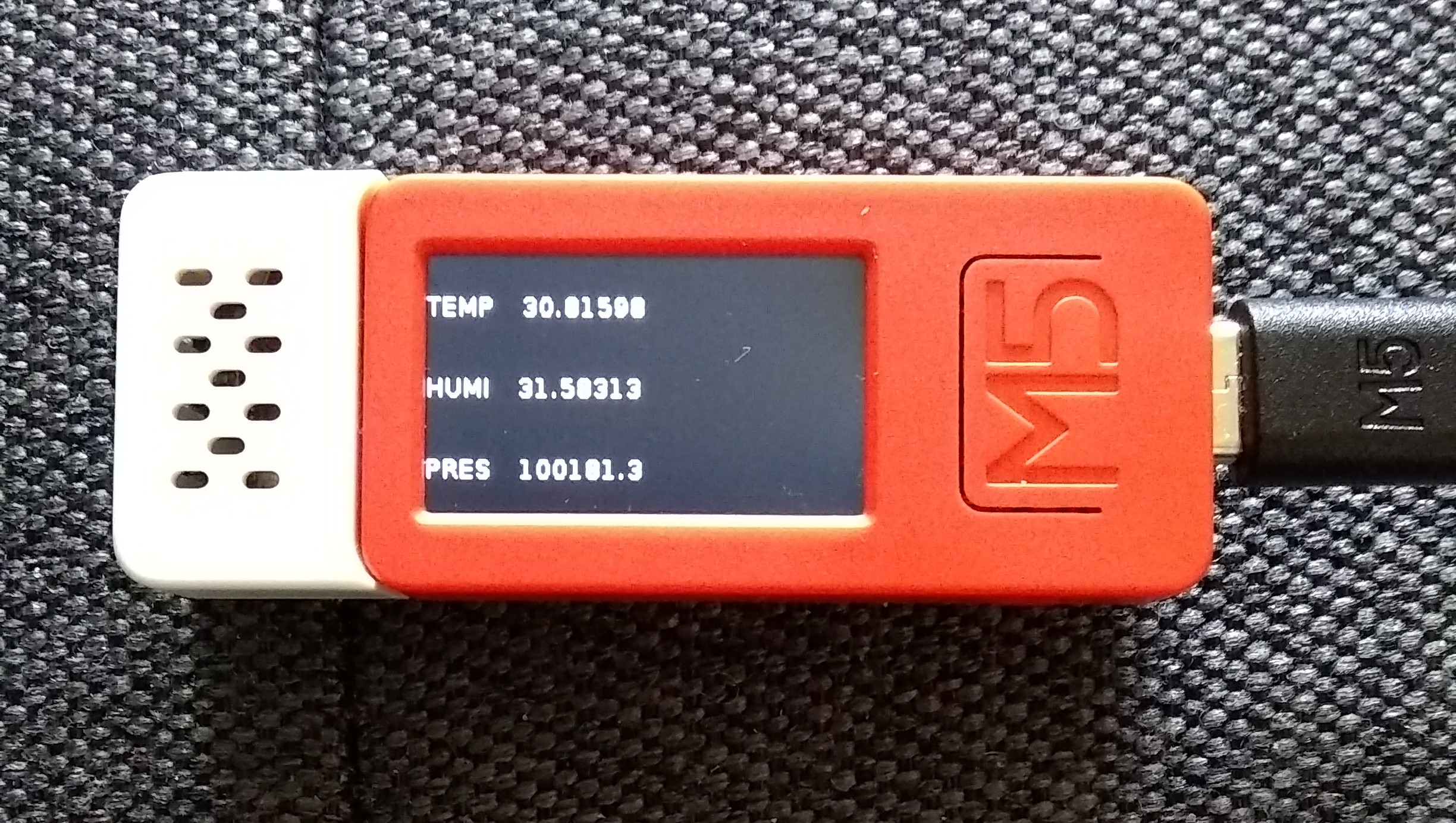
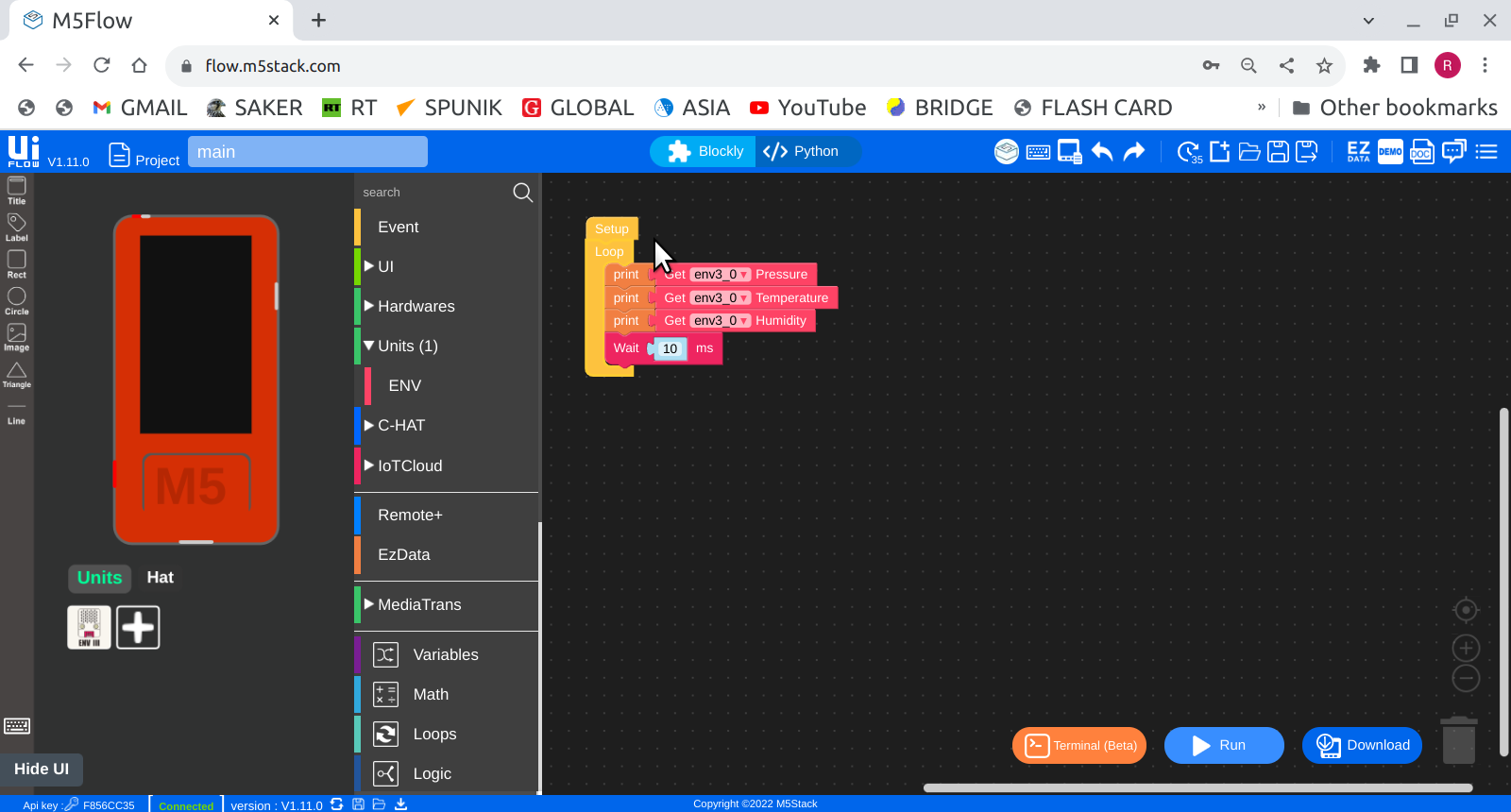
    Resolved, the part that generated 'env3 unit maybe not connect' , I use the HAT (ENV) this time and don't get the error message. This, I still not sure that I blindly got it as I supposed to. Well, go on learning. Thanks.
  • Check if file exists on the SD card in UIFlow

    2
    0 Votes
    2 Posts
    3k Views
    C
    I have upgraded my M5Go to 1.11.0, but there is still no change. There is no documentation on these sdcard functions at all: is this is the entire documentation? http://docs.m5stack.com/en/uiflow/advanced/sdcard This is rubbish.
  • How to save changes in UiFlow V1.11.0 on Core2?

    1
    0 Votes
    1 Posts
    2k Views
    No one has replied
  • Object has no attribute - Error

    4
    0 Votes
    4 Posts
    5k Views
    felmueF
    Hello @RIDDSprojects you are very welcome. I am glad to read it works for you now. And thank you for reporting back. Best of luck with your projects. Thanks Felix
  • Pb.HUB with two digital read unit.

    1
    1
    0 Votes
    1 Posts
    2k Views
    No one has replied
  • ATOM DTU NB MQTT Example dosn't work

    5
    0 Votes
    5 Posts
    4k Views
    felmueF
    Hello @BennoB I can confirm that the UiFlow example doesn't work for me either. The block to connect to MQTT seems to be broken or not properly adapted for the SIM7020. @m5stack : please fix. Thank you. Thanks Felix